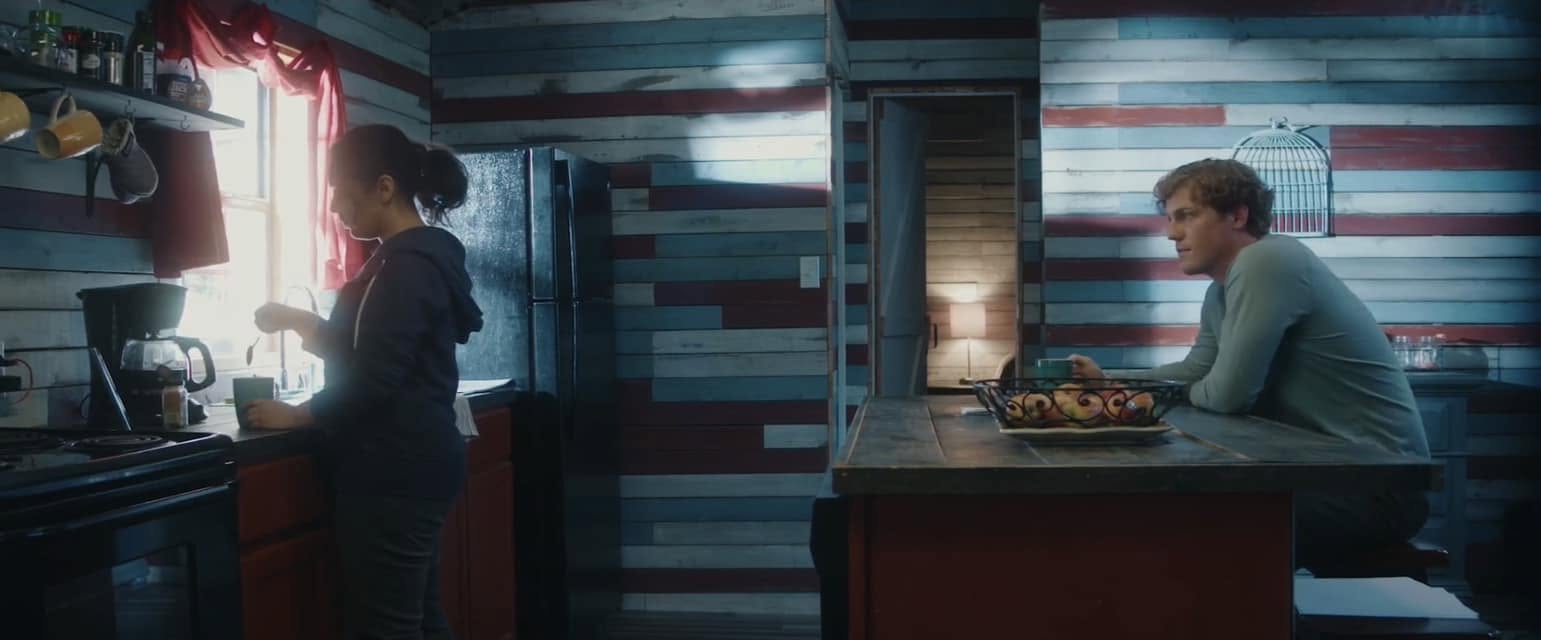
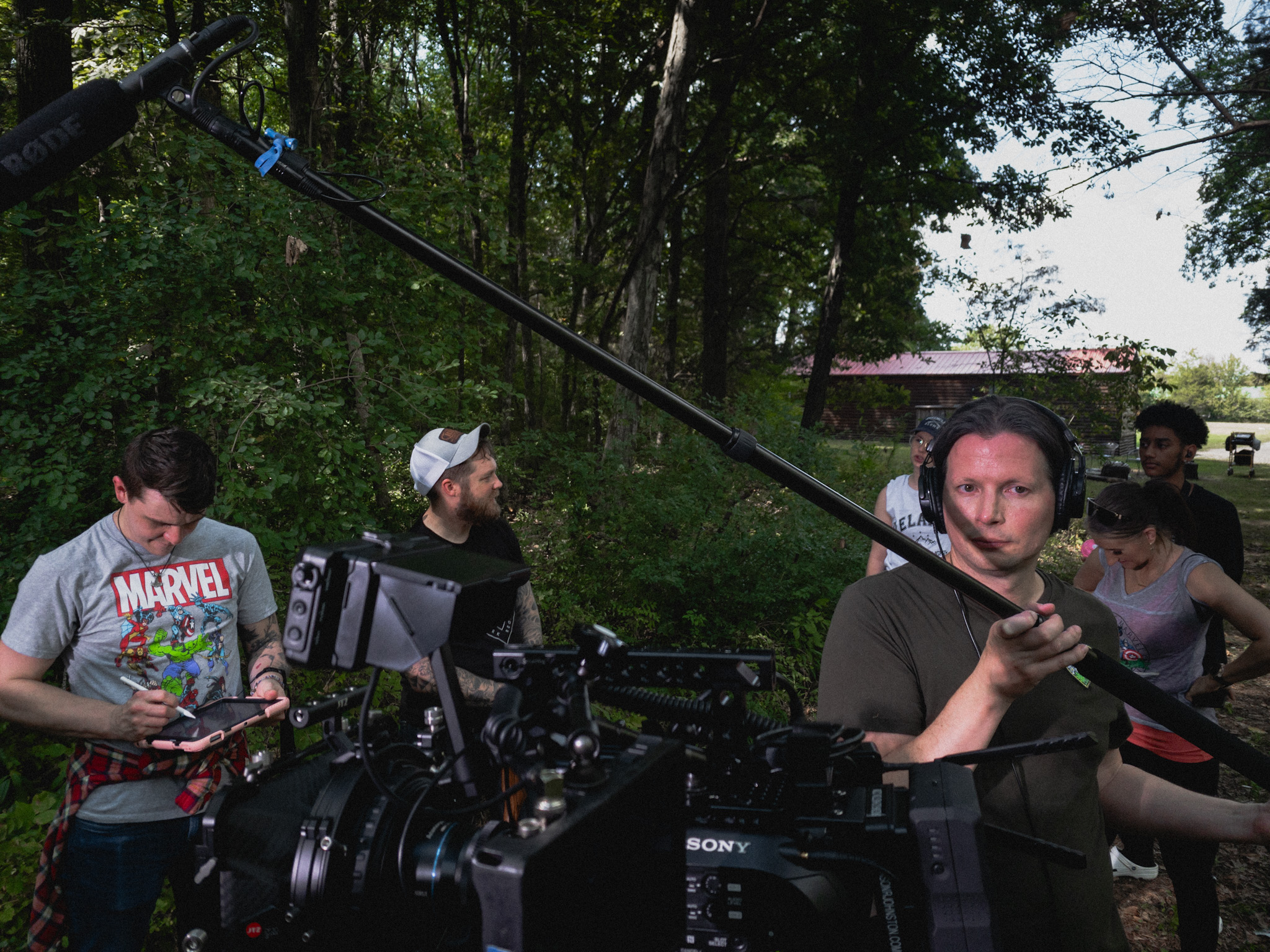
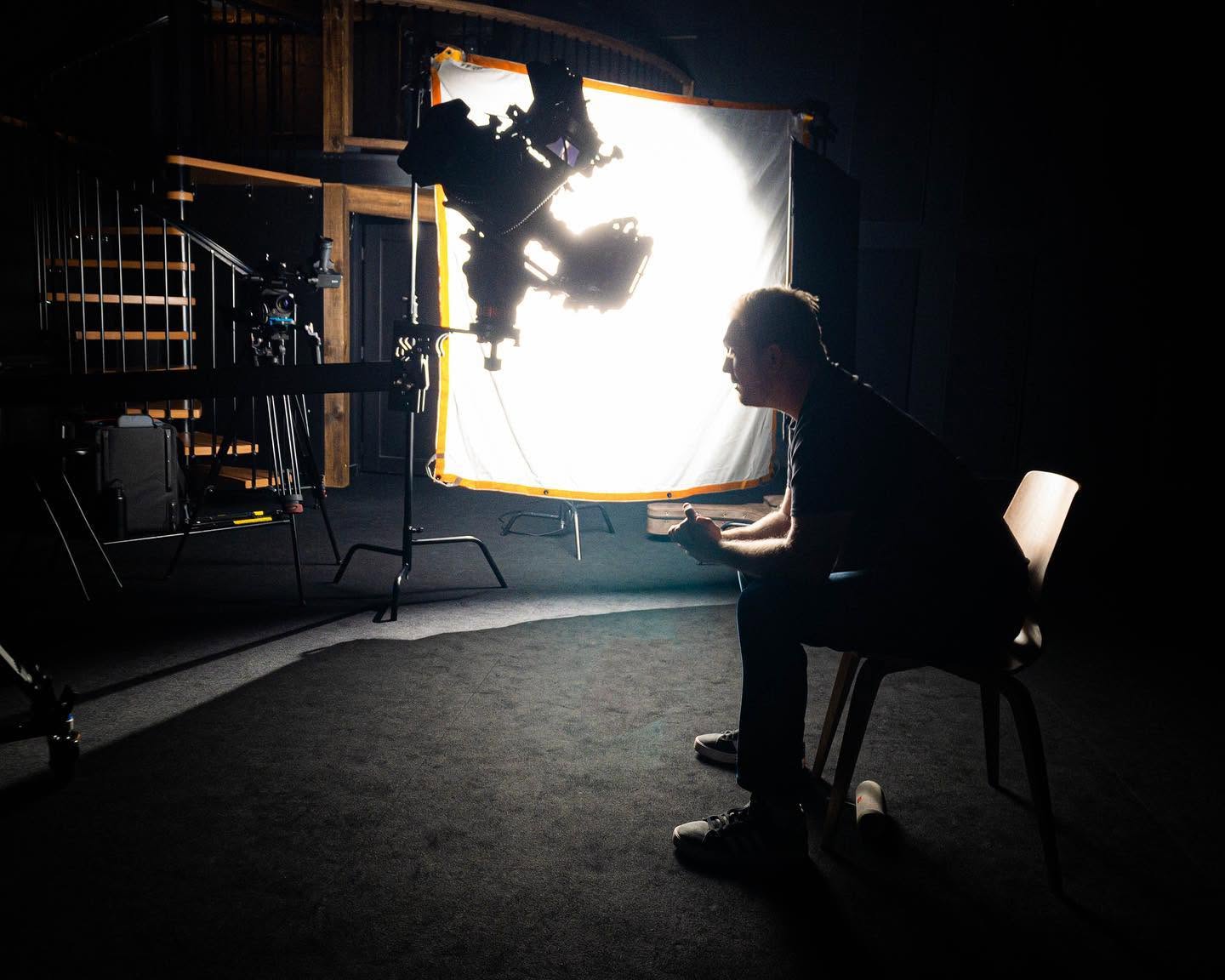
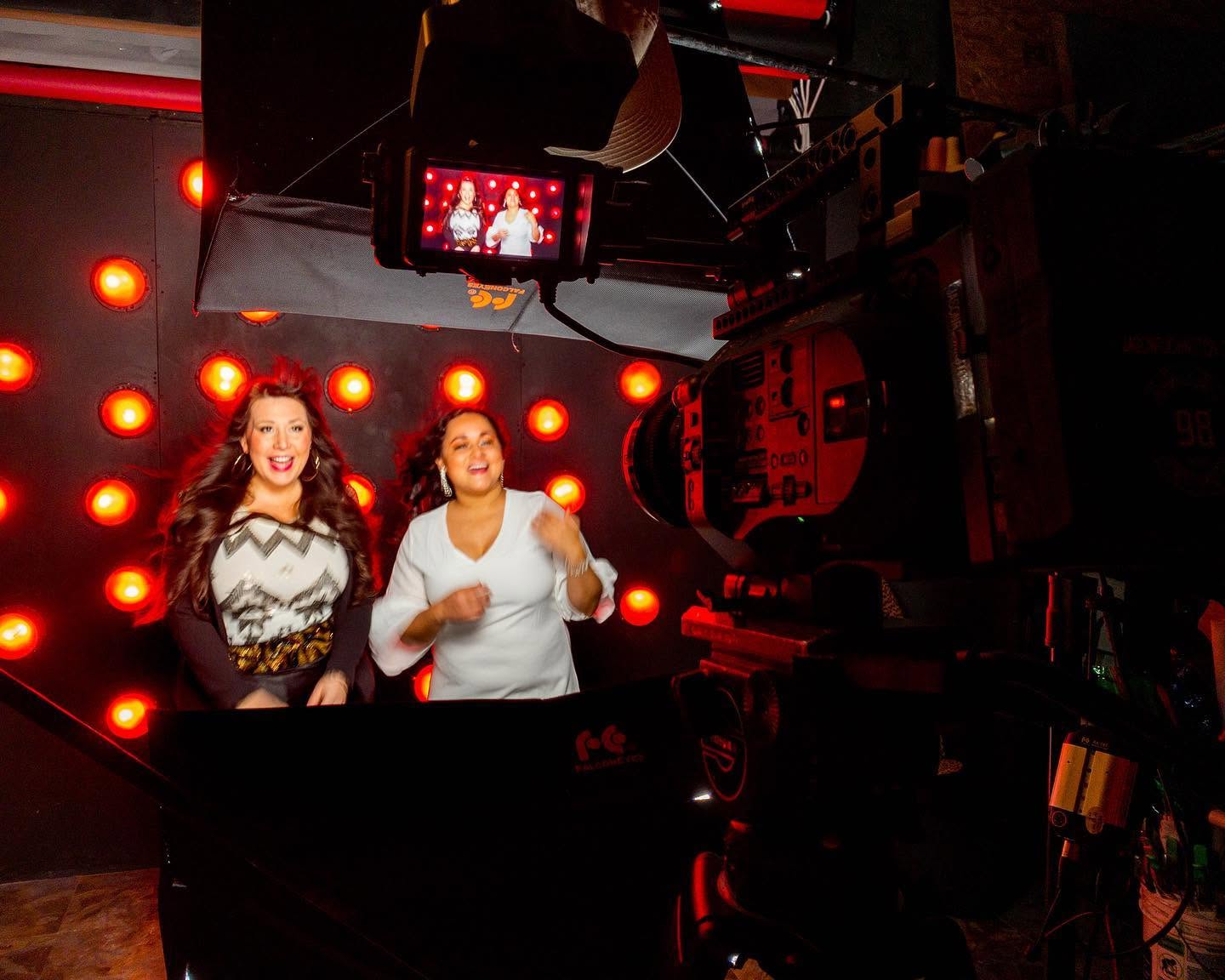
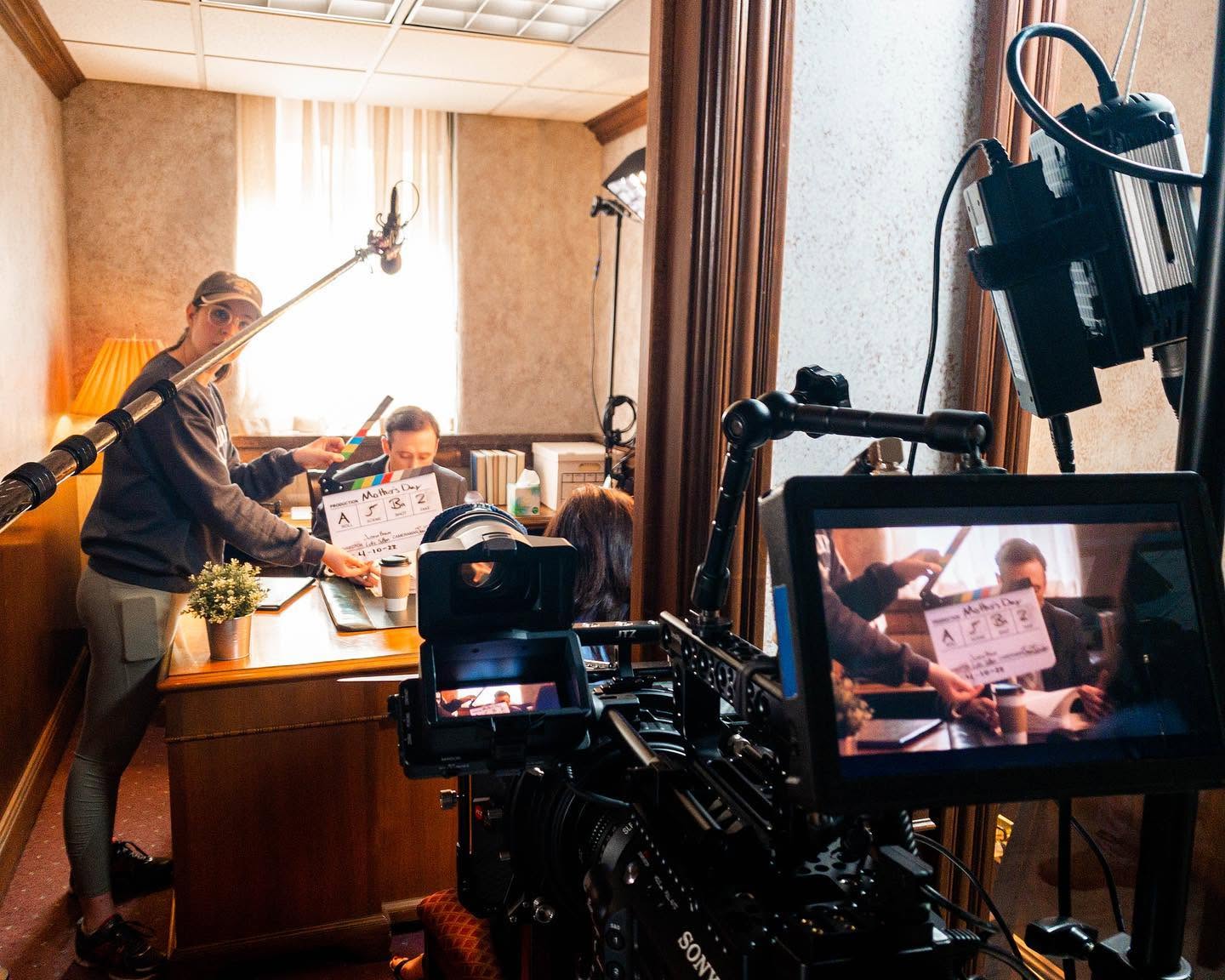
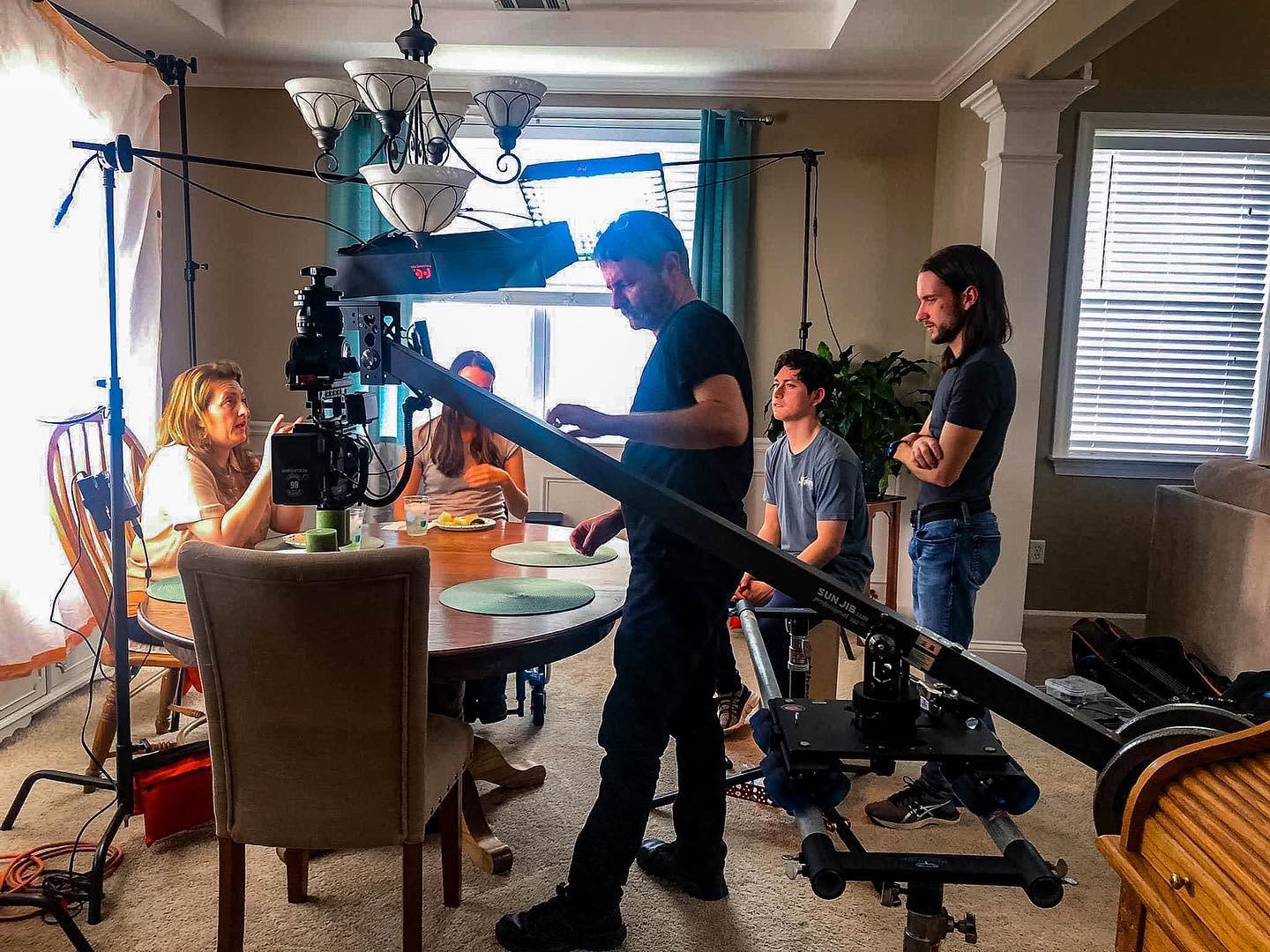
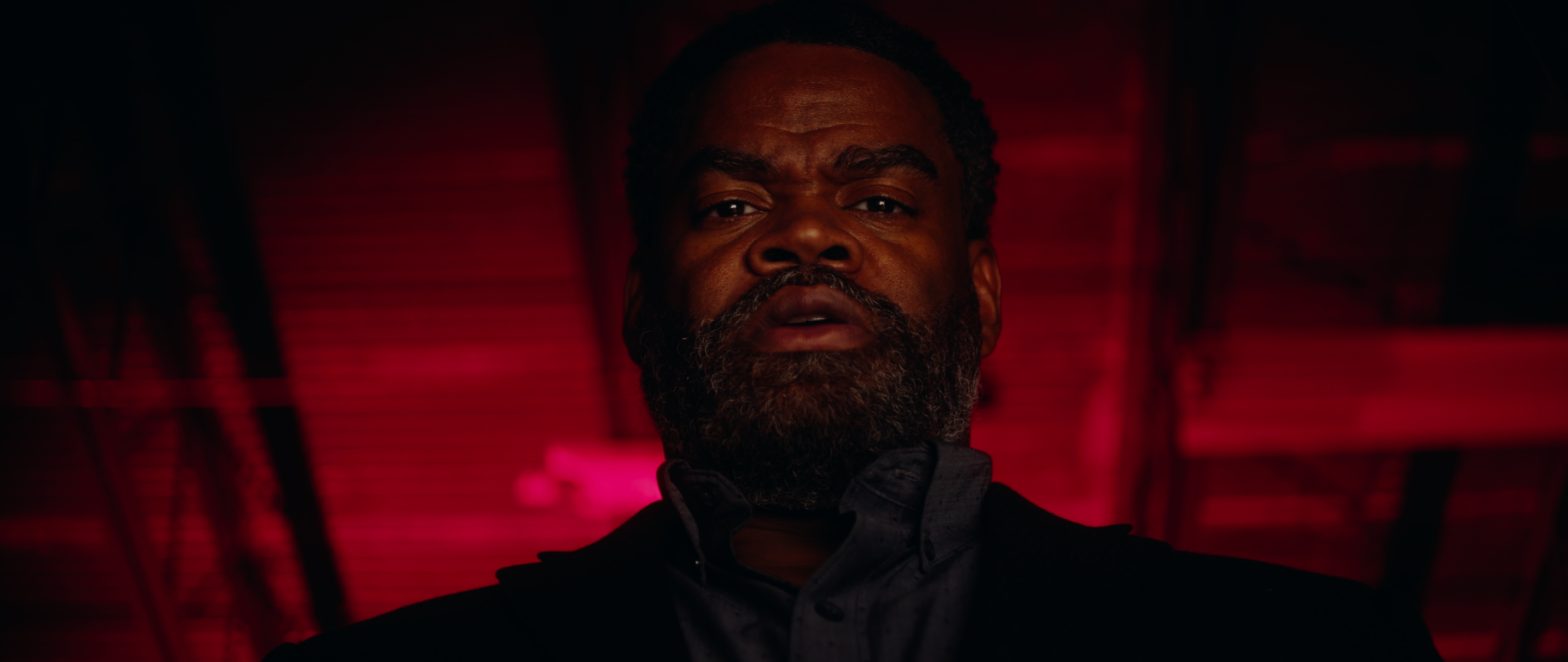
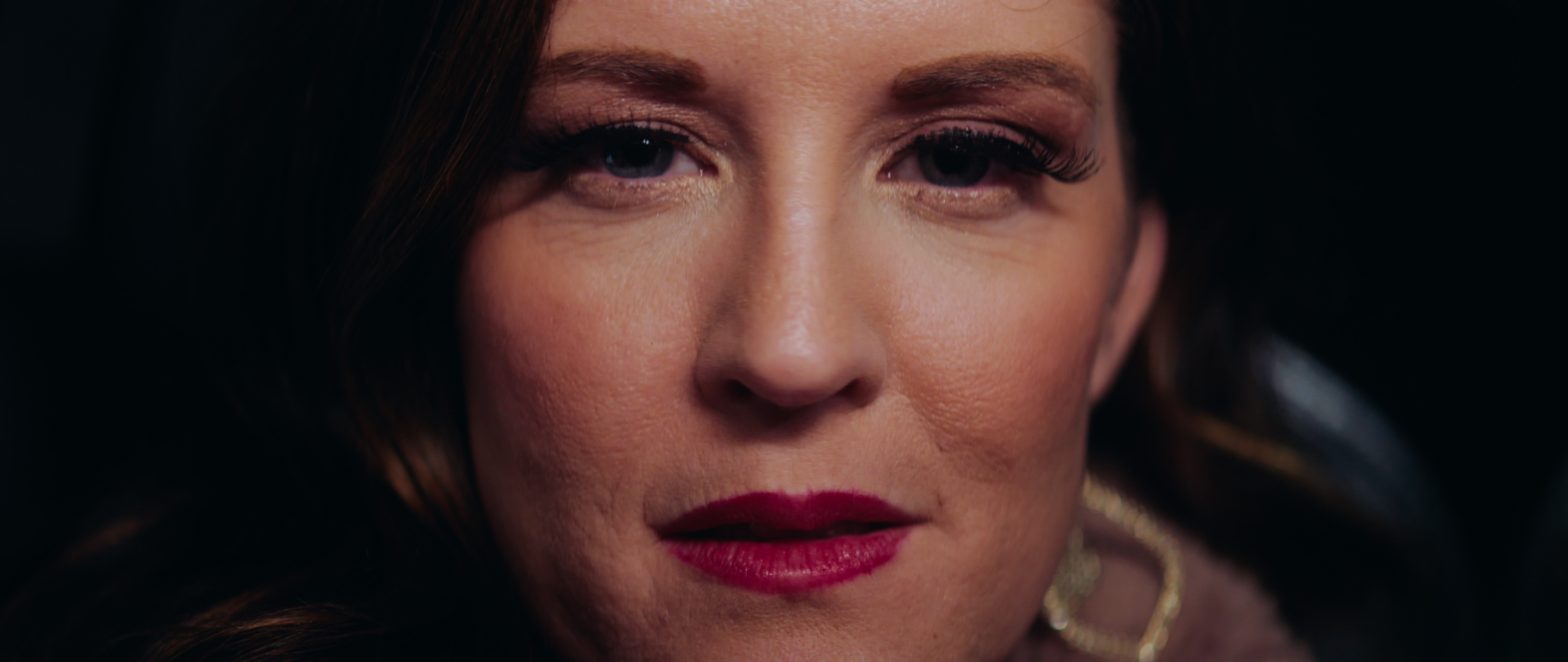
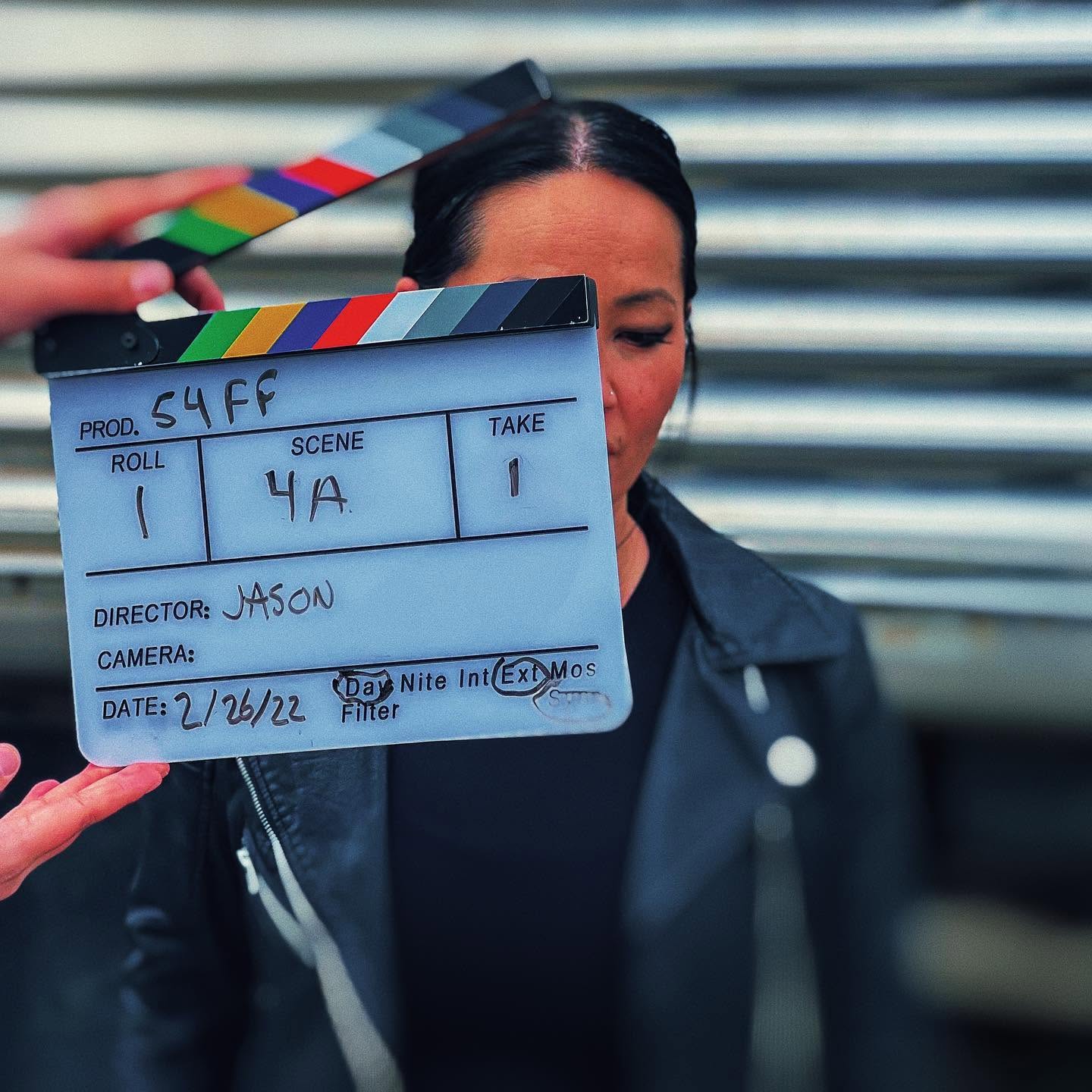
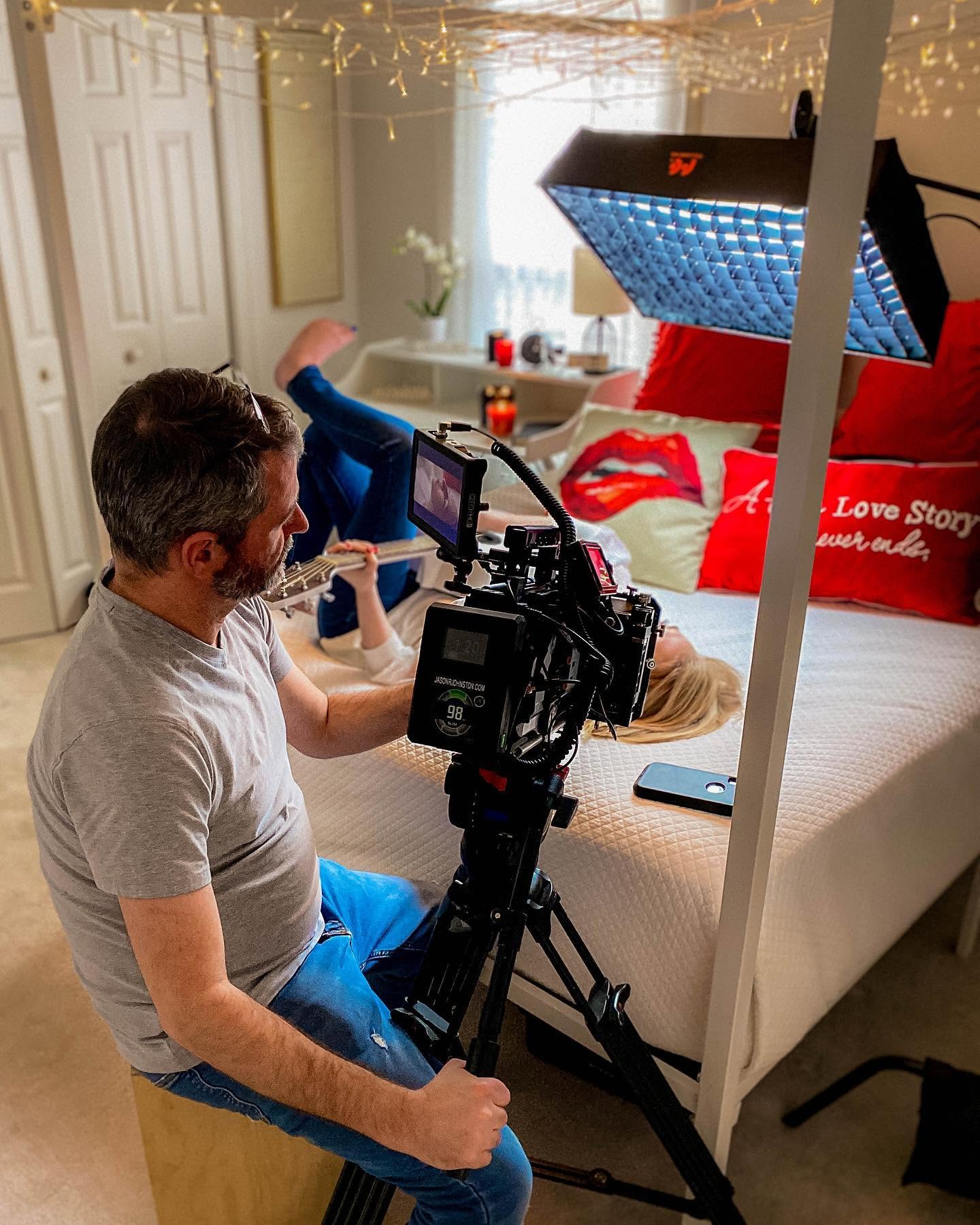
Earlier this year I was asked by Jerry Medina, principle of advertising agency Aviso Media Group, to photograph a new campaign of television commercials for Siempre Natural, a quick-service restaurant franchise, in Mexico and Texas, with a menu they describe as ‘American with a Mexican Flair’. Siempre Natural serves wraps, pitas, yogurts and salads with natural fruit drinks. To promote the healthy (and tasty) brand, the new spots would need to be as colorful, fresh, and fun, as their food. After discussing the desired style of the spots with Jerry, we began prep. It was decided we would need at least three bilingual employees, plus 15-20 extras.
This past Friday evening, I met with Jerry and representatives of the client at the North 10th location in McAllen, Texas. We discussed our intentions for the weekend shoot and formulated our plans. I scouted the location with my iPhone 7 Plus, Cadrage, a director’s finder app, Cine Meter II, a light meter app, and Sky Guide, an app very useful for predicting the travel of our sun. Cadrage, a French word meaning ‘framing’, is very useful as it can emulate the field of view of any combination of camera and lens. Once the pre-viz images have been recorded, a PDF shot list can be created and emailed to anyone on the production team. Production would commence Saturday morning from 7 to 11 AM, and Sunday morning 9 AM to 12 noon.
When I arrived Saturday morning, I ordered the front, Eastward-facing windows and glass door, covered in black muslin to avoid fighting color temperatures and morning shadows. Unhappy with the weak punch and short throw of my available LED lights, I had recently created an old-school tungsten light kit for use on an upcoming short film. Consisting of three Strand Ianiro 1000 ‘redheads’, as well as the Strand version of what Arri calls a ‘mini flood’, I immediately put the new-to-me kit to use on the production of these TV spots.
The Ianiro redheads are proper 1k tungsten open-face focus-flood lights and need to be softened for flattering closeups. I would generally punch two redheads through a 6×6″ butterfly of artificial silk. On closeups and direct-to-camera standups I would use a small, bi-color, LED Obie light set at 3200º Kelvin with just enough punch to lighten up the shadows. Backgrounds would be lit with the mini flood, plus another redhead through 216 for a kicker.
I opted to shoot the footage with my Panasonic AG-DVX200 video camera. Needing at least 1080/24p ProRes 422 10-bit to pull a grade from the camera’s Varicam V-log L and 10-bit 4:2:2 output, I recorded the footage externally to my Atomos Ninja Blade, and monitored the footage with my SmallHD AC7-SDI on-camera field monitor. Preferring physical filtration, I used DVX200’s built-in neutral density for exposure, plus a Tiffen Black Pro-Mist 1/2 to take the digital edge off.
We did not have the time we needed to sweeten every shot as much as I would have enjoyed, but I think the photography is dynamic and colorful enough to squelch any nags. Also, I believe the 12 stops of dynamic range afforded by the DVX200’s V-log L, as well as the 10-bit 4:2:2 recording via the Atomos Ninja Blade, help by giving me plenty of room to grade the footage reasonably well in post.
The spots will be cut and graded in Final Cut Pro X. Overall, I am happy with how they are turning out.
A member of DVXuser posted a question about LUT workflow and this was my answer.
My basic workflow is prep, shoot, ingest, edit, mix (sound), color (where you apply the LUT and do your coloring), deliver and pray. It is more complicated than that, but I want to keep things simple. Well, actually…
First, what is a LUT? A ‘Look Up Table’ is a way of ascribing to a digital image the way colors are mapped or those values are assigned. They can describe how ‘yellow’ orange is, for example. Colors evoke a mood and it is part of the psychology that goes into setting the tone of a show using the visual language of that show which is a combination of production design, lighting, composition, blocking (both talent and camera) and stage direction, performance (including timing, expression and blocking), even goes as deep as the ‘flow’ of the show; i.e., where the cuts go and how they relate to the performance and the camera moves, etc…since those should be planned and shot for on-the-day. This whole ‘fix it in post’ thing is a crutch, but I digress. Also, ‘flow’ is part of ‘tone’ and is different from ‘workflow’.
Speaking of ‘workflow’: there are a lot of different ways to go about this and answers are generally subjective depending on a bunch of parameters.
Basically, you need to find a workflow you prefer and one that keeps your clients happy. Some folk like the look of logarithmic footage without processing of any kind. Other folk grade it so much it looks like terrible, cheap consumer video. Most of the professional stuff you see in broadcast media and movie theaters are graded in some way. Only occasionally do you come across some old-school film peeps who create the look both on the day via filmstock, filters and gels, and in the lab, avoiding a DI process altogether. That’s ‘Digital Intermediate’, by the way: the phase the edited footage goes through the coloring process, usually with the colorist in some combination with the show’s DP, producer or director. ‘Digital’ because it’s done on computer, and ‘Intermediate’ because it is the process between editing and duping – ‘duplication’…lots of stuff newbies need to look up.
The basic workflow stems from the idea that you generally shoot something with the intent of it looking a certain way which is planned between the script-writing phase and the production phase; usually to help the visual language of a show (read: movies, music videos, TV series with any number of different styles or genres on display) evoke an emotional response from its intended audience. The visual language of the show as a whole, or sequences within the show, or scenes within the sequences within the show as a whole, or individual shots within the scenes within the sequences within the show as a whole, can be treated visually different from each other, but generally a show develops its basic look and style within its first few seconds to ground the audience and establish something we like to call ‘tone’. Establishing the show’s tone goes a long way to help suspend the audience’s disbelief and allow them to either enjoy your show or change the channel. That is why you can not start watching a movie from the middle and why comedies are generally broadly lit with saturated colors and dramas usually have a lot of shadows with muted colors.
Sometimes you want to break up sections of your show (like dramatic acts or sequences or scenes) with different palettes but the general tone of a show should be consistent throughout. I shall use the classic fantasy adventure film “The Empire Strikes Back” as an example. It starts with a cold environment with lots of whites and blues; the good guys have bits of orange intercut with the militaristic bad guys’ grays and deep blacks. The second act has deep greens, reds and oranges, with the third act becoming much colder, all intercut with those grays and deep blacks of the bad guys. All of it has a slightly cool look with desaturated highlights and midtones with shadows that like to dip into blue. It is a generally blue-ish movie: cold and subjective, which aid the film’s anxious tone…but without becoming depressing. When our heroes finally admit their love for one another, the camera is closer and the orange and reds of the room penetrate the scene. “Empire” is the most dramatic of the Star Wars movies, and a terrific film by itself (how I prefer it) which I encourage you to watch with the sound muted. In fact, you need to start watching everything with muted sound. If you can’t follow along, then it’s not good storytelling.
You have to learn why things work on a starship.
Captain James T. Kirk
Once you have the tone in mind and have established what sections should look like what without betraying that tone you want the show to establish, then you go about testing different films, cameras, lenses, filters, lights, gobos and intermediate processes (where LUTs come in) along with production design such as wardrobe, the colors of the sets, makeup, props, etc…and combinations of all of that – with talent, or at least stand-ins – to ensure the tone you’re going for will be served. Or, you watch a movie or two and decide that you want your movie to look like someone else’s movie, but better-er-er. Whatever. Point is: come up with the show’s tone before you shoot.
Nowadays it is all very simple because you can have video reference monitors with the ability to import LUTs so you can pretty much see what the final show will sorta look like on the day. You generally light with a style that considers the tone and look and feel of the show and the LUT is a part of that. Seeing it on the day in the monitor is nice but should not be the only thing. It is merely a guide for everyone else except the DP who should know better and understand that, despite the base LUT, the show will still need to be properly graded and shots individually tweaked or corrected.
There is this neat vignette on the collector’s edition of David Fincher’s excellent “Seven” where his go-to colorist shows examples of coloring that special edition of the film for home video release in what film critic Jeff Shannon described as “a fascinating exploration of the audio remixing and video remastering process, demonstrating the subtleties of digital color and tone manipulation.” It uses the final scene as an example: shots done days or weeks apart and show with various lenses and lighting conditions all need to match so they look like the scene takes place all in the same place at the same time. That’s what coloring is all about. A LUT will help you get there, but you still need to have an understanding of what’s going on outside.
A LUT is simply another tool in the box.
What I am saying is you can not shoot something and then apply a LUT willy-nilly like it is a magic potion that will make everything look legit. You have to plan, you have to shoot for that plan and then execute the plan. You marry into it…even if it was the wrong decision; you commit. Because you would rather spend two years making a movie than two hours watching one. I digress, and no it is not a simple answer at all. A LUT is simply another tool in the box. Logarithmic profiles are another tool. Variable frame rates, DCI 4K and servo zooms are other tools. They all work together to serve the show – whatever it is – whatever message you are trying to say, story you are trying to tell or feeling you want to make the audience feel. They are only tools and you need to learn them.
Once you know the rules, then you can start breaking them and that is where the fun begins. That is when you can tell a story backwards or use visual metaphors or whatever. That is why experimental films are usually shot by amateurs simply learning their craft, whereas when an established filmmaker creates an experimental film they are usually more coherent. They are better at using their tools to do what they want them to do; build the house that they want to build. Then we can prattle on about foundations like concept, idea, story, script, etc.
It is true the best LUT in the world can not fix broken footage, but also the best footage in the world can not fix a bad performance, bad direction or a bad script. They are all pieces to this enormous puzzle…even when you are just shooting a few interviews, stuff needs to be considered. You need good sound, good light, good composition, good answers, good questions, a motive. You do not simply show up and shoot without looking at the location and deciding whether to use the windows or not, the desk or not, that lamp on the table or not. Movies do the same thing except they consider that on paper and then design and build their sets with the intention of it all serving the style and tone of the movie that helps tell the story in the most appropriate way. That is what it is all about: being appropriate in regard to how the story is told.
That is what it is all about: being appropriate in regard to how the story is told.
Getting back to it: you can certainly ingest your footage, apply your LUT and color, export the graded footage and import that footage into your editor and go from there. Or, you can round-trip by editing the footage, exporting the timeline into a grading software where you do the coloring and then take that back into the editor to tweak and export deliverables. Or, have a one-app solution where you can both edit and color at once on the same timeline in the same app. Apple’s Final Cut Pro and Blackmagic Design’s DaVinci Resolve come to mind.
I use FCPX 10.2.3 which does not natively support Panasonic’s V-log (Varicam) or V-log L (DVX200, GH4) at this time, though you may use another flavor of log-to-REC.709 it does support, such as Canon’s C-log. Regardless, you still need to process your footage. For more precise controls there are a number of plug-ins available to grant FCPX the ability to assign LUTs and subsequently correct and grade footage. I use LUT Utility with FCPX’s Color, or Color Finale Pro from Color Grading Central.
This past weekend I was invited to shoot a spec teaser trailer for a proposed horror film tentatively titled “The Asylum” written and directed by first-timer Israel Ybarra. The shoot would span two consecutive evenings: Friday and Saturday on location in the little Texas town of San Juan. The first day would be filming in and around the abandoned San Juan Hotel on Business 83 constituting all the scary scenes. The second day would consist of the setup: some exposition-serving drama at a house party before the fun begins. I decided to use my Panasonic AG-DVX200 video camera for this project as I hadn’t seen it used for anything cinematic online, to date.
The way I understand the camera, as far as Panasonic is concerned, the DVX200 can be configured to be a GH4 with more sensible motion picture camera ergonomics and usability, plus the speed of a fixed lens. I also knew that place would be dirty and I didn’t want to have to change lenses and worry about potentially damaging my clunkier, more expensive film gear for what is basically a “for fun” project. Despite the filthy conditions of the dilapidated building and the location’s ~90º F temperature (at night!), the DVX200 performed precisely as expected. Depending on the complexity of the scenes I would use anywhere between one and five small LED lights.
HD and Variable Frame Rates
I decided to shoot this project in 1080/23.97p 200 Mbps ALL-I Full HD (FHD) because after speaking with the director I knew I would need to do some undercranking (fast motion) and overcranking (slow motion). The DVX200’s Variable Frame Rate (VFR) mode gives me a wide range of choice from 2-120fps, but not above 1080p. I knew that DVX200 resorts to a sensor crop at frame rates higher than 96fps, which was too slow, anyway, so I kept the highest overcrank at 60fps. Going over the dailies later, this would wind up being a re-time of 150% on the editing timeline when ramping. I overcranked a reaction shot of a woman finding her boyfriend being attacked. I also undercranked on another attack at 20fps to give the scene more voracity.
Undercranking and overcranking, by the way, are terms carried over from film. It basically means that, in a 24fps environment, when you undercrank or allow the film to travel through the camera slower than 24fps then play it back at 24fps the action moves faster since it takes less frames for a normal action to be captured and thus the movement is exaggerated. Inversely, overcranking is to allow the film to travel faster through the camera, then when played back at 24fps the action is slowed down. Subtly under or overcranking film can have a huge effect on an audiences perception of a scene. Because the film travels at different speeds than what it was rated for, you must increase your exposure for overcranking or decrease it for undercranking. Shooting a scene at 60fps on a DSLR and slowing it down in post is not overcranking because the images was always intended to be 60fps in a 60fps environment. Overcranking or undercranking takes place inside the camera on the day.
The Image and Working with V-Log L
I have found that I enjoy working with V-Log L and DVX200’s interpretation of it. I have decided that using Scene 4, exposing and white balancing correctly, using the Natural color matrix and not going past ISO 2000 yields flat images that can be turned into some very nice-looking ones with only a little bit of love. The Varicam 35 to V709 LUT works very well in these situations and is generally a good starting point for a grade. The DVX200 internally only records to 4:2:0 8-bit at up to 200 Mbps ALL-I in FHD, so it’s a little better than shooting with a nice DSLR in terms of the digital file, but it also outputs a clean 4:2:2 10-bit image to an external device – so, you have that option. For a project with a quick turnaround that doesn’t need a lot of work because it was shot appropriately, then even an 8bit image will grade satisfactorily a lot of the time, but, again the option is there.
Also, I have read that if you record a 4K or UHD image internally and scale it to a FHD editing timeline later, mathematically the image magically transforms from a 4:2:0 8-bit image to a 4:2:2 10-bit one. Regardless, it’s best to use an external recorder; Barry Green will back me up on that.
DVX200 ghosting artifacts due to NR prior to firmware version 1.81.
I had recently updated the firmware to version 1.81 which adds the Noise Reduction (NR) Control Function which eliminates the terrible ghosting artifacts most noticeable in shadow areas of high contrast images, but in favor of more noise. More on noise later. But, speaking of firmware, I will briefly go over the update milestones that are most meaningful to me. By the time I purchased my DVX200 in May this year there were already no less than three updates that resonated with me.
First, v1.25 in November 2015 improved 4K and UHD modes by adding Fast Scan Mode which reduces the camera’s 4/3″ CMOS sensor’s rolling shutter artifacts (jello effect), made the shadow areas cleaner by reducing black dot noise and also cleaned up highlights by making overexposed areas roll off into white instead of yellow.
Next, firmware v1.51 in March 2016 added the Natural color tone reproduction setting and reduced noise in black-colored areas in FHD. Lastly, the v1.65 update in April improved gradation in log, fixed the camera so it would remember your gain setting after a reboot, as well as adding Extended Sensitivity mode which introduced the concept of negative gain to the camera, granting up to -6dB gain and effectively dropping the noise floor about 2 stops. This results in cleaner images south of the base ISO of 500. This brings me to today and the most recent 1.81 update.
Screengrab of a boxing match I shot with my DVX200.
The noise of the camera from ISO 2000 and below, I have found, is well done and not the smudgy mess generally found in video cameras. The noise appears filmic at times; especially between the camera’s base ISO rating of 500 and the least sensitive rating of ISO 250 where, I believe, it is actually quite pleasing. For this project, I wound up shooting between 500 and 1000 ISO.
Clarity of the image, particularly at the slower ISO ratings, was generally sharp and well-defined. I don’t like my images to be excessively sharp in a digital way, rather I prefer to light with a lot of contrast to heighten an audiences’ perception of sharpness and to nail focus like a boss. In my experience this approach gives far more “cinematic” images than increasing the sharpness setting in the camera or sharpening the image in post. I like to see noise or grain when it’s pleasing and it reminds me I’m watching a movie.
The DVX200’s 5K sensor gives the image superb overall clarity. Color reproduction, when the camera is setup properly (read: exposed and white balanced correctly), is good. Of course, depending on the Scene settings, you could be going for the generic broadcast video camera look of Scene 1, or the more GH4 “cine” look with Scene 4. Either way, I have always found skintones to be rendered well in good lighting situations. In bad situations where you can’t help but shoot under a sodium vapor street lamp, then skintones will be rendered appropriately yellow. Either way, that’s the way it looked to my eye when I saw it live, and that’s how the DVX200 records it…again, when setup properly. Summed up: DVX200 does a good job of reproducing colors, particularly skintones, in the way I remember seeing them with my eyes in various lighting conditions.
The Body
I use my DVX200 naked with the big battery and a good-sized shotgun with deadcat hand-held with OIS all the time, for hours and hours. The camera is well-balanced and a joy to use.
My DVX200 on set of The Asylum spec trailer. That’s an LED topper, or an “Obie” as we like to call them here in the USA, for subtle fill light.
The size and weight actually make it easier to handle than HVX200 or DVX100 (or other similar types of camcorders). It might help that I’m used to full-size ENG cameras and digital film cameras like a big, fat Red One loaded up at somewhere between 30-50lbs depending on lenses and batteries…on my shoulder or hanging from my hands. As a videographer, DVX200 has never become a burden…though even a mostly plastic camera starts to feel like it’s 2-3x heavier than it really is after several hours of shooting, but that’s why you put it down every now and then. And if you simply can’t (wedding?) the weight still hasn’t been a deal-breaker…plus, again, the size and shape of it (including the central placement of the battery compartment) means that it’s very well balanced, especially with the heavier batteries. So, I’d say that for me, the weight has not yet been a problem at all and I don’t see it ever becoming so.
The ergonomic benefits of using a proper camcorder for video work are numerous. Gripping the handle for low-mode (or just resting the camera in the non-dominant hand) is a joy. The buttons and switches are intuitively places on the smart side, plus extra ones on the dumb side. Having the ability to assign nearly any function you could need to the User Switch buttons potentially makes the DVX200 an efficient camera to operate.
Also, I sometimes forget the camera’s LCD flip-out monitor is also a touchscreen and I like that the menu system isn’t too difficult to navigate (DVX200 is just as much a computer as it is a camera) and setting it up for shooting doesn’t take long at all. SD card slot placement is fine, plus the manual audio controls are right where they should be.
The rear viewfinder is extremely helpful in bright shooting conditions. I learned that pointing the EVF upward keeps the sensor from turning off the LCD accidentally. However, you are able to switch to EVF or LCD (or auto) so this phenomenon doesn’t happen at all unless you want it to. Also, because I’m old school I set up the EVF to show only grayscale.
As far as batteries are concerned, the included VW-VBD58 will last a conservative shooter over 3 hours of juice. I also have the AG-VBR59 which has a similar run-time, plus the bigger AG-VBR118G which, honestly, has lasted me an entire shoot day without complaint on more than one occasion.
I have found the camera never seems to overheat, even in the hot Texas sun.
The Lens
The affixed 13x Leica 12.8-67mm lens on the 4/3″ sensor has various focal lengths depending on what mode you’re in, but basically it’s about a ~29-370mm in 135 terms. It does have a digital zoom which uses the 5K sensor in FHD to perform the punch in. Also, un 4K/UHD the Optical Image Stabilizer (OIS) further uses the extra pixels to work. The lens is not parfocal, but it does some magic that gives the impression of a parfocal lens, though you can hear the mechanical elements shift inside the body (no worries) and you can see the camera try to catch up when performing snap zooms. It hasn’t been a problem yet and I don’t forsee it becoming one, but it is something I noticed.
The lens is rated at f/2.8 at the wide end and ramps to an acceptable f/4.5 somewhere in the middle of the zoom range. The depth of field is quite negotiable in terms of nailing follow focus. I have found that DVX200 has a pleasing depth of field and can appear quite cinematic at times. Flaring and other optical artifacts are controlled well. OIS is a joy in general as it makes a static handheld shot look like the camera is on a tripod, or it at least gives traveling shots the steadier look of a full-size ENG camera. The included lens hood has a mechanical barn door system that protects the front of the lens without fear of one day losing a lens cap.
Final Thoughts
In conclusion, the Panasonic AG-DVX200 is a great little camera that certainly has the capability to play alongside real cinema cameras in a lot of ways. The image quality is quite good and the ergonomics of the camera make it far more enjoyable to use than having to rig out a DSLR. Or, it certainly saves your back from having to deal with a 40lb cinema camera. I think the camera is a great solution for low-budget productions needing the look of a GH4 but don’t want to deal with it’s ergonomics in the field. But, don’t get your hopes up: if you need raw processing or for the camera to see in the dark because you don’t (or can’t) light what you’re shooting, then DVX200 might not be for you. But, at the end of that weekend shoot, the director and producer were very happy with the dailies straight from the camera. Once I see the trailer has posted I will post it here and possibly add BTS photos and stills.
From July 16 and 22, 2016, I produced “meet the candidate” films for the Delta Revitalization Engagement & Action Movement (DREAM) campaigners for Edcouch-Elsa Independent School District (EEISD) school board membership. A film each was produced for candidates Carolina Saenz, Reynaldo Rodriguez, and Jose Saldivar. Photographed with my new Panasonic DVX200 in Vlog-L, and cut in Final Cut Pro X.
Update: DOT and FAA Small UAS Part 107 ruling allows an individual to earn a special drone pilot license for commercial applications. More info here.
I tend to do a lot of research before I invest into anything. As a professional filmmaker I have experienced a rising interest from clients who wish to have aerial footage for their videos. Last year, I demanded an aerial shot to begin my short film Immobile. The demand is there, and as I began to look into purchasing my own unmanned aerial camera platform, I decided to take a look at the law. You know? For giggles. As it turns out, there is quite a bit of rigamarole to work through.
To put it simply: the Federal Aviation Administration (FAA) governs the sky above the United States of America. They demand all Small Unmanned Aircraft Systems (sUAS) where the Unmanned Aerial Vehicle (UAV or “drone”) weighs more than half a pound but less than fifty-five pounds, be registered before taking off into the nation’s sky. This has quite a lot of benefits, requires only a few weeks of waiting and a fee of $5 to be repeated once every three years. Not a problem. I can still pick up a DJI Phantom 4 and fly it around in my living room for practice until the paperwork arrives at my doorstep.
Affordable, professional 4K aerial footage is definitely a service I wish to offer my clients.
As far as the FAA is concerned, any UAV in operation is as important as a big 747 carrying three-hundred passengers, so a mandatory registration makes sense. If you want to fly your little drone around safely in a public park away from pedestrians and people’s private property and you keep your eyes on it at all times and always use common sense in its operation, then you’ve done all you need to legally do.
But what if you’ve been hired to take your drone up and snap some shots of someone’s business? This is where things gets silly.
Affordable, professional 4K aerial footage is definitely a service I wish to offer my clients. However, for commercial purposes the FAA demands that all light aircraft – including your UAV – be flown by a licensed and certified pilot. This means either hiring a pilot with sUAS experience to man your drone, or you spend several months and tens of thousands of dollars to become a licensed pilot with the certifications necessary to fly commercial aircraft. Because I’m not a pilot, nor do I know any with mad sUAS skills, that basically means that my UAV can not legally be used as a professional video or photography tool. Getting caught means an extremely steep fine and a few years in prison.
Until the FAA makes allowances for a simple ground certification for commercial sUAS use (like getting a drivers license) I don’t see how I can legally offer unmanned aerial footage services to my clients at this point in time. Considering the pressure professional videographers and photographers like myself are placing on the FAA to make things right, this will all hopefully change soon.
I have all but pulled the trigger on my next camera: the Panasonic AG-DVX200 (brochure, Panasonic Pro-AV website, Panasonic Business website). It took quite a bit of research and bumbling about to make my decision as I had been looking for a handy-cam-style camcorder to shoot the type of projects that make up the majority of my freelance work: reality, documentary and event. From my first impressions of another camera, the new Sony PXW-Z150, I had steeled myself against considering cameras above $3,500.
However, the next higher class of camera simply did more things that I would get more mileage out of in the long run. Since I see each camera as a major investment that will last 5-8 years, I became more comfortable with needing to spending that extra ~$1,000 or so for the quality, professional features and ease-of-use I was looking for. I still like the X70, still like the specs of the Z150. But the DVX200 has a logarithmic profile, intra-frame codecs, DCI 4K, a larger sensor and that lovely Panasonic color matrix (made nicer by a recent free firmware patch). It also has a lot of support from both Panasonic and third-parties and, unlike Sony, Canon and others, Panasonic seems to officially support its cameras for a number of years instead of with just one quick patch to fix a few typos and then on to the next minimally-revised version.
There’s something very appealing about a camera being able to shoot real DCI 4K in true 24 fps with an intra-frame codec and logarithmic profile.
There’s something very appealing about a camera being able to shoot real DCI 4K (Digital Cinema Initiative 4K, 4096×2160, 17:9 aspect ratio) in true 24 fps (frames per second) at 4:2:0 8-bit at 100 Mbps (Mega bits per second) in V-Log L (Varicam Logarithmic profile Lite). And to shoot UHD (Ultra-High Definition, 3840×2160, 16:9 aspect ratio) for FHD (1920×1080, Full-raster High Definition, 16:9) and effectively recording 4:4:4 10-bit at 200 Mbps and having the option to also reframe on the timeline, acquired with cheap SDXC cards on inexpensive batteries that will go for many hours, plus FHD 120 fps — everything just seemed to fall into place on paper for me.
I don’t love that the affixed Leica lens is not 100% mechanical and therefore imprecise. The zoom ring has a mechanical link and can be either servo-controlled or manually racked, but the other two rings are strictly fly-by-wire. Focus, in particular, is said to have a mind of its own (read: Fine Control issues). User-reported issues seem to stem from inexperience with a new camera compounded by users not customizing settings in the menus, however, so I’m not exactly worried, but my ENG and motion picture camera operator backgrounds would have preferred total mechanical FIZ control. This does mean there are no focus ring hard stops potentially making repeatable, mark-able focus pulls very difficult at the extremes. But, if you don’t pull past the extremes, I am assured the ring and it’s relative position with the focal plane are said to be precise and, therefore, repeatable in Course and Fine control modes.
An additional caveat is the Leica is not a true optical parfocal lens; zooming too quickly will reveal the lens’ element groups rushing to catch up. This means on a snap zoom the image will be briefly out of focus from one extreme to the other. Not a big deal with inherent motion blur, but at the extremes, once the zoom has ended you’ll notice the shot eventually return to proper focus as the internal lens elements settle. That seems silly with a mechanical zoom that can snap.
Regardless, I believe that the DVX200 is the best camcorder for me. Reading Barry Green’s ebook gets me excited about all the customization functions, alone. And it’s in stock right now pretty much everywhere. I’m just waiting for a few things: 1. a few freelance checks to clear, 2. I’d still like to see what gets announced at NAB Show next week, just in case.
But, even if a fantastic camera is announced that may or may not begin shipping later this year or whenever, I still think purchasing the DVX200 next month is the best thing for me. It gets me the kind of camera I desperately need for the majority of my freelance work, which saves me the hassle of using the Blackmagic Cinema Camera on shows that aren’t on controlled sets.
My freelance work, unless it is a commercial, music video or movie, rarely grants me the luxury of being able to change lenses, to carry a bunch of lenses, extra gear and crew to make it all work. Mostly I am a one-man-crew and I really only have so much ability as my own pack mule to carry all the gear I need to properly utilize the Cinema Camera. Don’t get me wrong: the image is eventually worth it, but the stress is killer and if I don’t have to do that 80% of the time, then that would make my back and shoulders feel a lot better. Not to mention the time saved just setting the tripod down, white balancing, composing the shot and hitting record. It takes me back to my ENG days where I could shoot an entire commercial in less than 3 hours.
I’m highly looking forward to being able to be more productive with less bags of equipment and instead having a single bag with everything I need. I imagine my Rodelink receiver will live on the DVX200’s cold shoe after next month! So, next month, I expect to start compiling information on my new camera as I take it out into the world. I plan to do a review of the DVX200 once I’ve used it for a while to share my thoughts of real-world use by myself, a freelance videographer and one-man-crew, as well as my thoughts of using it as a cinematographer on a proper short film.
The number of projects I’ve already had this year that I could have used the DVX200 on…all of them, actually. I haven’t done one project this year already that I couldn’t have used this camera on and, in doing so, saved myself quite a bit of headache from using the Cinema Camera or the Canon 6D or 5Dm3 in reality situations that they just weren’t designed for. And DSLR’s suck at real video and I’ve been tired of that form factor for videography for a number of years. I did not purchase my 6D to shoot video, but that’s what I’ve been using it for because I haven’t had a camcorder to take over from the BMCC. The 6D is easier to use and much less heavy than the BMCC, but at a cost of a less-than-stellar image. The DVX200 gives me the best of the DSLR, the best of the BMCC (except raw), and the best of the handy-cam-style camcorders all rolled into one, single unit.
I’ve always been a fan of Panasonic’s skin tones, and I was a heavy user of the HPX200A and did use the DVX100B on a few projects. The DVX200 seems like a perfect fit for me. I think it’s going to be wonderful.
Update, May 1, 2016: I travelled up to Dallas after a work trip last week and visited a Panasonic reseller which demoed the DVX200 for me. Finally holding the camera in my hands laid to rest any doubts or issues I may have had prior to physically handling it. Now it’s not just a white paper and some pictures, but a real product I feel more confident investing it. Review coming soon.
Update, May 6, 2016: By the end of the day, both FedEx and UPS will be delivering packages: the DVX200, plus batteries, cards and a few other things. Camera bag arrives next Tuesday. I’ve loved the camera so far, this weekend will be time to go out and test it the best way I know how: using it in the field. Review coming soon.
Traditionally, motion pictures shot on 35mm film have a certain “look.” Ostensibly, this “look” is achieved with digital cameras by shooting at 24 frames per second, with no more, or less, than two shutter exposures per frame, a shallow depth of field, with a field of view and dynamic range relatively similar to that of human vision. So, we can say 24 fps, 1/48 or 180º shutter, an exposure in the Super 35 or Academy 35 standards no more narrow than T5.6, and a lens length somewhere around 28mm in the previously mentioned standards.
But, anyone can do this.
The thing you see mentioned less is lighting for drama, interesting composition, motivated blocking, when to be subtle, when not to be subtle, etc.; all measured appropriately in the service of advancing the story. Production design, costume design, and other departments all align as part of a film’s visual language to advance the emotion of the story.
When done well, all are seamless and never thought of; never does a good movie scream out “look at me!” in terms of how well someone did their job with the design or build or performance. The audience is looking and committed to living briefly in the world projected before their eyes by commenting on how well they were transported there. Only afterward and on subsequent viewings should an audience be allowed to think, “gosh, those buildings are well designed.” Or, “I wonder how they got those cars to fly.” The suspension of disbelief is only as good as the subtlety of the work of the motion picture crew. Later, you can exclaim, “the person who designed those costumes should get an award.” The audience should not be imagining what lens was used, where the matte painting ends or what other movie they saw that actor in.
Therefore, I propose that suspension of disbelief created by a well-executed plan involving craftsmanship, artistry and storytelling, is as important to achieving “the film look” as any of the technical aspects. Remember, our role as filmmaker, particularly as a cinematographer, is a heady combination of science and art. Those are our tools more than any frame per second.
I would love to hear your thoughts in the comments below.
Being December 31 it is the final day to take advantage of the early adopter special offered by Hong Kong lens manufacturer SLR Magic for the premiere lens in their new APO PL-mount lens set: the SLR Magic APO-HyperPrime Cine 50mm T2.1 with titanium Arri PL-mount. this morning, I sent an email to Andrew Chan asking for more information. After a few hours of casual correspondence with Jane I had sent my deposit via PayPal. I am now on the waiting list for the second batch of lenses due April 2016.
http://www.youtube.com/watch?v=eI_-Zh_zerU
During the correspondence I was informed the next lens on the list shall be the 85mm T2.1 APO. A third lens will be revealed Q2 2016.
It is exciting to be an early adopter of what is certain to be a terrific lens set. The 50mm has already received positive reviews from the likes of EOSHD comparing them with the Cooke S4i Mini, 3D-Kraft! and John Brawley and his comparison against the venerable Zeiss CP.2 50mm T1.5 Superspeed.
Update – April 18, 2016 I received an email this morning from Jane at SLR Magic:
We wish to inform you that your lens will be ready by end of April/beginning of May. The PL to EF mount adapter is probably ready a bit later in May.
PRESS RELEASE
Hong Kong, China (April 15, 2016) – SLR Magic will add two new members to the APO-HyperPrime lens family, the SLR Magic APO-HyperPrime CINE 25mm T2.1 and the SLR Magic APO-HyperPrime CINE 85mm T2.1. They achieve outstanding images under challenging lighting conditions. When taking pictures with many image-dominant, open light sources, it is common for correction defects to show up. These apochromatic (APO) lens, longitudinal chromatic aberrations are corrected by its unique optical design and special selection of optical elements. The color defects are therefore significantly lower than the defined limits. Bright/dark transitions in the image, and especially highlights, are rendered with no colourful artefacts.
Thanks to the low level of longitudinal chromatic aberration, there are no visible aberrations. So an illuminated portrait scene by night with many light sources in front of and behind the actual focal plane appears close to reality, without displaying complementary, color contrast edges. The excellent performance delivered by the SLR Magic APO-HyperPrime CINE 25mm T2.1 and SLR Magic APO-HyperPrime CINE 85mm T2.1 is consistent for all shooting distances. Its high performance with an open aperture also makes this lens a good choice for close-ups or portraits. The SLR Magic APO-HyperPrime CINE 50mm T2.1 takes full advantage of modern high-resolution 4K camera sensors as support for 6K sensor size, resulting in impressive resolution in the images, even for the finest detail.
The lens has a completely new optical and mechanical design, which was developed taking into account the special and increasing requirements of high-resolution cameras. The APO-HyperPrime CINE lens series comes standard in PL mount and can be easily adapted to numerous camera systems with the optional PL-mFT adapter, PL-E adapter, EF adapter and NF adapter. The lenses feature standard focus rotation angle of 300 degrees and uniform measurements. This combination makes the lenses ideally suited for every demand on the film set. All APO-HyperPrime CINE lenses have an attachment of any standard follow-focus system.
As a continued dedication to anamorphic lenses, some of the lenses in the APO-HyperPrime CINE lens family would be compatible with the SLR Magic Anamorphot adapter.
SLR Magic will start shipping the APO-HyperPrime CINE 25mm T2.1, SLR Magic APO-HyperPrime CINE 50mm T2.1, and SLR Magic APO-HyperPrime CINE 85mm T2.1 lens set by Q3 2016.
As you are one of our pre-order customers for the 50mm APO lens, there will be a special offer for you on these 2 APO lenses as well. The details will be available in May after the NAB show.
Someone say hi to Andrew for me if you run into him on the NAB Show floor.
Yesterday evening I was gaffer/AD/grip for my friend Elyssa who was tasked to shoot a promo video for her church at a historic location in San Benito. We only had about two hours to shoot so I needed to keep my light kit small, fast and economical. I opted to pack my LED lights which are three Yongnuo YN-600L fixtures with AC packs and Matthews reverse light stands. The lights pack up easily in a medium-size laptop briefcase and the stands are easily slung under an arm.
The house where we were shooting had halogen light fixtures in the interiors and large windows letting in overcast sunlight. The bi-color nature of the lights allowed us to adjust and experiment with the best combination of color temperatures quickly without need of color correction gels. I only used a bit of 1/4 diffusion.
Notice also that the lights are not too powerful so I like to mount two of them together on a light stand. Usually I use a single umbrella but those are always too bulky and, again, I needed to move fast and not bang into anything priceless.
The Yongnuos come with an adapter for two Sony NP-F series batteries, each powers a bank of either the 5500 K or 3200 K LEDs. I don’t have any of these batteries as of this writing so I can’t comment on this aspect of the lights, though I hear they are less bright with the batteries and last about an hour on full brightness, but I’m sure this depends on the battery and I would of course get the biggest, most powerful ones. I think the NP-F975 is the one for me, multiplied by six, obviously. Regardless, using the lights tethered to the wall outlets is about as easy/frustrating as working with any AC-powered light.
However, these are LEDs and so are more efficient than an incandescent equivalent; using only about 10% of the wattage an incandescent source would require. With both sets of diodes at full brightness, the Yongnuos each seem to have the output of a 500w open face incandescent fixture at 6 feet from the subject. I don’t like the light quality of a naked LED source, so I use a lot of diffusion which drops the light output considerably. With 1/2 artificial silk at 2 feet I get the same exposure as I would an Arri 1K fresnel, full flood at 6′ with the same diffusion. And the color temperature with this configuration is maybe around 4000 K. Again, I double or triple-up these guys for more output, and that’s still less expensive than a single unit that has that combined output. You would need more rigging and grip gear, though.
One of my concerns, however, is the automatic fan on the light unit. It’s very noisy and comes on whenever it wants, despite the fixtures don’t seem to be hot enough to warrant the fan, but then I’m not deep inside ghe fixture maybe the parts are cheap and prone to melting easily? No idea. What I do know is that the lights are not very bright, digital cameras love light and you need to get a diffused small LED fixture very close to your subject for wrap-around light and proper exposure. This is fine for an MOS project like this promo. But, for an interview? You’re screwed. My solution is, again, to combine two or three of these lights together behind a single area of diffusion (like an umbrella or frame of artificial silk) and, to get the fans to stay off, run the lights’ output at no more than 50% for each bank of diodes.
At the end, we spent a bit more than the time we were allowed, but we finished shooting and the client seemed pleased with everything. Elyssa will also edit the video for the church. She’s young and has come along way from when we met on Oz. I look forward to working with her again.
BTS photos taken with my trusty iPhone 6 and the VSCOcam app. Speaking of VSCOcam: I just bought the rest of their preset collections as I’ve been very impressed with their products thus far. The presets are fun, but I do respect the level of customization the app gives you to go further beyond the presets (which I use like single-node LUTs) and, of course, the manual camera. All of these BTS shots are snapped with the standard iPhone 6 Camera app and then graded in VSCOcam. Camera is fast, but not reliable and the presets and customization options are not very good for someone like me.
The Bert Ogden family of auto dealerships hired me to shoot footage of all their lots across south Texas for some upcoming television spots. In the finished spot [no longer available] I did the lot shots, building exteriors, the shots of the cars flopping around on the lot and the running footage of the blue truck. It took three days to shoot all eleven dealerships. Thanks to Marsha Green, Cesar Castillo and Pete Salas of the Bert Ogden marketing department.
BMCC on-location at Bert Ogden Nissan.Me and Pete, editor.Marsha directs.Producer Cesar’s truck converted into a temporary camera car.The flag over Bert Ogden Nissan.Blackmagic Cinema Camera in the bed of the camera car.During the shoot, Pharr PD pulled over someone who parked behind the camera car and blocked us in, holding up production for a few minutes. But we were waiting for a picture car to be washed so, it worked out.Later that day I was shooting footage at their BMW dealership. This is the view through the SmallHD AC7. Note the reflection of my iPhone 6 in its Otterbox.The next day I was shooting their Chevy dealership when I cut myself on a screw sticking out of my car door from a missing panel as I tried to close it. That’s tissue paper and a velcro cable tie holding me together.BMCC on-location at Bert Ogden Chevy.
When Herlinda and I visited Corpus Christi, we stopped by the South Texas Botanical Gardens for the first time and enjoyed it very much. I snapped some photos and rolled video with my iPhone 6. I thought I would try out the iMovie app today and test its capabilities with a highlight video of our trip. Turns out it was a pleasant experience; quick and a bit more precise and feature-filled than I first thought. I don’t think I’d cut a movie on it, but it might be alright for a quick web video here and there.
I had a dilemma at one point when I considered the following lenses:
Canon EF 24-70 f/2.8 L USM ($1200) Sigma 24-70 EX DG MACRO ($600)
My research showed time and again that you get what you pay for and though it has a nice price tag, the Sigma was inferior to the Canon in both build and image quality.
However, I didn’t have $1200 on me at the time. Also, I knew that my 20D offered a 1.6x FOV crop factor which would push the focal length past walkaround and into portrait. Not a bad thing, but also not nearly wide enough for what I would want the lens I’d buy to facilitate. A change in options was needed.
17mm seemed appropriate as that would become near 24mm on my 20D. Therefore, I considered the following:
Canon EF 17-40 f/4 L USM ($700) Canon EF-S 17-55 f/2.8 IS USM ($1000) Sigma 17-70 f/2.8-4.5 DC MACRO ($590)
Again, my research nixed the Sigma as being inferior to either Canon lens. So it was down to the two Canons.
Do I need IS for anything?
No, I shoot mostly bright outdoors, studio strobe lit and low-light sports, each of which could not use IS.
That f/2.8 sounds pretty good, though.
Yeah, but it’s an EF-S mount and my next camera will either be a 5D or a 1-series, neither of which utilize EF-S and I don’t want to invest in a technology that I won’t be using during the next ten years. My 20D’s shutter will probably last another two years and I expect to replace it before then with another body.
Besides, the EF-S is still a consumer lens and suffers from the plastic build and an image quality that certainly is not as good as the L lens I’m also looking it. Plus, it’s more expensive because of the wider aperture and IS function.
I’m thinking I’d get more mileage out of the 17-40. It’s better built, has superior image quality, is durable, lets in enough light to hand hold in an ambient-lit room at ISO 800 and it’ll do just fine with certain styles of portraiture at the short end. Plus, it’s pretty cheap for a pro lens and very much within my price range.
So, I went with the 17-40 as my general purpose lens and have been so impressed that I’ve decided to never buy another consumer general purpose lens. Ever. Never ever.
Does this mean I won’t buy a sweet little fisheye lens from a Russian manufacturer?
Not at all. In fact, I already own one.
What about a LensBaby?
Are you kidding? Those things are super sweet and I want one!
But, these a specialty lenses, not general purpose lenses. General purpose lenses don’t leave the camera bag and sometimes don’t dismount the camera for days on end. Therefore my general purpose lenses are all Canon L-series. They’re simply better lenses, and that’s it.
However, although you do get what you pay for, there’s nothing wrong with living within your means and buying what you can afford. It’s why I went with the 17-40 rather than the 24-70, ultimately. It’s also the same process that led me to decide on the 70-200 f/2.8 rather than the more expensive, IS-enabled younger brother.
Sigma is pretty darn good and though not as great as Canon, still sees a lot of professional use. So if I didn’t need to worry about image quality (because I make giant prints) I’d go with the Sigma and save some beans, definitely. Then I’d go to Red Lobster with the money I saved…