Author: Jason R. Johnston

  • Tempo featuring Rachael Lampa

    Tempo featuring Rachael Lampa

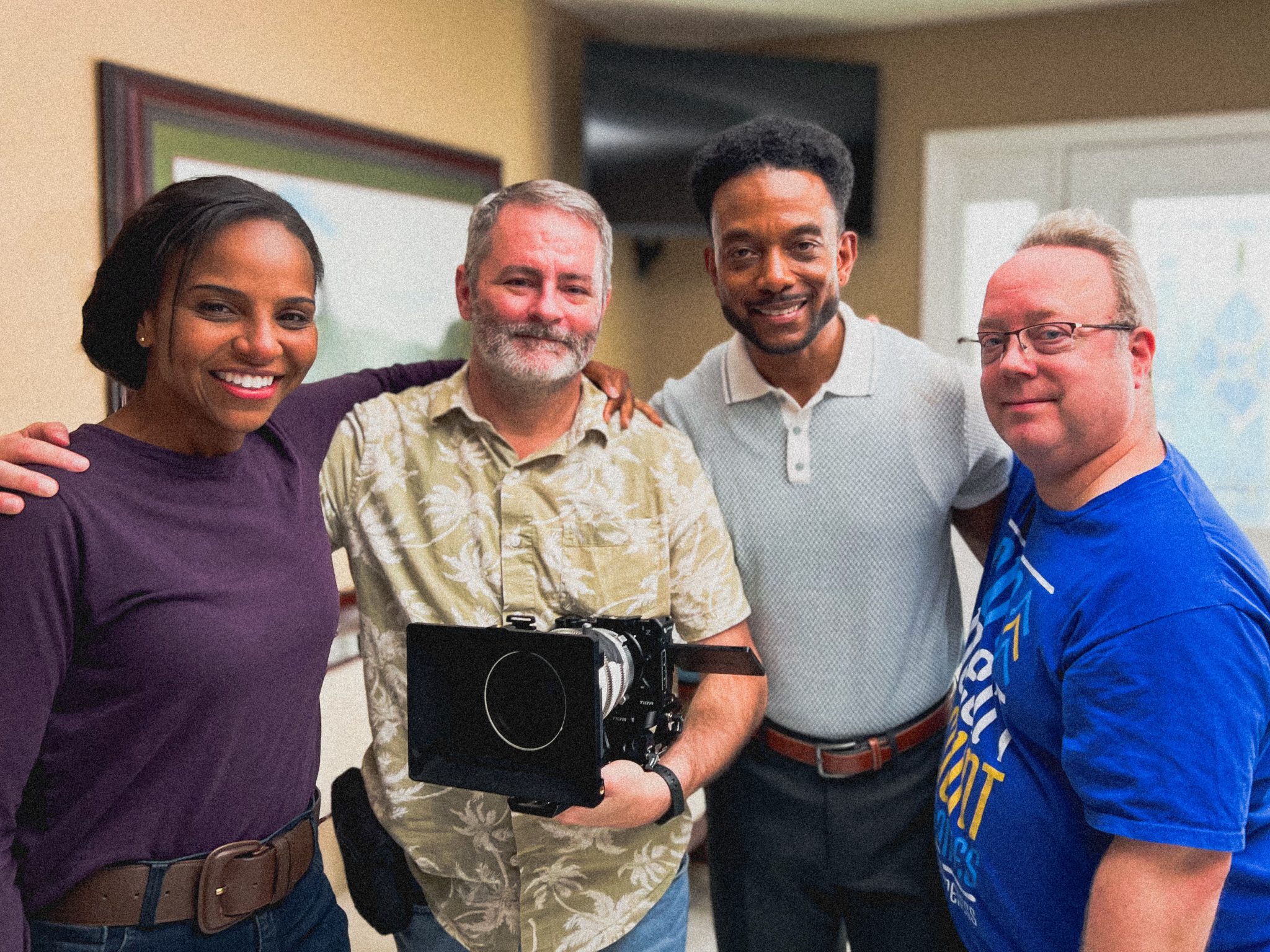
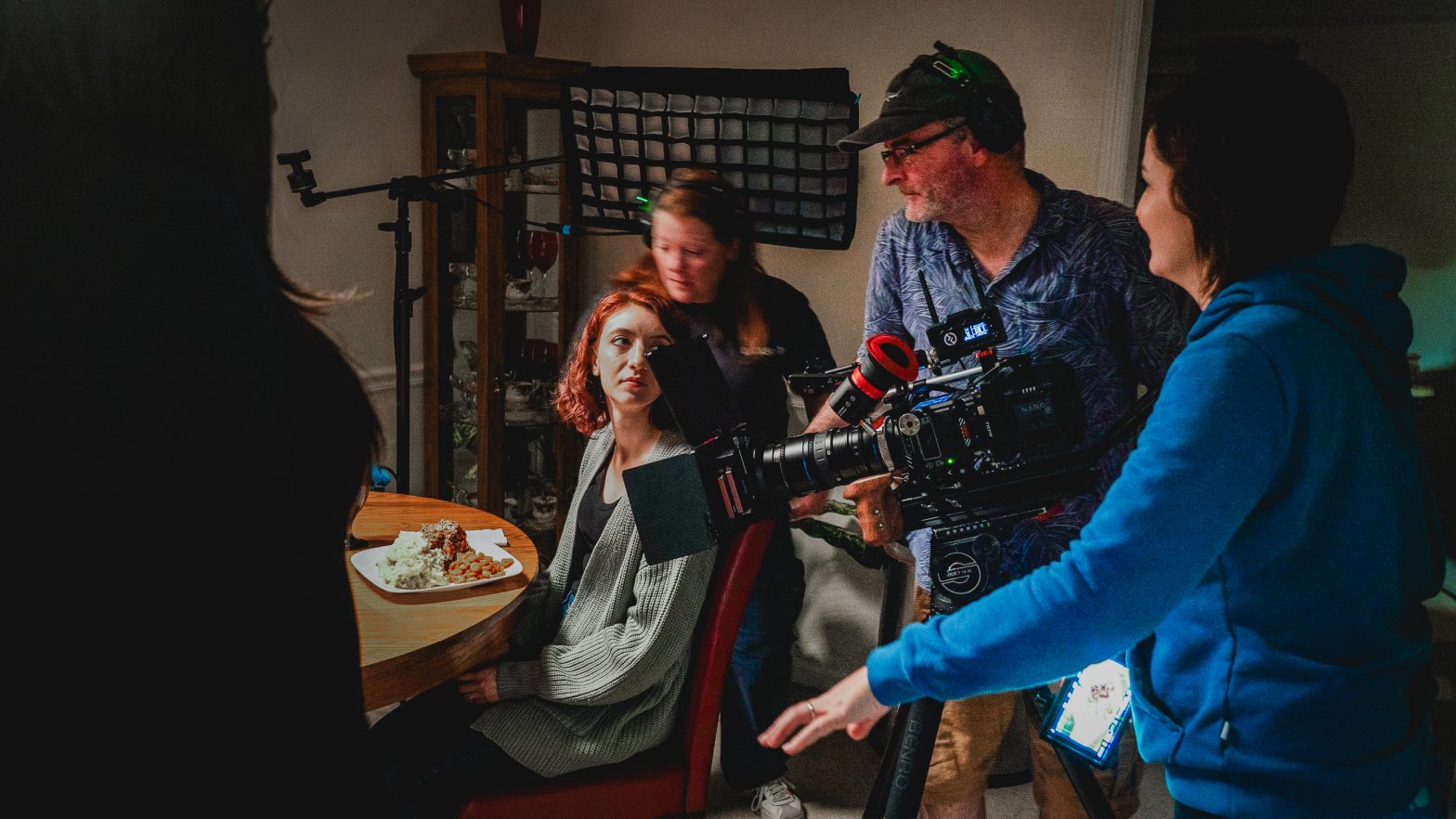
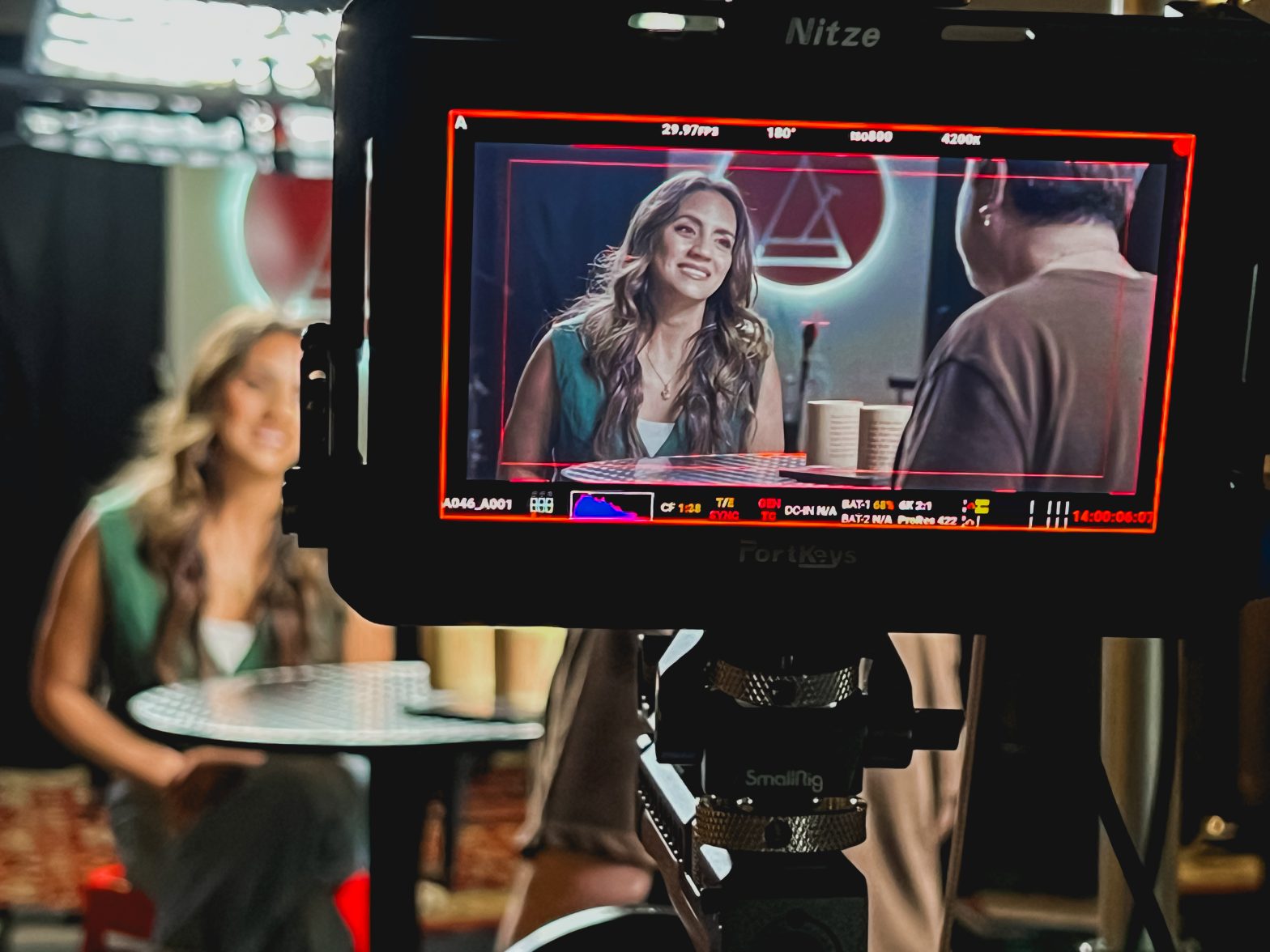
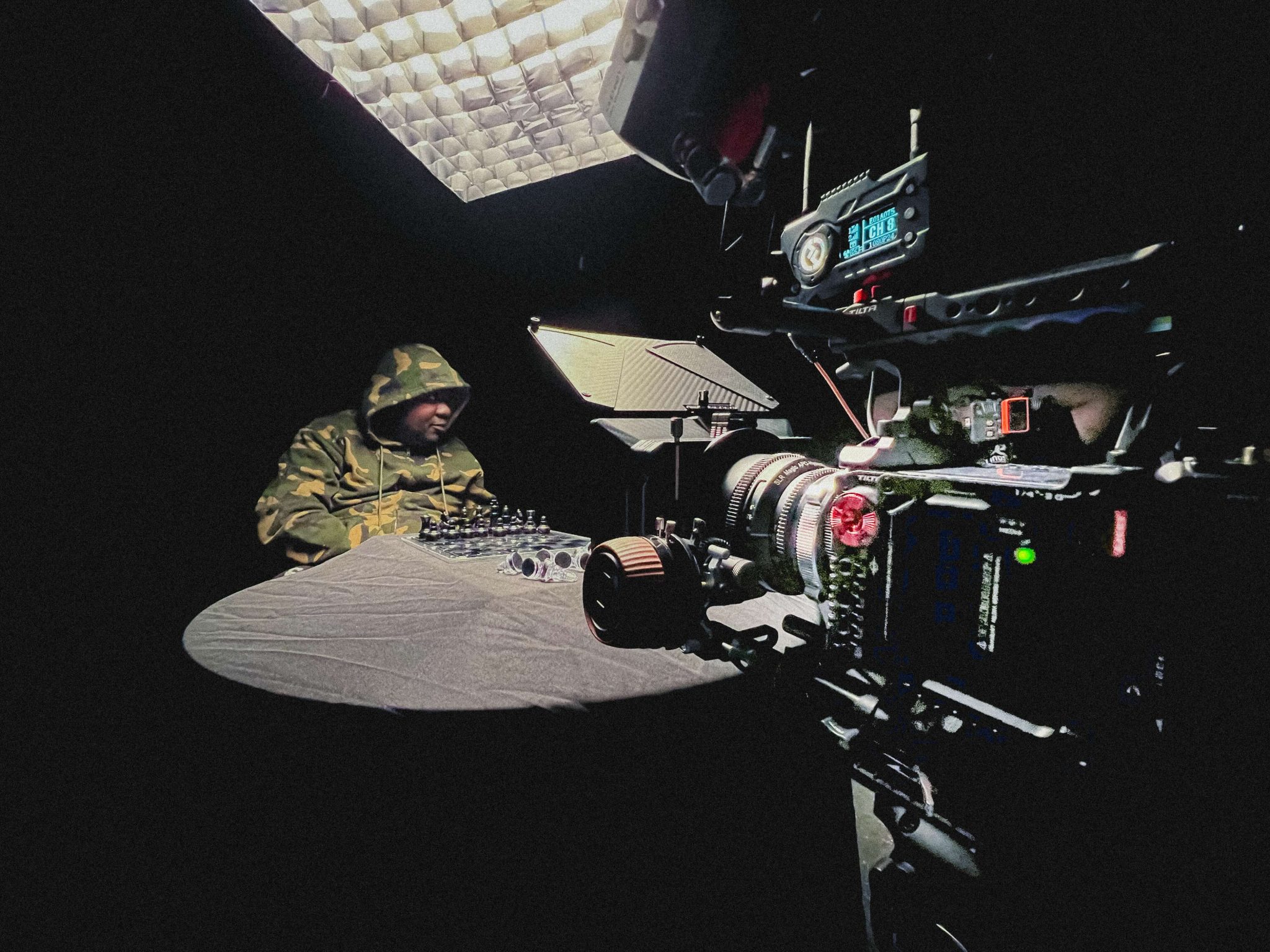
    Making something special at Tempo Nashville for musician Javier Solis and producer Tim Romero yesterday. We transformed the storied coffee shop into a production studio for the day. And despite the rain and allergy attacks, we managed to film a great interview and live music session with the incomparable Rachael Lampa and a live music audience. With two distinct lighting universes, two distinct camera setups featuring five total cameras, from load-in to load-out all in 9.5 hours with a two-man crew. Exhausting, but absolutely glorious. I’m very happy with the results and can’t wait to see the finished product.

    talent:
    Rachael Lampa @rachaellampa
    Javier Solis @javsmusic

    band:
    Javier Solis @javsmusic
    Tommy Sims @tommylsims
    Uriah Zeph Solis @uriahzeph
    Grant Pittman @grantpittman

    bg vocals:
    Rob
    Kynadie

    live sound:
    Abel Orta @abelortajr
    Luke

    tempo:
    Yvonne Solis
    Zylah Solis

    executive producer: Javier Solis @javsmusic
    producer / editor / cam op / grip: Tim Romero @realtimromero
    dp / cam op / gaffer / key grip / dit / sound: Jason R. Johnston @jasonrjohnston
    hmua: Brie Beckman @briebeckmanbeauty
    production equipment: Fifty Oars Motion Pictures @fiftyoars

  • PortKeys Ultra-thin 10-core Coaxial HDMI 100cm Cable Review

    PortKeys Ultra-thin 10-core Coaxial HDMI 100cm Cable Review

    This is a review of the PortKeys Ultra-thin 10-core Coaxial HDMI 100cm cable. I am a full-time freelance director of photography with my own kit, and so this review is biased from that perspective. I am not going to go into home televisions or gaming setups. This is strictly how this cable performs and lives in a professional video production environment.

    PortKeys is not paying me any money for this review, but they did send me the product for free and I do get to keep it. You should be aware of this because, on some level, that could possibly sway my opinion.

    The PortKeys Ultra-thin 10-core Coaxial HDMI 100cm cable is a prosumer-quality 8K UHD cable that is easy to use and rig, and it won’t break the bank at about 20 US dollars online.

    It supports 8K UHD at 60Hz, that is 7680×4320, not 8K DCI which is 8192×4320. I have to take the manufacturer’s word on that since none of my equipment is 8K at the time of this review.

    Fortunately, the cable is backward compatible and works perfectly on my Sony PXW-FS7 Mark II monitoring 4K DCI in 1080p on my PortKeys BM5 III WR monitor.

    PortKeys says their cable has strong anti-interference capabilities which provides a stable signal. I haven’t used the cable very long but it seems to perform perfectly under normal filming situations, including hot and humid exteriors in 90° Tennessee heat. Time will tell how long the cable will actually survive professional use, though it seems robust and versatile enough to last a long time.

    The cable has two male connections: on one end you have a straight connector, and an elbow on the other end, so you have options to aid in cable management.

    The cable itself has a rubbery, soft feel, and is very thin with a diameter of 2.4mm, but it doesn’t feel flimsy. It seems durable enough, cinched up, for monitoring on-camera and being a part of the camera gack where it won’t be under the kind of stress the video village cables are typically under.

    It comes in either 50cm or 100cm lengths. The 100cm length is perfect for my purposes. Being soft and thin makes this cable versatile for keeping the camera rigging nice and neat which is a quality the AC in me appreciates. Its size and weight will help rigs stay lightweight so it’s probably a perfect HDMI cable for gimbals and handheld.

    In conclusion, the PortKeys Ultra-thin 10-core Coaxial HDMI 100cm cable so far seems like a well-made HDMI cable for lighter video systems and is a great option for smaller footprint rigs like handheld gimbals. It’s also economical; at the time of this review you can find it online for about 20 U.S. dollars. Time will tell how long it’ll put up with daily professional use, but I have no worries that it won’t last for many years.

  • Rhose Studio Strings: Live Sessions

    Rhose Studio Strings: Live Sessions

    Here are some behind-the-scenes stills and videos from the ongoing Rhose Studio Strings: Live Sessions web series.

  • “28 Years Later” Shot On iPhone 15. So What?

    “28 Years Later” Shot On iPhone 15. So What?

    Some folks are up in arms about 28 Years Later being filmed with an Apple iPhone 15 Pro Max; calling it a gimmick to sell iPhones. Well, I don’t know about that.

    Danny Boyle has a history of trying strange things for emotional effect with his films, such as using the standard definition Canon XL-1 body to film the original 28 Days Later back in 2002. His regular director of photography, Anthony Dod Mantle, DFF, BSC, ASC, is a pioneer in digital cinematography.

    Using the XL-1 for 95% of the original film was a creative choice by Boyle and Dod Mantle. The intention was the “ugliness” of the video would give the film a docu/reality tone that would be hard to describe, yet have a visceral quality that would make the audience feel like it was real. A sort of broadcast quality without doing The Blair Witch. Still cinematic with proper lenses and lighting etc, but “off” just enough that it felt real. Then, in the end, when there was hope, lush Kodak 35mm film was used in stark contrast to the smeary video.

    I’m sure this sequel will be no different in terms of style: use an off-the-shelf body that will naturally deliver an image that most people will immediately identify with and recognize, but use proper rigging so professional operators and crew can use practically and efficiently on set. This is surely a stylistic choice made deliberatley by the filmmakers for achieving immediate gutral reactions by the audience who will likely read the imagery as “real.” It’s a magic trick; part of the art of cinema.

    Surely it’s as much of a “gimmick” as using the XL-1 for the original, in that it was used to help scare the audience. I’m fine with it.

    I’m sure there will be many droves of social media influencers and YouTube “experts” who will liken this to the Sony FX3 phenomenon that followed The Creator. “Yeah, bro, you can shoot a whole movie with your iPhone Fifteeeeeen, bro!” without taking into realistic consideration the budget, professional talent, and time, going on behind the camera body to make the 2023 Gareth Edwards film, and now 28 Years Later, look like proper movies despite the off-the-shelf-ness of the camera. I’ve already seen enthusiasts break down the set photos, mesmerized by the tens-of-thousands-of-dollars in proper cinema equipment bolted onto the little smart phone. It’s the biggest movie ever shot with a smart phone! Oh, ok. How’s the story?

    These influencers don’t seem to understand that the camera itself is one of the least-important decisions that needs to be made outside of special photography. It’s easy to pick an Arri Alexa LF because it’s a good camera, it works, and the images are nice. Fine. What lenses? What lights? What wardobe? What art design? What makeup? We haven’t even discussed the script yet. There’s so many other things going on. The geeks always get all tied up on the one thing and then balk when their videos don’t look as good. Their FX3 must be broken. Time to buy an iPhone 15 Pro Max, bro!

  • Sleepless Nights

    Sleepless Nights

    Does anyone else have to cope with pre-filming anxiety?

    I do. Oh yeah. Absolutely. Almost every project. Today I’m two days before a weekend short film gig and I’m pretty restless. The set is also a two hour drive away which doesn’t help my nerves.

    Been getting paid to point cameras and lights at stuff since 1996, won bunches of awards for my cinematography and directing (and producing), and been on many different sets with many different budgets and numbers of cast and crew.

    Yet, to this day, I still suffer from some kind of Imposter Syndrome or anxiety or nerves or whatever it is. So I get the jitters and can’t sleep, I get mild panic attacks, and I’m just so nervous or anxious for Day 1 to just hurry up and get here.

    Combine it with occasional bouts with allergies and I might get nauseous and throw up in the middle of Day One.

    The AD comes over. “Are you okay?”

    “Yeah, it’s just nerves and allergies.”

    Then, by Day Two, it’s all gone. No idea why my body and brain freak out when my spirit is like ‘no worries, bruh.’

    Maybe it’s because I drive a van full of my own kit and I’m terrified of forgetting something? It’s happened. Can’t just buy another one of those down the street unless your local store is B&H.

    No idea.

    Some things I have backups for, others I don’t. In my prep I’m meticulous and methodical. I have gear check lists, and everything lives where it lives and is always cleaned and put back where it’s supposed to be before that crate is put away. Before a gig, the crates are inspected before loading onto the equipment van. And, when possible, there’s a travel day before the filming day so if something happens there’s a buffer before the clock expires.

    Maybe it’s because the gig is important and I take it seriously. Also, a whole bunch of people are counting on me and that responsibility comes with a fair amount of emotional and spiritual weightlifting. It’s not easy being a leader and a teacher and a grunt all at the same time. Loss of sleep is what happens when you care.

    But, I’ve got this. I’m a pro. I’m a multi-hyphenate polymath badass and I’ve been doing this longer than a lot of these new guys have been alive. So why the hell do I get the jitters?

    No idea.

    Melatonin doesn’t work. Calm music doesn’t work. Eating well and keeping hydrated doesn’t work. Tossing and turning because I’m worried about not screwing up is inevetible. I care too much, even if the project is ‘meh’.

    And it doesn’t happen every single time. The film I shot a week ago, which I also wrote and produced, was completely smooth-sailing. But maybe it’s because I had to be a rock for the first time director. But usually that has it’s own cooldown period which I didn’t suffer from afterward.

    Literal shrug.

    But hey, at least we know we aren’t alone. In fact, some severity of jitters before an important event — that you have an active part of — is perfectly normal.

    At least it shows we are probably not psychopaths.

  • Praise for Film Look Creator in DaVinci Resolve Studio 19

    Praise for Film Look Creator in DaVinci Resolve Studio 19

    As a colossal risk taker, I have been using the Public Beta of DaVinci Resolve Studio 19 since late July. The feature that tickled my fancy the most was the new built-in plugin Film Look Creator.

    Typically, I would do my grading with the FilmConvert Nitrate plugin. But, the new Film Look Creator plugin is easier and faster. What took a whole lot of work in Nitrate took only a fraction of the time with Film Look Creator.

    FilmConvert Nitrate

    Using the Clean Slate preset, I start with the Rochester Core Look with Skin Bias all the way to -1.000 and Film Look Blend to 1.000. From there, just a quick bit of tweaks to the Color Settings to cool the White Balance, increase the Contrast and Saturation, and crush the Highlights, plus some other little tweaks. It just took a minute or two and I was already in a very good place visually.

    Film Look Creator

    Then I switched on default Grain, Bloom, and Halation.

    Film Look Creator + default Grain, Bloom, and Halation

    Next, I clicked on the Split Tone and set the Amount to 0.110.

    Film Look Creator + default Grain, Bloom, and Halation + default Split Tone with Amount at 0.110

    What a nice image, despite the internet compression. And with only a quick bit of tweaking. The Film Look Creator in DaVinci Resolve Studio 19 is quite a powerful tool.

    With just a bit more tweaking I got the FLC image to be pretty close to the FCN one. Here they are side-by-side.

    FLC
    FCN

    I prefer the FLC version. Might need to fiddle with curves to get the perfect moonlit look, but getting the image this far so quickly is surely a game changer for me. And, the best thing is FLC is built-in to DRS 19.

  • Why are we called Directors of Photography?

    Why are we called Directors of Photography?

    This is my understanding: “-graphy” is writing or drawing — I like to say painting since it’s more romantic — and “photo” is light; literally the photons that produce the spectrums of visible, IR and UV light disseminated by our eyes and brains. “Photography” is therefore painting (or writing or drawing) with light.

    There is stills photography, and motion photography which can be for cinema or video; we say videography and cinematography, respectively. The difference between them is a videographer captures moments whereas a cinematographer creates moments.

    The director of photography is an upper-middle-level management position on a film or television set, responsible for overseeing several different departments related to creating the image on screen. The DP is mostly concerned with the organization of those departments, collaborating with the director/s, art director/production designer, and producer/s with the visual tone of the work, and supervising the execution of that work via the team members of each department underneath the DP. The DP usually sits with the director in video village and rarely operates or digs in with the crew while the cameras are rolling.

    It is my understanding that DPs who tend to be entrenched with the camera crew and personally operate the A camera prefer to be called cinematographers on set, though they are cinematographers by artistic profession and choice whereas “director of photography” is merely a title or honorific.

    I almost always operate, and almost always gaffe, and prefer the term cinematographer, but I will always turn my head and smile when I hear someone affectionately refer to me as DP.

  • Anamorphic vs Spherical

    Anamorphic vs Spherical

    I prefer anamorphic for most anything I want to be handsome. There’s a certain feeling about it that makes the reality of cinema dirtier; the lines aren’t so straight, the textures aren’t so clean, the aberrations are sort of the point and a huge part of the charm. Anamorphic at 24.0 FPS with great production design and lighting simply screams “cinema!”

    However, for certain projects spherical is more appropriate. Jurassic Park is 1.85:1 spherical because they needed the height to accomodate the tall dinosaurs. Spherical is cleaner, tidier, neutral. They can admonish the visuals in post without worrying about lenses that have too much character. Spherical lenses themselves are usually lighter and smaller than anamorphic ones. Spherical is easier to work with in post, especially for broadcast. Spherical is also not as distracting as anamorphic.

    But, spherical doesn’t have the je ne sais quoi which anamorphic has; it doesn’t have the juice that anamorphic does.

    One isn’t necessarily “better” than the other, it’s actually all about which format is optically more appropriate for the project. I just filmed Gungnir in 2.76:1 anamorphic, and several other recent projects in 2.39:1 anamorphic (Pure Evil, and Obsession). Others I’ve filmed in anamorphic but saved and cropped for 1.78:1 because we still needed the project to fill a 16×9 screen, but it was anamorphic and had the look despite the lack of ultrawidth.

    2.39:1 anamorphic
    2.39:1 anamorphic
    2.39:1 anamorphic
    1.85:1 spherical
    2.39:1 spherical
    2.76:1 super-wide anamorphic

    I am about to start prep on a horror film that mostly takes place in a car. A wide aspect ratio would be inappropriate for that. The claustrophobic nature of 1.78:1 is more appropriate, and spherical primes would yield a better image than a cropped anamorphic one. Things to consider.

    In general: I prefer filming in anamorphic for pretty much everything from music videos to feature films. Spherical is usually reserved for broadcast and reality work.

  • Is It Worth Investing In Lenses For Micro 4/3”?

    Is It Worth Investing In Lenses For Micro 4/3”?

    Tyler Kraft posted this question on one of the many filmmaker Facebook groups I’m a member of:

    I recently choose to go with a Panasonic GH4 as my main camera that I plan to use for my upcoming low budget film. What do you all think of the Micro 4/3 sensor size? Is it worth investing in some lenses for it? Any suggestions for (cheap) lenses? (I have the Panasonic 14-140 and a speed booster to use a Nikon nifty fifty and Nikon 35-70mm F3.5 AI)

    Here was my reply:

    Micro 4/3” is similar to Super 16 and lots of modern mainstream movies are shot on S16 film: Fruitvale Station, Black Swan, Hurt Locker, Moonrise Kingdom, Leaving Las Vegas, and Clerks all come to mind. My DVX200 has a 4/3 MOS sensor (and affixed 13x zoom lens) which I shot tons of cinematic work with. I even shot a feature film using the original Blackmagic Cinema Camera (M4/3) and cine lenses intended for Super 35.

    M4/3 is just a format. It provides a look as if you were choosing a film stock. It’s hard to get the background out of focus? So what? What if you want deeper focus? When I shoot 135 (approx Vistavision) I’m always stopping down to achieve deeper focus. It is incredibly hard to pull focus handheld at T2 on a “full frame” sensor LOL. I knew a DP who only liked to go T4.5/6 split in S35, but I was very thankful because I was his 1AC LOL. Anyway, M4/3 (S16) is just a format, like S35 or 135 or S8 or IMAX, etc; you choose the one that’s right for the project and its budget.

    Regarding lenses: do not invest in lenses for a small format. Invest in lenses that cover syltandard formats like S35 or large formats like 135. A few years ago I invested in fast PL mount cine lenses (T2.1) that cover up to 135 format (what YouTubers call “full frame”, whatever that means). With a solid PL mount adapter I can adapt the lenses to almost any camera whose flange is shallow enough, including M4/3, E, RF and EF. The nice thing about M4/3 (and other mirrorless mounts) is the flange is so shallow you can adopt almost any sort of lens you like. So there’s no reason to get a cheap consumer Panasonic lens just because you bought a GH4. Use that speedbooster with that Nikon. Shoot a whole movie with it. Or get another Nikon lens that’s wider if you need it. The lenses usually only provide a little bit of character to your movie’s look. The lenses are not going to be what really affects how the movie looks. The lighting is.

    Lighting and composition are the things that will make or break how your movie looks. The tools used on set only marginally affect the look; what they really do is affect how well you work on set. Good tools are effortless to work with. Crap tools are crap and slow you down and suck. Invest in good tools if you’re really taking this movie thing seriously…

    GH4 is just okay. It’s a horrible filmmaking tool because it’s a stills camera. Stills cameras have to be rigged out a bunch to make them useable. At the end of it all it might actually be cheaper to buy a proper digital cine camera instead of a DSLR or mirrorless and rig it out to behave like a proper video camera.

    But, I understand when you’re starting out, you can buy 7 GH4s for the price of an EVA1 (which is excellent), or 10 for the price of my FS7II (which I turned into a mini Alexa). But but but, start investing in good lenses now. That way you can upgrade your camera bodies as texhnology and your budget improves over time, but the lenses will outlive all of your cameras, and you…and your kids. Seriously consider saving up for proper PL-mount cinema lenses in a few years (either a set of fast primes, or an equivalent zoom). All you would need is a solid M4/3 to PL adapter for them to work on your GH4, for example. And PL cinema glass is getting cheaper and more plentiful every year. Just look at the ones by Sigma and DZO. The Arri equivalent lenses are $50-100K+.

    But for right now, use the lenses you have. Invest in good lighting and I don’t mean those cheap, ugly, weak LED flatpanels.

  • Keyframes for Non-Linear Editing

    Keyframes for Non-Linear Editing

    Traditional animation term. Keyframes are the main frame of animation the inbetweeners use for reference. In the digital world, keyframes are the points where an animation begins and ends, and the inbetweening is now simply interpolation.

  • Stills Zoom Lenses Changing Aperture

    Stills Zoom Lenses Changing Aperture

    Stills zooms almost routinely ramp max aperture at one end of their focal range. Yours is ramping down to f/4 at it’s most narrow focal length which sounds about right. Do a test: stop down to f/4 and see if the ramping still occurs or if the lens commits to that stop throughout its entire focal range. If it does, then f/4 is that lenses’ sweet spot, so only stop up to f/2.8 when needed.

    Stills lenses just aren’t made to be as precise as cine ones. They don’t need to be. Cine lenses, however, have a much tougher job so their standards are higher. Of course your Sigma cine zoom performs better than a stills lens. Stills lenses look great for every one photo they take. Cine lenses have to look good at 24 frames per second for hours.

    On my stills lenses, when I don’t want ramping (like, for video), I find the maximum formula-stop where ramping does not occur across the zoom range, and lock my exposure there. This ramping occurs even in Canon L lenses.

    Stills lenses are not suitable for cinema production for this reason, and many others. All stills lenses ramp their f-stops (sometimes imperceptably, sometimes obviously), and they also breathe when racking focus, and have more obvious aberrations than do cinema lenses. Zoom lenses of either class always have worse optics than primes because they are so complicated and have many optical and mechanical elements.

    Proper cinema lenses do not exhibit the same flaws as obviously as stills lenses. The very nice cinema lenses have very subtle aberations that usually don’t present unless you’re aiming at a test chart.

  • Modding Sony α6400 for Video

    Modding Sony α6400 for Video

    Having purchased a Sony a6400, I knew it would require accessories to maximize its potential as a video camera to compliment my Sony FS7 M2 as a B-camera.

    I had been interested in an a6300 in 2016, but then the 2019-released a6400 really spoke to me as it had been upgraded from the a6300 to do video really well without overheating, but it also didn’t have a bunch of bells and whistles I didn’t need like the a6600 does. The a6400 also has a very nice flip-screen which is only helping to entice me to create my own YouTube channel vlog. However, once I was comfortable enough to buy one a month ago, I was saddened to see that a6400 body-only was not in stock anywhere, including B&H. However, I was very pleased to find it in stock at Precision Camera during my recent trip to Austin. I got the 6400L kit which includes a Sony E PZ 16-50mm f/3.5-5.6 OSS lens at the same price as the body by itself. Score.

    I already had a few items for the camera in my B&H wishlist, so the first item I purchased was the SmallRig 2310 (not 2310B) cage. The 2310 does not have built-in cold shoes like the 2310B does, however, the 2310 does have mounting points to support lens mount adapters such as those made by Metabones. It sucks using lens mount adapters on a body that doesn’t have a positive lock, so affixing the adapter to body via the cage will eliminate unwanted lens rotation during focus pulls or manual zooms.

    To install the cage, I first had to remove the little metal triangles and plastic protectors that are intended for the camera’s neck strap. That was a gigantic PITA at first and I eventually had to use a small screwdriver as crowbar. Unfortunately, one of the metal bits got me under a fingernail and I bled a bit. Nothing crazy, but it was not a gentle experience. Once they were off, I could mate the camera to its cage.

    The SmallRig kit comes with this tiny hex screw and a tiny hex key. Fitting the a6400 into the cage and taking care of this screw was a breeze.

    The a6400 is now ready to be buried underneath a bunch of videography equipment that it wasn’t really intended for! Next on my list of add-ons is a top handle for run-and-gun work, an offset cold shoe for mounting a mic for vlogging, and an adapter to affix to lens mount adapters as mentioned earlier. Of course the camera looks a little silly riding on the back of a lens like the Sony FE PZ 28-135 F4 G OSS, but the potential for capturing very nice Slog3 8-bit 4:2:0 video with this camera is a real possibility, and this sturdy little cage from SmallRig not only enhances it’s moddability for any situation I might need it, but it also protects the camera itself.

    How have you modded your a6400 for video? Let me know in the comments below.