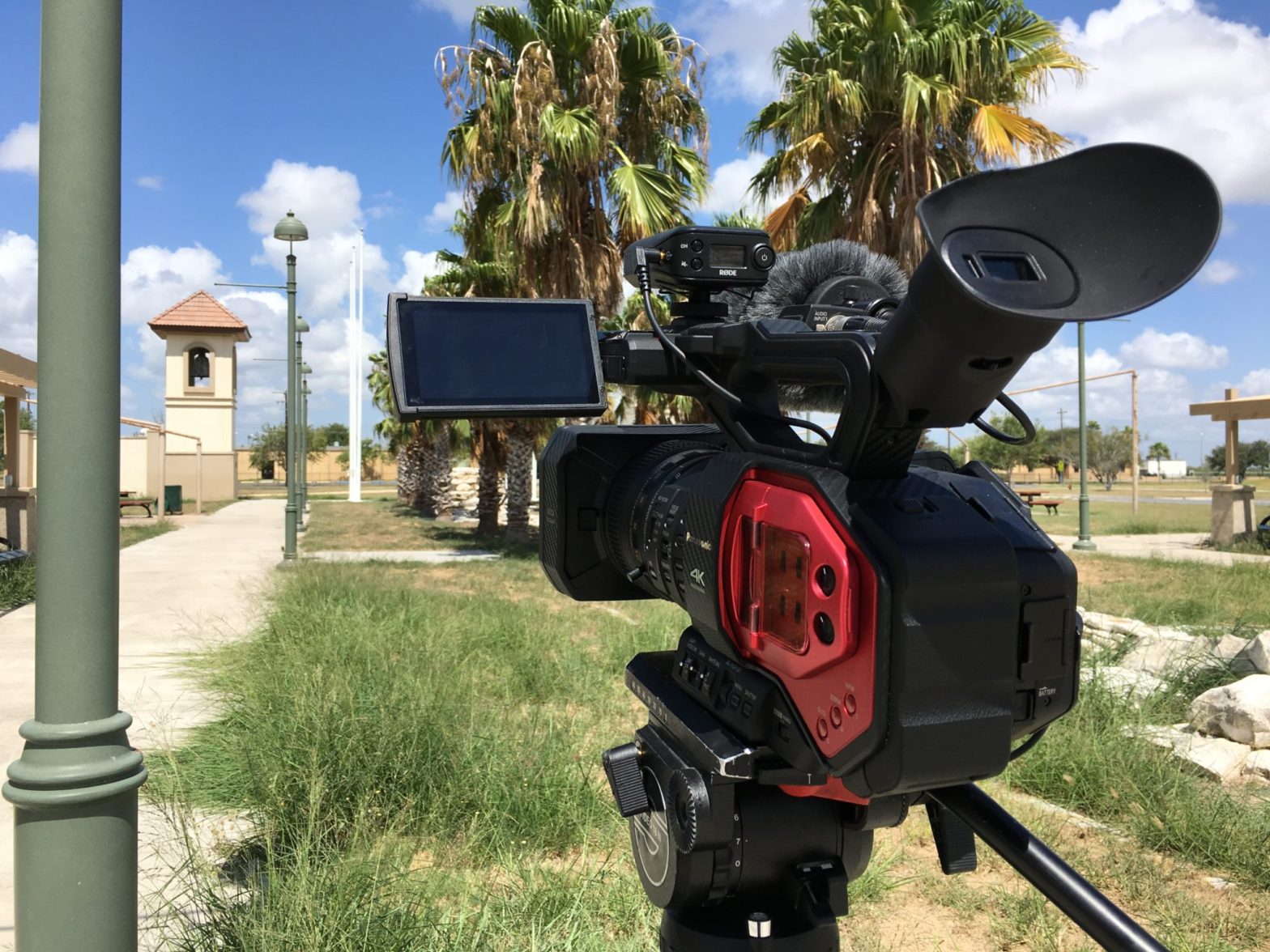
Tag: FCPX

  • Motion Tracking a Smart Phone Screen with Final Cut Pro X

    Motion Tracking a Smart Phone Screen with Final Cut Pro X

    Working on a recent spot for a client, I was required to produce a shot of a phone receiving text messages. I prefer to create effects in-camera as much as possible for the sake of realism, however, the text messages needed to match the client’s current marketing graphics (view this blog to know more about this concept in detail) and be animated, so this would have to be accomplished using visual effects.

    If you don’t know, motion tracking is part of creating special visual effects. Remember that scene in Jurassic Park when the dinosaurs were running past the actors in the field?

    Motion tracked tennis balls help create a digital grid on a virtual ground to aid the animation of dinosaurs. The actors’ eyelines were also tracked so the animators knew where to place the dinosaurs.
    In the final shot, the motion tracking and digital dinosaurs come together and all the actors, both real and digital, appear to share the same space together.

    The special effects team made a grid on the ground with tennis balls so they could recreate the field on their computers and animate the dinosaurs into the shot so it appeared they were really there. They did that by tracking the location of each ball in the field against a digital field with digital balls. Doing that insured the dinosaurs’ feet was accurately touching the “ground” and that when the camera bounced around, the dinosaurs also moved correctly as if they were sharing the same “real” space as the actors.

    What I’m trying to accomplish is no where near as complicated, nor as dramatic as a field of stampeding gallimimus, but the gist of accomplishing the same motion-tracked effect is the same even 27 years later. Except faster and less expensive.

    This is actually my second attempt. My first attempt was a bit frustrating but it was completed, the job was approved, and now it’s done, but I didn’t record any behind the scenes information. Because I wanted to try again, I decided to revise my methods and share the experience with you.

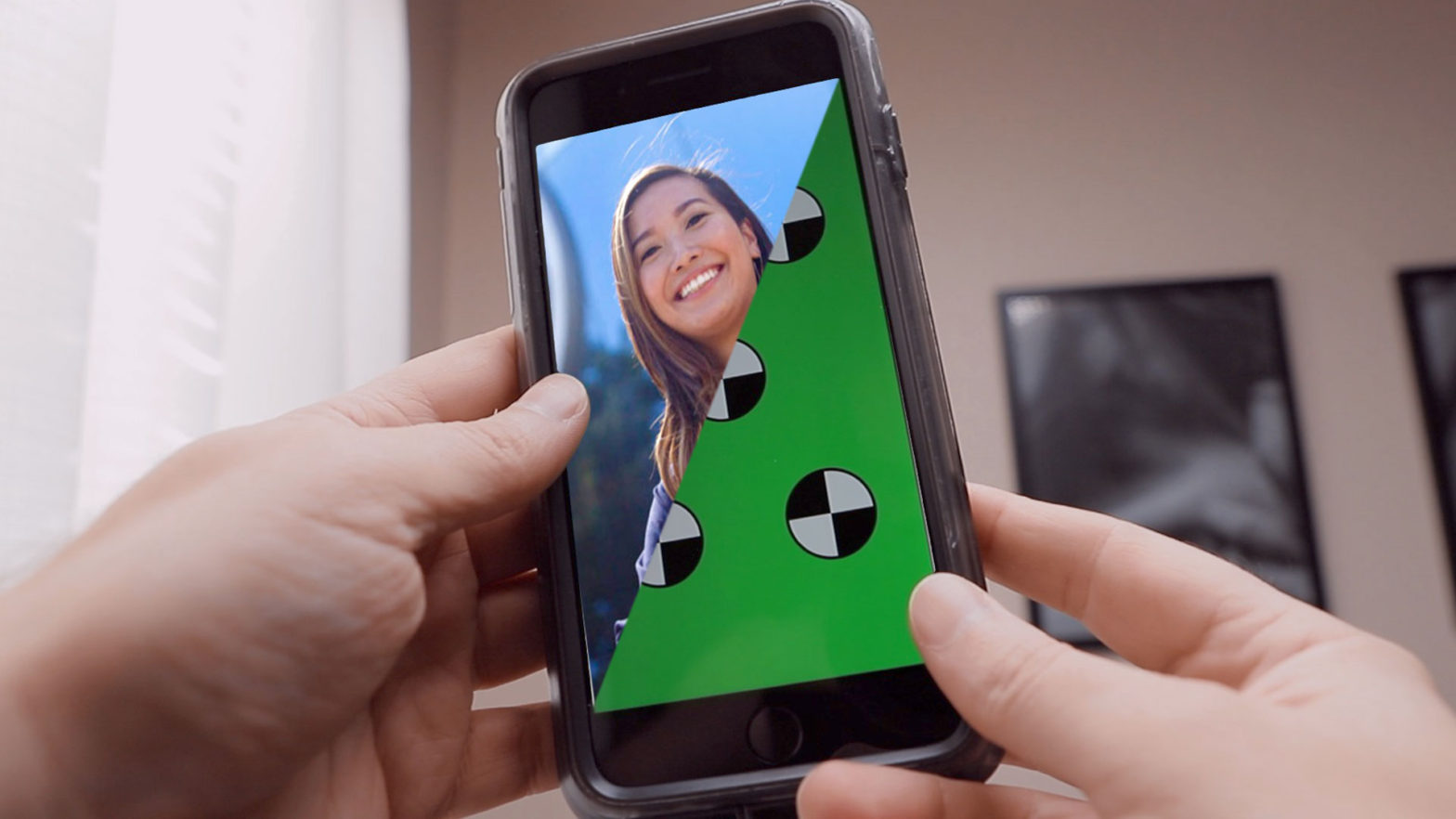
    First, I had to create a motion tracking marker guide to display on my phone. After a bit of research I created a template in Photoshop. The centers of the markers are at precisely 50% of the area of the screen, so after you’ve done the motion track, you only have to scale up your comped media 200% to fit. I’ve made my guides available here for your HD smartphone motion tracking needs in PNG format with two backgrounds: Chroma Green or Chroma Blue.

    I got the shot with my Canon EOS 6D Mark II, and some easy lighting design. The 6D’s auto focus came in very handy since both my hands were already in use.

    BTS: Canon EOS 6D-II, Manfrotto head, Falcon Eyes RX-18T, Matthews grip.

    After ingesting the footage into Final Cut, I used the FCPX Auto Tracker Perspective plugin from Pixel Film Studios to do a corner pin track of the phone’s screen.

    After successful export of the tracking date, I then used the Draw Mask tool in Final Cut to remove the tracking markers. This became time consuming because of the length of the shot and how much movement I was performing.

    After a simple chroma key using the Keyer tool in Final Cut, I was then able to replace the screen with anything I wanted. For this example I am using a photo I created for the same client back in 2018 in Austin.

    With a bit of finessing to get the image to fit the screen, I then layered the image underneath the footage of the phone, and I finally got the results I wanted. The entire post-process took approximately 10 minutes this time, and about an hour on my first attempt as I figured everything out.

    And there it is! I don’t like how the image seems to be “in front” of the phone. It’s Z axis, for some reason, is off, and I can’t fix it using the plugin, even though there is a control for that axis. I think it’s a bug. But, it’s not obvious for a quick shot that doesn’t move very much as is the one I originally produced for the actual spot.

    In the end, the client was very pleased and quickly approved it. Here it is below, my first effort at motion tracking this way.

    I hope this overview shows the potential of motion tracking in Final Cut Pro X. I also hope my 1920×1080 Motion Tracking Marker Guides above come in handy for you one day. Cheers!

    Hindsight is 20/20: I could have done the animation, rendered it, shared it to my phone, and played it off my phone with my fingers synced with the animation action and accomplished the entire shot in-camera, but that’s not what happened! Instead, I wanted to try out a new motion tracking plugin for Final Cut Pro X I hadn’t put to use yet.

  • Rio Vista Dentistry Branding Film

    Rio Vista Dentistry Branding Film

    Day 1

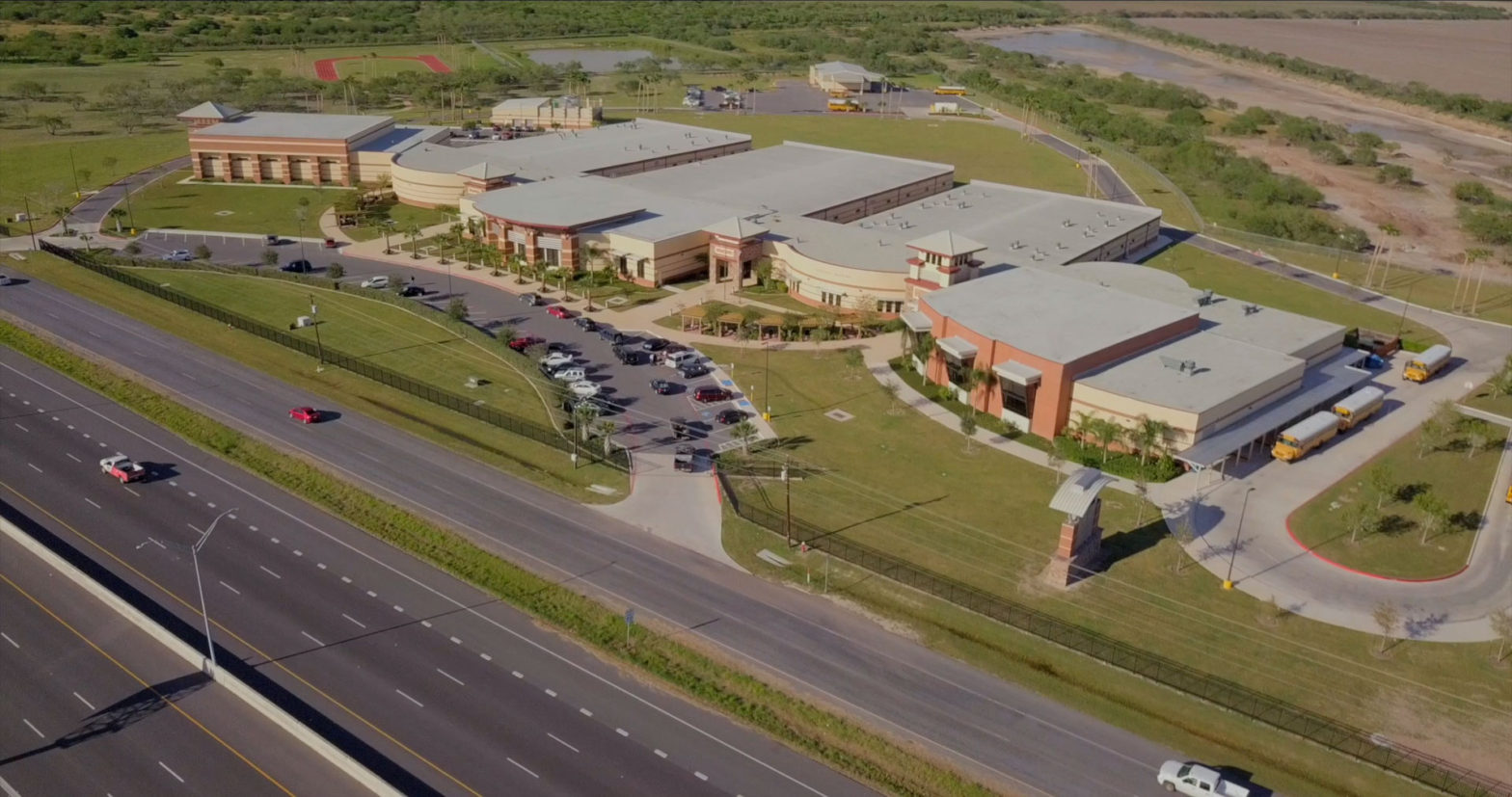
    December 8, 2017 – Snow day! Somehow the weather worked out perfectly for snow in subtropical south Texas. Perfect for anyone who has yearned to build a snowman on the beach, but not perfect when I am supposed to be shooting evergreen exterior footage of the Allure Dental office in Harlingen, Texas.

    Today I photographed stills images of the doctors and staff at Rio Vista Dentistry to populate their upcoming newly designed website. Portraits were shot of all key staff members, as well as a few groups for Christmas cards.

    I then began video recording of b-roll footage of the doctors and staff at work for a branding film I will produce to coincide with their new website. As I shot 4K video footage with my DVX200, I would then simply stop the action and capture stills photos with my 6D. This way both the photos and the videos would have a similar look: same lighting, same angles, same fields of view.

    Once I wrapped the staff, I walked the office with Mavic Pro (which I intended to record jib-like exterior shots but was outgunned by Nature) and recorded Steadicam-like flying shots of the office interiors using Mavic’s gimbaled 4K camera.

    After breaking for lunch, we returned to the office to capture patient testimonials. It’s difficult as a solo shooter without assistance running an interview whilst also being aware of the camera, sound, and lights. But, I managed to get it all done on time and on budget. Everything went smoothly, the doctors were impressed and I was gifted a bottle of red wine. The doctors interviews and exteriors will need to wait for another day.

    Day 2

    January 19, 2018 – Early this morning we continued production of the branding film as I was scheduled to interview doctors Bonnie and James. As always I generally prefer to travel light when in one-man-production mode. I trollied my DVX200, three Dracast 1×1 LED light kits, audio gear, tripod systems, and light stands, in just a few bags. Each interview lasted about 45 minutes. I still need to grab exterior shots and a few shots of the lobbies and other area of the office with exterior views, weather permitting.

    Day 3

    February 6 – Today the weather finally cooperated and we were able to continue production of the branding film. This is the first project I was able to use my new Sony PXW-FS7 Mark II on as I just purchased it in Austin three days before. I was finally able to fly my Mavic Pro before the office opened after lunch to grab some lovely jib-like exterior shots. Also, I shot redux portraits of doctor Bonnie.

    Once the film is completed it will become available to the web developers who will place it on the new website for its launch.

    Delivery

    February 20 – Finally delivered! Assembled and finished in Final Cut Pro X, the film is a brief tour of the office and overview of their services, peppered with patient testimonials, as well as informative monologues by the doctors, all tied together with succinct narration. Told with minimal effects or graphic embellishments, and some lovely dramatized footage of the staff in action, the delivered branding film for Rio Vista Dentistry is just shy of five minutes in total duration.

    Rio Vista Dentistry loved the final film and approved it with zero feedback or revisions.

  • What’s Inside the South Texas ISD TV Spots

    What’s Inside the South Texas ISD TV Spots

    A total of 28 video advertisements, 14 radio ads, 7 audio interviews, portrait photography, coordination of an entire magnet school district spread across 3 counties along the Rio Grande Valley of south Texas, with English and Spanish deliverables, running on broadcast television, and select Cinemark movie theaters. All tying in to a single website: insideSTISD.com. Another epic project I produced, wrote, and directed in collaboration with South Texas ISD.

  • Siempre Natural

    Siempre Natural

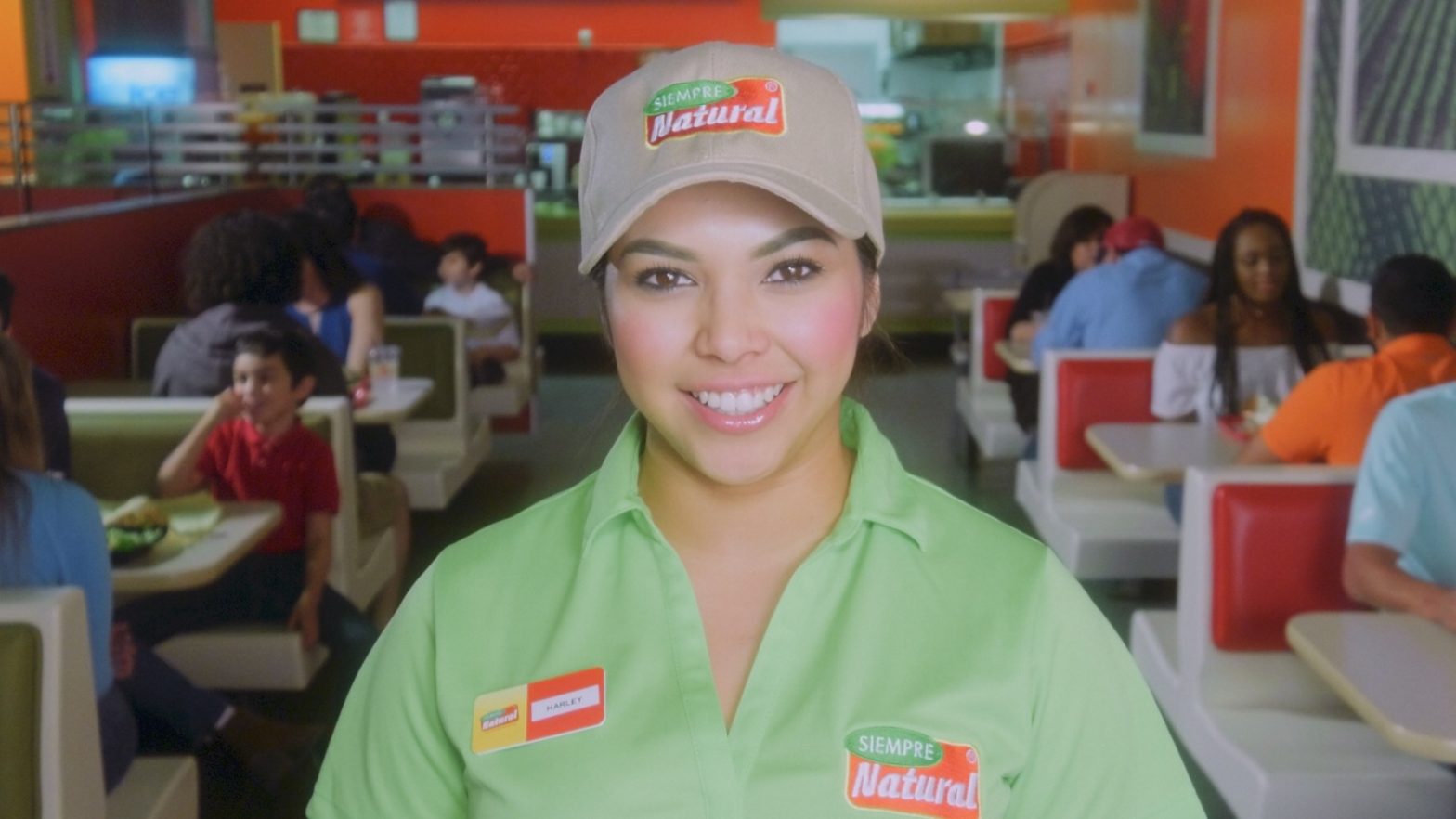
    Earlier this year I was asked by Jerry Medina, principle of advertising agency Aviso Media Group, to photograph a new campaign of television commercials for Siempre Natural, a quick-service restaurant franchise, in Mexico and Texas, with a menu they describe as ‘American with a Mexican Flair’. Siempre Natural serves wraps, pitas, yogurts and salads with natural fruit drinks. To promote the healthy (and tasty) brand, the new spots would need to be as colorful, fresh, and fun, as their food. After discussing the desired style of the spots with Jerry, we began prep. It was decided we would need at least three bilingual employees, plus 15-20 extras.

    This past Friday evening, I met with Jerry and representatives of the client at the North 10th location in McAllen, Texas. We discussed our intentions for the weekend shoot and formulated our plans. I scouted the location with my iPhone 7 Plus, Cadrage, a director’s finder app, Cine Meter II, a light meter app, and Sky Guide, an app very useful for predicting the travel of our sun. Cadrage, a French word meaning ‘framing’, is very useful as it can emulate the field of view of any combination of camera and lens. Once the pre-viz images have been recorded, a PDF shot list can be created and emailed to anyone on the production team. Production would commence Saturday morning from 7 to 11 AM, and Sunday morning 9 AM to 12 noon.

    When I arrived Saturday morning, I ordered the front, Eastward-facing windows and glass door, covered in black muslin to avoid fighting color temperatures and morning shadows. Unhappy with the weak punch and short throw of my available LED lights, I had recently created an old-school tungsten light kit for use on an upcoming short film. Consisting of three Strand Ianiro 1000 ‘redheads’, as well as the Strand version of what Arri calls a ‘mini flood’, I immediately put the new-to-me kit to use on the production of these TV spots.

    The Ianiro redheads are proper 1k tungsten open-face focus-flood lights and need to be softened for flattering closeups. I would generally punch two redheads through a 6×6″ butterfly of artificial silk. On closeups and direct-to-camera standups I would use a small, bi-color, LED Obie light set at 3200º Kelvin with just enough punch to lighten up the shadows. Backgrounds would be lit with the mini flood, plus another redhead through 216 for a kicker.

    I opted to shoot the footage with my Panasonic AG-DVX200 video camera. Needing at least 1080/24p ProRes 422 10-bit to pull a grade from the camera’s Varicam V-log L and 10-bit 4:2:2 output, I recorded the footage externally to my Atomos Ninja Blade, and monitored the footage with my SmallHD AC7-SDI on-camera field monitor. Preferring physical filtration, I used DVX200’s built-in neutral density for exposure, plus a Tiffen Black Pro-Mist 1/2 to take the digital edge off.

    We did not have the time we needed to sweeten every shot as much as I would have enjoyed, but I think the photography is dynamic and colorful enough to squelch any nags. Also, I believe the 12 stops of dynamic range afforded by the DVX200’s V-log L, as well as the 10-bit 4:2:2 recording via the Atomos Ninja Blade, help by giving me plenty of room to grade the footage reasonably well in post.

    The spots will be cut and graded in Final Cut Pro X. Overall, I am happy with how they are turning out.

  • Working With LUTs

    Working With LUTs

    A member of DVXuser posted a question about LUT workflow and this was my answer.

    My basic workflow is prep, shoot, ingest, edit, mix (sound), color (where you apply the LUT and do your coloring), deliver and pray. It is more complicated than that, but I want to keep things simple. Well, actually…

    First, what is a LUT? A ‘Look Up Table’ is a way of ascribing to a digital image the way colors are mapped or those values are assigned. They can describe how ‘yellow’ orange is, for example. Colors evoke a mood and it is part of the psychology that goes into setting the tone of a show using the visual language of that show which is a combination of production design, lighting, composition, blocking (both talent and camera) and stage direction, performance (including timing, expression and blocking), even goes as deep as the ‘flow’ of the show; i.e., where the cuts go and how they relate to the performance and the camera moves, etc…since those should be planned and shot for on-the-day. This whole ‘fix it in post’ thing is a crutch, but I digress. Also, ‘flow’ is part of ‘tone’ and is different from ‘workflow’.

    Speaking of ‘workflow’: there are a lot of different ways to go about this and answers are generally subjective depending on a bunch of parameters.

    Basically, you need to find a workflow you prefer and one that keeps your clients happy. Some folk like the look of logarithmic footage without processing of any kind. Other folk grade it so much it looks like terrible, cheap consumer video. Most of the professional stuff you see in broadcast media and movie theaters are graded in some way. Only occasionally do you come across some old-school film peeps who create the look both on the day via filmstock, filters and gels, and in the lab, avoiding a DI process altogether. That’s ‘Digital Intermediate’, by the way: the phase the edited footage goes through the coloring process, usually with the colorist in some combination with the show’s DP, producer or director. ‘Digital’ because it’s done on computer, and ‘Intermediate’ because it is the process between editing and duping – ‘duplication’…lots of stuff newbies need to look up.

    The basic workflow stems from the idea that you generally shoot something with the intent of it looking a certain way which is planned between the script-writing phase and the production phase; usually to help the visual language of a show (read: movies, music videos, TV series with any number of different styles or genres on display) evoke an emotional response from its intended audience. The visual language of the show as a whole, or sequences within the show, or scenes within the sequences within the show as a whole, or individual shots within the scenes within the sequences within the show as a whole, can be treated visually different from each other, but generally a show develops its basic look and style within its first few seconds to ground the audience and establish something we like to call ‘tone’. Establishing the show’s tone goes a long way to help suspend the audience’s disbelief and allow them to either enjoy your show or change the channel. That is why you can not start watching a movie from the middle and why comedies are generally broadly lit with saturated colors and dramas usually have a lot of shadows with muted colors.

    Sometimes you want to break up sections of your show (like dramatic acts or sequences or scenes) with different palettes but the general tone of a show should be consistent throughout. I shall use the classic fantasy adventure film “The Empire Strikes Back” as an example. It starts with a cold environment with lots of whites and blues; the good guys have bits of orange intercut with the militaristic bad guys’ grays and deep blacks. The second act has deep greens, reds and oranges, with the third act becoming much colder, all intercut with those grays and deep blacks of the bad guys. All of it has a slightly cool look with desaturated highlights and midtones with shadows that like to dip into blue. It is a generally blue-ish movie: cold and subjective, which aid the film’s anxious tone…but without becoming depressing. When our heroes finally admit their love for one another, the camera is closer and the orange and reds of the room penetrate the scene. “Empire” is the most dramatic of the Star Wars movies, and a terrific film by itself (how I prefer it) which I encourage you to watch with the sound muted. In fact, you need to start watching everything with muted sound. If you can’t follow along, then it’s not good storytelling.

    You have to learn why things work on a starship.

    Captain James T. Kirk

    Once you have the tone in mind and have established what sections should look like what without betraying that tone you want the show to establish, then you go about testing different films, cameras, lenses, filters, lights, gobos and intermediate processes (where LUTs come in) along with production design such as wardrobe, the colors of the sets, makeup, props, etc…and combinations of all of that – with talent, or at least stand-ins – to ensure the tone you’re going for will be served. Or, you watch a movie or two and decide that you want your movie to look like someone else’s movie, but better-er-er. Whatever. Point is: come up with the show’s tone before you shoot.

    Nowadays it is all very simple because you can have video reference monitors with the ability to import LUTs so you can pretty much see what the final show will sorta look like on the day. You generally light with a style that considers the tone and look and feel of the show and the LUT is a part of that. Seeing it on the day in the monitor is nice but should not be the only thing. It is merely a guide for everyone else except the DP who should know better and understand that, despite the base LUT, the show will still need to be properly graded and shots individually tweaked or corrected.

    There is this neat vignette on the collector’s edition of David Fincher’s excellent “Seven” where his go-to colorist shows examples of coloring that special edition of the film for home video release in what film critic Jeff Shannon described as “a fascinating exploration of the audio remixing and video remastering process, demonstrating the subtleties of digital color and tone manipulation.” It uses the final scene as an example: shots done days or weeks apart and show with various lenses and lighting conditions all need to match so they look like the scene takes place all in the same place at the same time. That’s what coloring is all about. A LUT will help you get there, but you still need to have an understanding of what’s going on outside.

    A LUT is simply another tool in the box.

    What I am saying is you can not shoot something and then apply a LUT willy-nilly like it is a magic potion that will make everything look legit. You have to plan, you have to shoot for that plan and then execute the plan. You marry into it…even if it was the wrong decision; you commit. Because you would rather spend two years making a movie than two hours watching one. I digress, and no it is not a simple answer at all. A LUT is simply another tool in the box. Logarithmic profiles are another tool. Variable frame rates, DCI 4K and servo zooms are other tools. They all work together to serve the show – whatever it is – whatever message you are trying to say, story you are trying to tell or feeling you want to make the audience feel.
    They are only tools and you need to learn them.

    Once you know the rules, then you can start breaking them and that is where the fun begins. That is when you can tell a story backwards or use visual metaphors or whatever. That is why experimental films are usually shot by amateurs simply learning their craft, whereas when an established filmmaker creates an experimental film they are usually more coherent. They are better at using their tools to do what they want them to do; build the house that they want to build. Then we can prattle on about foundations like concept, idea, story, script, etc.

    It is true the best LUT in the world can not fix broken footage, but also the best footage in the world can not fix a bad performance, bad direction or a bad script. They are all pieces to this enormous puzzle…even when you are just shooting a few interviews, stuff needs to be considered. You need good sound, good light, good composition, good answers, good questions, a motive. You do not simply show up and shoot without looking at the location and deciding whether to use the windows or not, the desk or not, that lamp on the table or not. Movies do the same thing except they consider that on paper and then design and build their sets with the intention of it all serving the style and tone of the movie that helps tell the story in the most appropriate way. That is what it is all about: being appropriate in regard to how the story is told.

    That is what it is all about: being appropriate in regard to how the story is told.

    Getting back to it: you can certainly ingest your footage, apply your LUT and color, export the graded footage and import that footage into your editor and go from there. Or, you can round-trip by editing the footage, exporting the timeline into a grading software where you do the coloring and then take that back into the editor to tweak and export deliverables. Or, have a one-app solution where you can both edit and color at once on the same timeline in the same app. Apple’s Final Cut Pro and Blackmagic Design’s DaVinci Resolve come to mind.

    I use FCPX 10.2.3 which does not natively support Panasonic’s V-log (Varicam) or V-log L (DVX200, GH4) at this time, though you may use another flavor of log-to-REC.709 it does support, such as Canon’s C-log. Regardless, you still need to process your footage. For more precise controls there are a number of plug-ins available to grant FCPX the ability to assign LUTs and subsequently correct and grade footage. I use LUT Utility with FCPX’s Color, or Color Finale Pro from Color Grading Central.

  • DREAM for Edcouch-Elsa ISD School Board Candidate Films

    DREAM for Edcouch-Elsa ISD School Board Candidate Films

    From July 16 and 22, 2016, I produced “meet the candidate” films for the Delta Revitalization Engagement & Action Movement (DREAM) campaigners for Edcouch-Elsa Independent School District (EEISD) school board membership. A film each was produced for candidates Carolina Saenz, Reynaldo Rodriguez, and Jose Saldivar. Photographed with my new Panasonic DVX200 in Vlog-L, and cut in Final Cut Pro X.

    Cinematography Selects

    Behind the Scenes