Tag: Panasonic AG-DVX200

  • Is It Worth Investing In Lenses For Micro 4/3”?

    Is It Worth Investing In Lenses For Micro 4/3”?

    Tyler Kraft posted this question on one of the many filmmaker Facebook groups I’m a member of:

    I recently choose to go with a Panasonic GH4 as my main camera that I plan to use for my upcoming low budget film. What do you all think of the Micro 4/3 sensor size? Is it worth investing in some lenses for it? Any suggestions for (cheap) lenses? (I have the Panasonic 14-140 and a speed booster to use a Nikon nifty fifty and Nikon 35-70mm F3.5 AI)

    Here was my reply:

    Micro 4/3” is similar to Super 16 and lots of modern mainstream movies are shot on S16 film: Fruitvale Station, Black Swan, Hurt Locker, Moonrise Kingdom, Leaving Las Vegas, and Clerks all come to mind. My DVX200 has a 4/3 MOS sensor (and affixed 13x zoom lens) which I shot tons of cinematic work with. I even shot a feature film using the original Blackmagic Cinema Camera (M4/3) and cine lenses intended for Super 35.

    M4/3 is just a format. It provides a look as if you were choosing a film stock. It’s hard to get the background out of focus? So what? What if you want deeper focus? When I shoot 135 (approx Vistavision) I’m always stopping down to achieve deeper focus. It is incredibly hard to pull focus handheld at T2 on a “full frame” sensor LOL. I knew a DP who only liked to go T4.5/6 split in S35, but I was very thankful because I was his 1AC LOL. Anyway, M4/3 (S16) is just a format, like S35 or 135 or S8 or IMAX, etc; you choose the one that’s right for the project and its budget.

    Regarding lenses: do not invest in lenses for a small format. Invest in lenses that cover syltandard formats like S35 or large formats like 135. A few years ago I invested in fast PL mount cine lenses (T2.1) that cover up to 135 format (what YouTubers call “full frame”, whatever that means). With a solid PL mount adapter I can adapt the lenses to almost any camera whose flange is shallow enough, including M4/3, E, RF and EF. The nice thing about M4/3 (and other mirrorless mounts) is the flange is so shallow you can adopt almost any sort of lens you like. So there’s no reason to get a cheap consumer Panasonic lens just because you bought a GH4. Use that speedbooster with that Nikon. Shoot a whole movie with it. Or get another Nikon lens that’s wider if you need it. The lenses usually only provide a little bit of character to your movie’s look. The lenses are not going to be what really affects how the movie looks. The lighting is.

    Lighting and composition are the things that will make or break how your movie looks. The tools used on set only marginally affect the look; what they really do is affect how well you work on set. Good tools are effortless to work with. Crap tools are crap and slow you down and suck. Invest in good tools if you’re really taking this movie thing seriously…

    GH4 is just okay. It’s a horrible filmmaking tool because it’s a stills camera. Stills cameras have to be rigged out a bunch to make them useable. At the end of it all it might actually be cheaper to buy a proper digital cine camera instead of a DSLR or mirrorless and rig it out to behave like a proper video camera.

    But, I understand when you’re starting out, you can buy 7 GH4s for the price of an EVA1 (which is excellent), or 10 for the price of my FS7II (which I turned into a mini Alexa). But but but, start investing in good lenses now. That way you can upgrade your camera bodies as texhnology and your budget improves over time, but the lenses will outlive all of your cameras, and you…and your kids. Seriously consider saving up for proper PL-mount cinema lenses in a few years (either a set of fast primes, or an equivalent zoom). All you would need is a solid M4/3 to PL adapter for them to work on your GH4, for example. And PL cinema glass is getting cheaper and more plentiful every year. Just look at the ones by Sigma and DZO. The Arri equivalent lenses are $50-100K+.

    But for right now, use the lenses you have. Invest in good lighting and I don’t mean those cheap, ugly, weak LED flatpanels.

  • Multi-cam Setup for Commencement Ceremony Livestreams

    Multi-cam Setup for Commencement Ceremony Livestreams

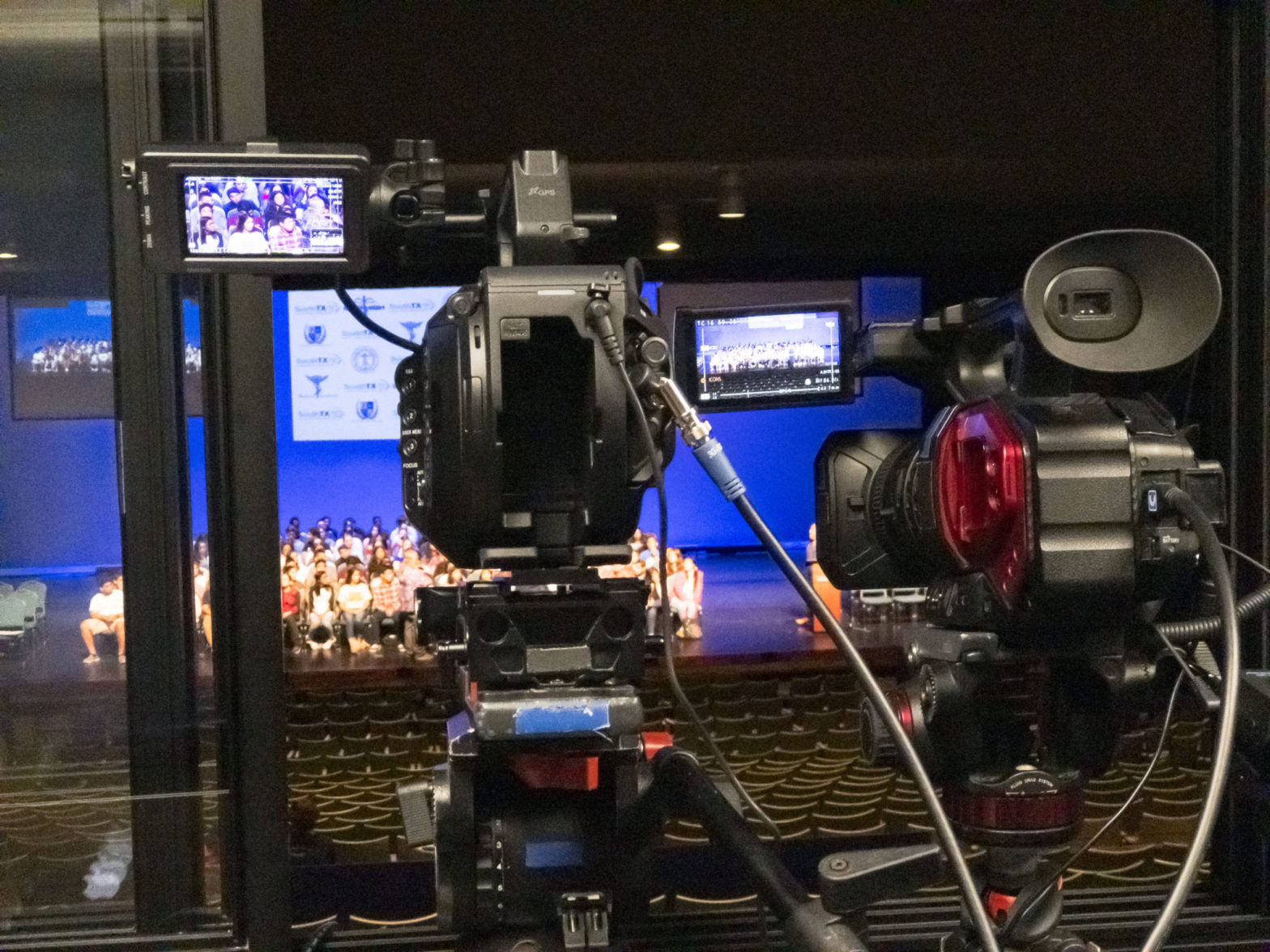
    My secret weapon is the Blackmagic Design Web Presenter with Teranex Mini Smart Panel. The Web Presenter features both SDI (via BNC) and HDMI inputs. The optional Mini Smart Panel gives the Web Presenter the ability to live switch between the two inputs using smooth transitions, as well as monitor the program feed, and access settings more easily using visual menus. This effectively converts the Web Presenter into a two-input live switcher with professionally customizable options.

    My Sony PXW-FS7 Mark 2 would be fitted with a telephoto lens and provide medium podium shots of all the presenters. My Panasonic AG-DVX200, with it’s affixed servo zoom lens at its widest setting, would remain mostly static throughout the events, providing me with something to cut to when the presenters changed. FS7-II and DVX200 would be connected to Web Presenter via SDI and HDMI, respectively.

    The Web Presenter’s outputs are another worthy topic. Yes, the whole point of the Web Presenter is its primary function of converting a high-bandwidth broadcast quality signal and converting it to a 720p H.264 signal that is more easily digested by a computer’s web broadcaster (in this case, my 27″ iMac 5K Retina running OBS to my client’s YouTube Live) via USB. It has SDI and HDMI loop-outs, yes. But, the biggest feature here is Program Out via SDI. This output sits before the conversion happens but after the live switching, meaning the broadcast-quality live switching can be output uncompressed via SDI to a recorder before the coversion to low-quality web deliverable intended for live stream. That means a Full HD copy of the live-switched event can be recorded during the live stream.

    I own an Atomos Ninja Blade Full HD recorder which would be perfect for this job. However, it is HDMI only so I needed a way to convert the SDI Program Out coming from the Web Presenter. Another requirement was the house video switcher needed to be fed an SDI or HDMI signal from my nest so whatever I was livestreaming was also playing live on video projectors in the house. The Blackmagic Micro Converter SDI to HDMI, with SDI Loop-out, was my solution.

    From Web Presenter’s Program Out via SDI to Micro Converter SDI to HDMI’s SDI-In, I then fed the house switcher with SDI Loop-out, and my Ninja Blade with HDMI-out. The Ninja Blade could then be monitored on my SmallHD 7″ AC7-SDI via HDMI. I used two Atomos Micro to Full HDMI coiled cables for this.

    During one of the ceremonies, the client requested a special video be played on the same projection screens as the livestream. To do this, the house video switcher was used to switch between my livestream feed and a Macbook containing the special video. The Macbook used a Thunderbolt (actually, Mini Display Port) to HDMI adapter to feed the switcher the video, plus a 1/8″ TRS to XLR adapter to feed the house audio patch.

  • My Cameras: A History

    My Cameras: A History

    Since watching Star Wars (possibly The Empire Strikes Back) as a wee little baby I had always been interested in photography, cinematography, and the moving image. Cameras, therefore, have been a large part of my life since the very beginning. Following is a history of my cameras (and me) throughout the years.

    In my youth (pre-high school) I had used the Kodak 104 Instamatic, a little plastic point and shoot 110 film camera. It changed my life, and I would not use an SLR camera until high school. In 1994 I was introduced to 35mm single lens reflex cameras with the Pentax K-1000, an inexpensive amateur device that required no batteries unless you wanted to take advantage of the exposure meter in the viewfinder. The K-1000 was assigned to me in journalism class during my sophomore year in high school.

    The next year, I was asked to take over the photography department while the journalism supervisor dealt with the reporters. I was then responsible for teaching use of the cameras, dark room technique and basic photography etiquette to my peers and upperclassmen students alike. And I was good at it. The kids learned a lot and their photographs got better as the semester trolled along.

    My senior year, the school upgraded to the Canon EOS Rebel. Gone were the days of K-mount fully manual, heavy metal cameras. Now, you could have a fully automatic experience with little photographic insight in a plastic, lightweight camera with an on board flash. These new auto focus cameras needed batteries and the consumer-class zoom kit lenses weren’t as sharp, fast or precise as the Pentax’s 50mm primes, but the Rebel did auto forward the film.

    After graduation, I signed up for a Discover Card on my way out of an English class my first semester of college. One of the first things I ever purchased on a credit card was a Canon Rebel XS-II kit along with a Canon case from Best Buy. The setup worked fine for several years until one day the curtain stopped working. I never sent it in for repair and because of my hectic work schedule, I silently walked away from photography.

    In 2002, after shooting some short films and getting my schedule in order, I decided to pick up a Canon PowerShot G3. I figured digital was the way to go for an uninterested consumer like myself and that’s because years ago I swore that I’d never go digital anyway. But that was also when I swore I’d never leave photography.

    The G3 worked great as I started to feel the pull back to photography. In 2003, I figured I would stay digital and move up toward the SLRs again: this time I got the Canon 300D Digital Rebel. The Rebel worked great until I dropped it after one of my first model shoots (in fact, I think it was my second model shoot ever) in 2004. The damage to my Rebel was an excuse to upgrade to the Canon EOS 20D.

    Four years later, the 20D has been so good to me, I hadn’t been concerned with upgrading camera bodies at all. Focusing instead on purchasing lenses such as the Canon EF 50mm f/1.8-II normal prime lens, as well as investing in a few affordable Canon L-series lenses. Because a camera body is just a light-tight box with a hole in it. Image quality and control is all about the glass in front of the body. I purchased a Canon EF 17-40mm f/4L USM normal/wide zoom lens, and a Canon EF 70-200mm f/2.8L USM telephoto zoom lens.

    In 2008 I decided to apply what I had learned about photography up to that point back into 35mm film. One of those “if only I knew then what I know now” things. I went old school and won at eBay auction the Canon FD-mount Canon AT-1 and a fast Canon FD-mount prime lenses. I also purchased a Canon PowerShot SD1100 IS as I began to value smaller cameras that could fit in my pocket and take anywhere. This was also the year I purchased a Sekonic light meter and began to properly expose myself to, well, proper exposure. The AT-1 is sitting on a shelf, while the SD1100 eventually was submerged in water and never recovered. 2008 is also the year I began to try my luck at videography and cinematography.

    After working on a few short films in 2008 and 2009 I realized that cinematography made me very happy. So, in March 2010 I purchased a Canon EOS Rebel T2i for the purpose of honing my video and cinema skills, as well as to supplement my indefatigable 20D. The 20D eventually began to eat my CF cards and died in the middle of a commercial jewelry photo shoot. Luckily, I had the T2i as a backup and so decided it was time to retire the 20D after six years of professional use. I wound up shooting quite a lot of short films, music videos, and television commercials, with my faithful T2i over the years, even as the rubber bits began to peel off due to the heat, salt water, and sand, and other rough elements I constantly exposed it to. April 2016 my little T2i died on a dry rental. I still haven’t gotten it back from whomever still has it.

    June 2013 I was finally able to purchase the Blackmagic Cinema Camera 2.5K EF (BMCC), paid in full by a commercial job for a furniture store client. The camera worked flawlessly on its trial run, however the hard drive I saved the footage to did not. I lost most of the footage, pissed off the client, experienced the positive side of having a paper trail (contracts, release forms, etc), and learned a valuable lesson in backup redundancy.

    January 2016 I was able to purchase my first 135-format digital camera, the Canon EOS 6D. An upgrade from the soon-to-be-DOA T2i, the 6D became my primary photography camera until I decided to use it to also replace the BMCC to shoot documentaries and other video work I really needed a proper video camera for as the BMCC was too damn clumsy to work with.

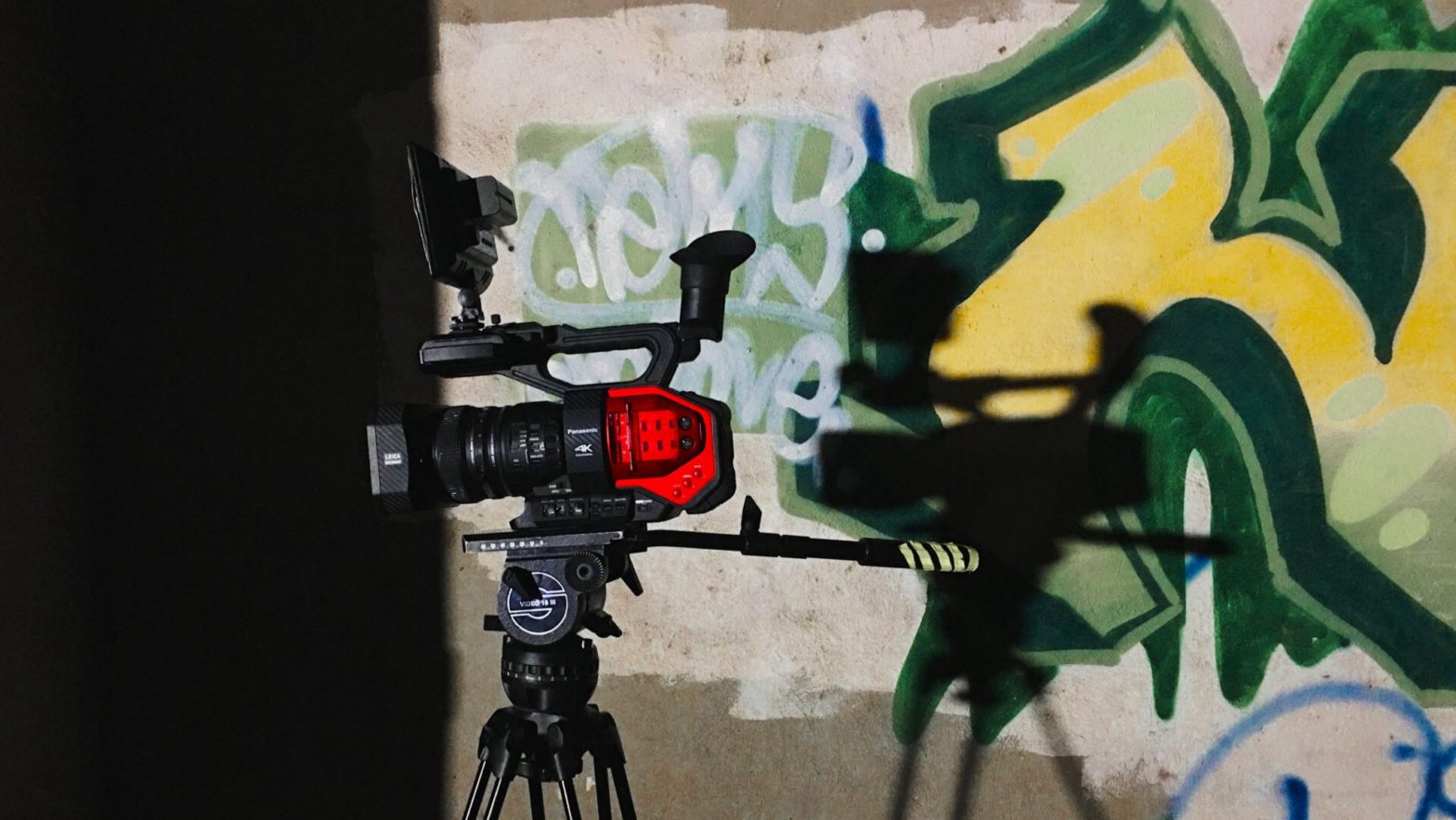
    I finally got that proper video camera in May 2016 when I purchased the Panasonic AG-DVX200 from a vendor in Dallas, TX. The DVX200 has served the 90% of my client work: videography. Because DVX200 also sported a logarithmic profile, I decided to also use the camera on jobs where I might normally have preferred the BMCC and its superior ProRes codecs or CinemaDNG raw, such as television commercials and short films. But, the DVX200 was much simpler to work with, despite its limited 8-bit 4:2:0 codec that was only about as good as the T2i ever was. DVX200 continues to serve me for video work, but I knew I would need a special camera for that other 10% of my work: cinema.

    July 2017 I took to the skies with the DJI Mavic Pro and began to pursue legitimacy as a commercial UAS remote pilot.

    Taking on a job as a state college marketing department’s photographer (read: button smasher), I began to lose my love for the art. I decided I needed a focused, deceptively simple, but most of all fun, camera only to be used for stills in an effort to rekindle the passion. That camera, to me, was somewhere in Fuji’s X100-series. Over the years I had been thinking about the X100 cameras, and as I began to grow tired of what used to be my biggest passion in life, I decided to take the plunge on the most up-to-date, most mature, and most fully realized version of the series. So, in August 2017, I purchased my Fujifilm X100F. It’s the kind of camera I can take with me anywhere, it communicates with my iPhone and I can make pretty photos with it in just about any situation. The film simulations are adorable. It’s fast, nimble, and challenges me to be a better photographer and artist in every respect. I adore my X100F.

    February 2018 was finally the time to get that special cinema camera. After years of careful consideration, I decided to purchase the Sony PXW-FS7M2 from a vendor in Austin, TX. A mature, improved FS7, the Mark 2 is pretty much everything I ever wanted in a specialized cinema camera, as well as in a general purpose video camera. The locking lever E-mount and electronic variable ND filtration were the paramount reasons for considering the FS7M2 over the original – and slightly less expensive – FS7. Combined with a lovely CineEI mode and a certain set of LUTs, I am convinced I own now a miniature Arri Amira. So far I have only used it a little bit (just bought it a few weeks ago) but it is proving to be my most favorite camera I’ve ever owned. I can’t wait to see what the future has in store.

    June 16, 2019 – Purchased a GoPro Fusion 360 at Best Buy in Brownsville, Texas.

    December 7, 2019 – Purchased a Canon EOS 6D Mark II at Best Buy in Brownsville, Texas, along with a Canon EF 50mm f/1.4 USM, Canon EF 85mm f/1.8 USM, and Canon Speedlite 430EX III-RT external flash.

    April 10, 2021 – Purchased a Sony a6400 at Precision Camera in Austin, Texas, after a Mother’s Day photo session.

    October 7, 2022 – Purchased a RED Komodo through B&H Photo’s website. I was able to pull the trigger on this after careful consideration since the camera’s announcement, and upon being paid for working on the feature film M30 Oxy as DP. As of November 21 I have filmed pickups for Big Trip’s Phoenix, shot a commercial for Intrigue Boutique, and the music video for Ainsley Costello’s Cherry On Top. Because of it’s size, ease of use and customization, and easy ProRes workflow with Final Cut Pro, the Komodo has quickly become my most favorite camera I’ve ever owned.

    This article was originally titled “My Photo Cameras: A History” and written July 5, 2008, before I became a cinematographer.

  • Rio Vista Dentistry Branding Film

    Rio Vista Dentistry Branding Film

    Day 1

    December 8, 2017 – Snow day! Somehow the weather worked out perfectly for snow in subtropical south Texas. Perfect for anyone who has yearned to build a snowman on the beach, but not perfect when I am supposed to be shooting evergreen exterior footage of the Allure Dental office in Harlingen, Texas.

    Today I photographed stills images of the doctors and staff at Rio Vista Dentistry to populate their upcoming newly designed website. Portraits were shot of all key staff members, as well as a few groups for Christmas cards.

    I then began video recording of b-roll footage of the doctors and staff at work for a branding film I will produce to coincide with their new website. As I shot 4K video footage with my DVX200, I would then simply stop the action and capture stills photos with my 6D. This way both the photos and the videos would have a similar look: same lighting, same angles, same fields of view.

    Once I wrapped the staff, I walked the office with Mavic Pro (which I intended to record jib-like exterior shots but was outgunned by Nature) and recorded Steadicam-like flying shots of the office interiors using Mavic’s gimbaled 4K camera.

    After breaking for lunch, we returned to the office to capture patient testimonials. It’s difficult as a solo shooter without assistance running an interview whilst also being aware of the camera, sound, and lights. But, I managed to get it all done on time and on budget. Everything went smoothly, the doctors were impressed and I was gifted a bottle of red wine. The doctors interviews and exteriors will need to wait for another day.

    Day 2

    January 19, 2018 – Early this morning we continued production of the branding film as I was scheduled to interview doctors Bonnie and James. As always I generally prefer to travel light when in one-man-production mode. I trollied my DVX200, three Dracast 1×1 LED light kits, audio gear, tripod systems, and light stands, in just a few bags. Each interview lasted about 45 minutes. I still need to grab exterior shots and a few shots of the lobbies and other area of the office with exterior views, weather permitting.

    Day 3

    February 6 – Today the weather finally cooperated and we were able to continue production of the branding film. This is the first project I was able to use my new Sony PXW-FS7 Mark II on as I just purchased it in Austin three days before. I was finally able to fly my Mavic Pro before the office opened after lunch to grab some lovely jib-like exterior shots. Also, I shot redux portraits of doctor Bonnie.

    Once the film is completed it will become available to the web developers who will place it on the new website for its launch.

    Delivery

    February 20 – Finally delivered! Assembled and finished in Final Cut Pro X, the film is a brief tour of the office and overview of their services, peppered with patient testimonials, as well as informative monologues by the doctors, all tied together with succinct narration. Told with minimal effects or graphic embellishments, and some lovely dramatized footage of the staff in action, the delivered branding film for Rio Vista Dentistry is just shy of five minutes in total duration.

    Rio Vista Dentistry loved the final film and approved it with zero feedback or revisions.

  • What’s Inside the South Texas ISD TV Spots

    What’s Inside the South Texas ISD TV Spots

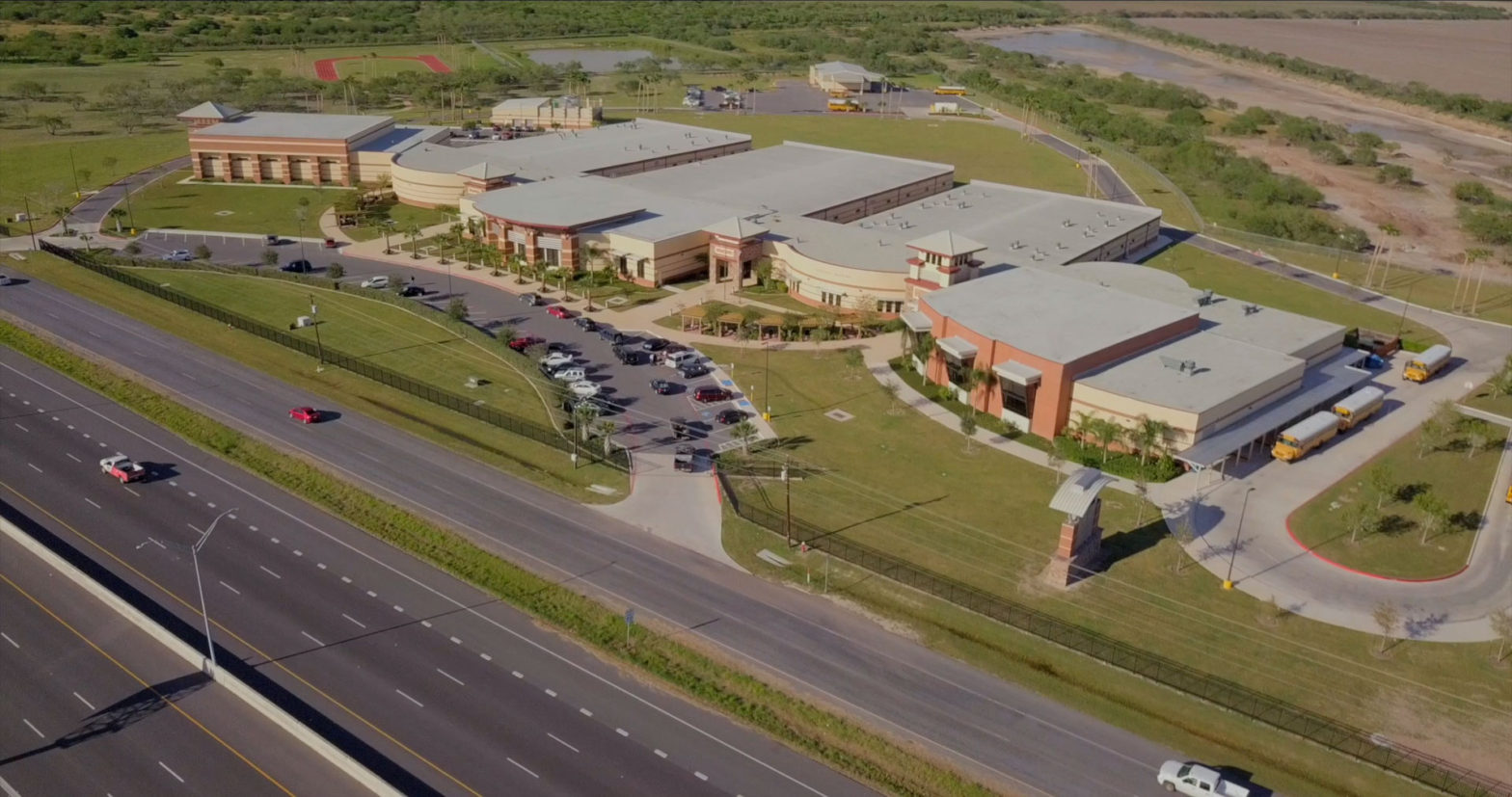
    A total of 28 video advertisements, 14 radio ads, 7 audio interviews, portrait photography, coordination of an entire magnet school district spread across 3 counties along the Rio Grande Valley of south Texas, with English and Spanish deliverables, running on broadcast television, and select Cinemark movie theaters. All tying in to a single website: insideSTISD.com. Another epic project I produced, wrote, and directed in collaboration with South Texas ISD.

  • Panasonic’s “Next Camera”

    Panasonic’s “Next Camera”

    There is only speculation at this point. Panasonic has announced a new cinema camera at NAB Show 2017 this week. However, that’s all anyone really knows. There are exactly zero details about the camera released by Panasonic during the tease. Panasonic representatives on the NAB Show floor have offered only scanty hints of what this new camera is all about.

    A mock-up of the new camera rests under veil within a thick glass case at the Panasonic booth at NAB Show between the new GH5 and the current Varicam line-up of LT, 35, and Pure. This suggests a camera that fills that void, offering more capability than the GH5, a stills camera, but not as robust (or expensive) as the Varicam LT. The bullet points above the veiled prop admit the camera is “small and light,” has “cinematic imagery,” will feature “low-cost media, workflow,” and will be “available Fall 2017.” That’s it. When asked what to call this new mystery camera, Mitch Gross, Panasonic North America’s Cinema Product Manager, during an interview stated simply it is Panasonic’s “next camera.”

    How soon until the full reveal? Thankfully, that will come the first week of June at Cine Gear Expo in Los Angeles, only five weeks away.

    Personally, I have been dreaming of a successor to the venerable, yet under-appreciated, AF100 from 2010. Being an owner/operator of DVX200, I am in love with the fixed-lens camcorder for video projects and some cinema-style work such as TV commercials and music videos. However, the DVX200’s biggest advantage is also it’s biggest obstacle: the fixed lens. It’s a great lens, but having a uni-body camcorder means I never will have the option to use something else. I’m stuck with that lens. Don’t get me wrong: it’s actually wonderful to never worry about changing lenses, carrying those lenses with me everywhere, risking dropping them during a change, dirtying up the sensor, and other things; but, man, it sure is nice to change lenses sometimes.

    For the majority of my work over the past few years has been reality in-nature. I’ve shot a lot of corporate videos, event videos, wedding videos, interviews, news segments, et cetera. Before I purchased DVX200, I was using my current cinema camera, the Blackmagic Cinema Camera 2.5K EF which I purchased in 2013. Also, a great camera, but hell to use in a reality situation. The cage and rigging makes it bulky and heavy, the lenses need to be changed. There’s no ND wheel. White balancing is a chore. Audio has to be recorded externally, and there’s a big brick battery lazily affixed to the cage. It’s fine for a controlled set, but daunting when covering an event; something that only happens once.

    With DVX200, since May of last year, I’ve only shot a few projects with the Blackmagic Cinema Camera as the majority of my work has been videography. 2016 was also the year I finally purchased a set of proper cinema lenses: the PL-mount SLR Magic APO Hyperprimes. Now, I need to start looking at upgrading my cinema camera. Lately, I have been eyeing the Blackmagic Ursa Mini Pro. However, I most likely will not be in a position ready-to-buy until end of the year. With Panasonic’s tease of a new cinema camera that just might be a spiritual successor to the AF100, or a straight-up AF200, my interest is piqued.

    Panasonic Pro Europe posted this to their Instagram account.

    I left the following comment:

    So, I’m going to go out on a limb and guess it’s [basically] an AF200: DVX200 body and features, m4/3 lens mount (with Super 35 sensor?), internal 10-bit 4:2:2 ProRes (please!) up to DCI 4K, and that flipping LCD has a snap-on loupe. I imagine it’d actually be the same 4/3″ sensor in the GH5. Not a Varicam, but would play well with V-log L. 13 stops of dynamic range? Probably aiming to compete with FS5 and 7, and C100-300. Might even be a non-raw competitor to Ursa Mini, and if it’s priced lower, all bets are off. Whatever this thing is, I am excited. We’ll know at Cine Gear Expo…

    Looking at the lens in the silhouette image, it is definitely a Sigma 24-35mm F2 DG HSM Art. I’m going to venture that is a fixed EF mount. I would imagine it is a M4/3 sensor, however, Panasonic might be alright with letting us have a Super 35 sensor. It’s not going to be a Varicam. It’s going to be a spiritual successor to the AF100 (or, the AF200). It has the same silhouette as the DVX200, minus the rear EVF and affixed lens. AF100 was basically an HVX200 body. This seems like the logical progression of things. It took forever for a successor to DVX100, and it was announced in 2015. I think this would make sense to announce an AF100 successor (again, either spiritually or a literal AF200), that would share the concept of the DVX200, but with an interchangeable lens and, hopefully, better internal codecs. Has anyone noticed that the LCD swivels horizontally (yaw roll)? That, by itself, is exciting.

    Personally, I’d love an Ursa Mini Pro…unless something better comes along at the same or better price when I’m ready to buy. And, technically, i am doing just fine with my current cameras so I don’t want to upgrade my cinema camera until I can afford to do so, and with a product I know will serve mine and my clients’ needs. But, I have a cinema camera. I needed to upgrade the video camera I bought in 2010, so I bought the DVX200 (again, I would LOVE a cinema camera in a DVX200 body). Then I needed cinema glass, and then a nicer field audio recorder, etc. Late 2017/early 2018, I’m looking to upgrade the cinema camera I bought in 2013. Ursa Mini Pro has been the top contender. Who knows about this new Panasonic? I like Panasonic very, very much. So, even if it doesn’t do internal raw, if everything else is very strong, my choice could definitely go in Panasonic’s direction.

    Meanwhile, user Osslund on DVXuser posted the following rumor yesterday:

    Just got this info about the new camera. It will have a S35 sensor and 14 stops of dynamic range. 4k up to 60fps. 1080p up to 120fps. All the usual stuff like ND, SDI/HDMI out. The body is very light weight at about 1 kg. Media used will be SDXC cards with dual slot capacity.

    The camera pars [sic] can be broken down and the shape of the camera is a mix of C100 and FS5. As is the price in the league of a C100 mkII.

    If even parts of that are actually correct, Panasonic’s “next camera” could very well be an Ursa Mini Pro killer for me. Regardless, the prospect of an “AF200” is super exciting. Too bad I can’t be in Las Vegas this week to try and peak through the cloth.

  • Siempre Natural

    Siempre Natural

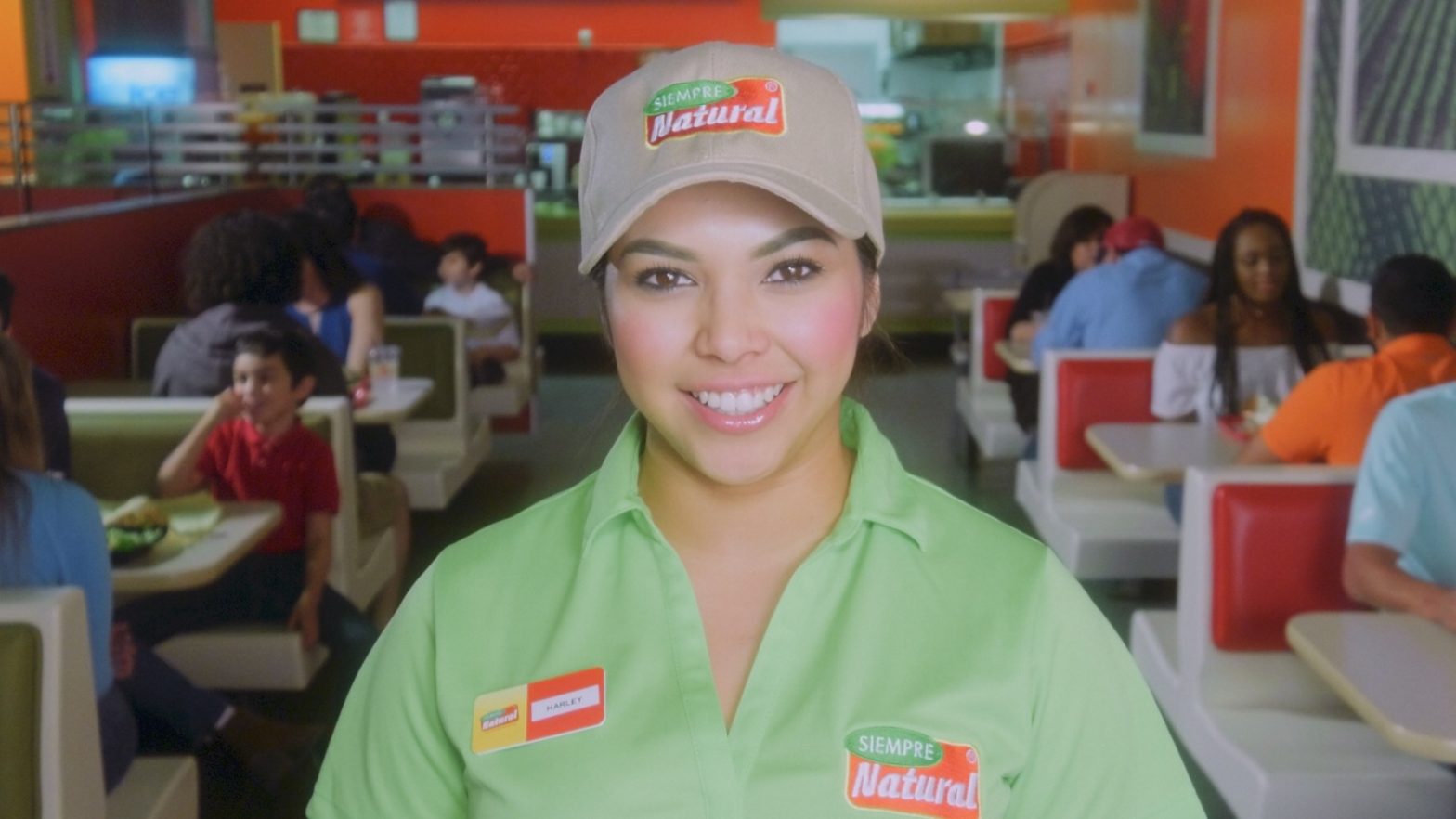
    Earlier this year I was asked by Jerry Medina, principle of advertising agency Aviso Media Group, to photograph a new campaign of television commercials for Siempre Natural, a quick-service restaurant franchise, in Mexico and Texas, with a menu they describe as ‘American with a Mexican Flair’. Siempre Natural serves wraps, pitas, yogurts and salads with natural fruit drinks. To promote the healthy (and tasty) brand, the new spots would need to be as colorful, fresh, and fun, as their food. After discussing the desired style of the spots with Jerry, we began prep. It was decided we would need at least three bilingual employees, plus 15-20 extras.

    This past Friday evening, I met with Jerry and representatives of the client at the North 10th location in McAllen, Texas. We discussed our intentions for the weekend shoot and formulated our plans. I scouted the location with my iPhone 7 Plus, Cadrage, a director’s finder app, Cine Meter II, a light meter app, and Sky Guide, an app very useful for predicting the travel of our sun. Cadrage, a French word meaning ‘framing’, is very useful as it can emulate the field of view of any combination of camera and lens. Once the pre-viz images have been recorded, a PDF shot list can be created and emailed to anyone on the production team. Production would commence Saturday morning from 7 to 11 AM, and Sunday morning 9 AM to 12 noon.

    When I arrived Saturday morning, I ordered the front, Eastward-facing windows and glass door, covered in black muslin to avoid fighting color temperatures and morning shadows. Unhappy with the weak punch and short throw of my available LED lights, I had recently created an old-school tungsten light kit for use on an upcoming short film. Consisting of three Strand Ianiro 1000 ‘redheads’, as well as the Strand version of what Arri calls a ‘mini flood’, I immediately put the new-to-me kit to use on the production of these TV spots.

    The Ianiro redheads are proper 1k tungsten open-face focus-flood lights and need to be softened for flattering closeups. I would generally punch two redheads through a 6×6″ butterfly of artificial silk. On closeups and direct-to-camera standups I would use a small, bi-color, LED Obie light set at 3200º Kelvin with just enough punch to lighten up the shadows. Backgrounds would be lit with the mini flood, plus another redhead through 216 for a kicker.

    I opted to shoot the footage with my Panasonic AG-DVX200 video camera. Needing at least 1080/24p ProRes 422 10-bit to pull a grade from the camera’s Varicam V-log L and 10-bit 4:2:2 output, I recorded the footage externally to my Atomos Ninja Blade, and monitored the footage with my SmallHD AC7-SDI on-camera field monitor. Preferring physical filtration, I used DVX200’s built-in neutral density for exposure, plus a Tiffen Black Pro-Mist 1/2 to take the digital edge off.

    We did not have the time we needed to sweeten every shot as much as I would have enjoyed, but I think the photography is dynamic and colorful enough to squelch any nags. Also, I believe the 12 stops of dynamic range afforded by the DVX200’s V-log L, as well as the 10-bit 4:2:2 recording via the Atomos Ninja Blade, help by giving me plenty of room to grade the footage reasonably well in post.

    The spots will be cut and graded in Final Cut Pro X. Overall, I am happy with how they are turning out.

  • Working With LUTs

    Working With LUTs

    A member of DVXuser posted a question about LUT workflow and this was my answer.

    My basic workflow is prep, shoot, ingest, edit, mix (sound), color (where you apply the LUT and do your coloring), deliver and pray. It is more complicated than that, but I want to keep things simple. Well, actually…

    First, what is a LUT? A ‘Look Up Table’ is a way of ascribing to a digital image the way colors are mapped or those values are assigned. They can describe how ‘yellow’ orange is, for example. Colors evoke a mood and it is part of the psychology that goes into setting the tone of a show using the visual language of that show which is a combination of production design, lighting, composition, blocking (both talent and camera) and stage direction, performance (including timing, expression and blocking), even goes as deep as the ‘flow’ of the show; i.e., where the cuts go and how they relate to the performance and the camera moves, etc…since those should be planned and shot for on-the-day. This whole ‘fix it in post’ thing is a crutch, but I digress. Also, ‘flow’ is part of ‘tone’ and is different from ‘workflow’.

    Speaking of ‘workflow’: there are a lot of different ways to go about this and answers are generally subjective depending on a bunch of parameters.

    Basically, you need to find a workflow you prefer and one that keeps your clients happy. Some folk like the look of logarithmic footage without processing of any kind. Other folk grade it so much it looks like terrible, cheap consumer video. Most of the professional stuff you see in broadcast media and movie theaters are graded in some way. Only occasionally do you come across some old-school film peeps who create the look both on the day via filmstock, filters and gels, and in the lab, avoiding a DI process altogether. That’s ‘Digital Intermediate’, by the way: the phase the edited footage goes through the coloring process, usually with the colorist in some combination with the show’s DP, producer or director. ‘Digital’ because it’s done on computer, and ‘Intermediate’ because it is the process between editing and duping – ‘duplication’…lots of stuff newbies need to look up.

    The basic workflow stems from the idea that you generally shoot something with the intent of it looking a certain way which is planned between the script-writing phase and the production phase; usually to help the visual language of a show (read: movies, music videos, TV series with any number of different styles or genres on display) evoke an emotional response from its intended audience. The visual language of the show as a whole, or sequences within the show, or scenes within the sequences within the show as a whole, or individual shots within the scenes within the sequences within the show as a whole, can be treated visually different from each other, but generally a show develops its basic look and style within its first few seconds to ground the audience and establish something we like to call ‘tone’. Establishing the show’s tone goes a long way to help suspend the audience’s disbelief and allow them to either enjoy your show or change the channel. That is why you can not start watching a movie from the middle and why comedies are generally broadly lit with saturated colors and dramas usually have a lot of shadows with muted colors.

    Sometimes you want to break up sections of your show (like dramatic acts or sequences or scenes) with different palettes but the general tone of a show should be consistent throughout. I shall use the classic fantasy adventure film “The Empire Strikes Back” as an example. It starts with a cold environment with lots of whites and blues; the good guys have bits of orange intercut with the militaristic bad guys’ grays and deep blacks. The second act has deep greens, reds and oranges, with the third act becoming much colder, all intercut with those grays and deep blacks of the bad guys. All of it has a slightly cool look with desaturated highlights and midtones with shadows that like to dip into blue. It is a generally blue-ish movie: cold and subjective, which aid the film’s anxious tone…but without becoming depressing. When our heroes finally admit their love for one another, the camera is closer and the orange and reds of the room penetrate the scene. “Empire” is the most dramatic of the Star Wars movies, and a terrific film by itself (how I prefer it) which I encourage you to watch with the sound muted. In fact, you need to start watching everything with muted sound. If you can’t follow along, then it’s not good storytelling.

    You have to learn why things work on a starship.

    Captain James T. Kirk

    Once you have the tone in mind and have established what sections should look like what without betraying that tone you want the show to establish, then you go about testing different films, cameras, lenses, filters, lights, gobos and intermediate processes (where LUTs come in) along with production design such as wardrobe, the colors of the sets, makeup, props, etc…and combinations of all of that – with talent, or at least stand-ins – to ensure the tone you’re going for will be served. Or, you watch a movie or two and decide that you want your movie to look like someone else’s movie, but better-er-er. Whatever. Point is: come up with the show’s tone before you shoot.

    Nowadays it is all very simple because you can have video reference monitors with the ability to import LUTs so you can pretty much see what the final show will sorta look like on the day. You generally light with a style that considers the tone and look and feel of the show and the LUT is a part of that. Seeing it on the day in the monitor is nice but should not be the only thing. It is merely a guide for everyone else except the DP who should know better and understand that, despite the base LUT, the show will still need to be properly graded and shots individually tweaked or corrected.

    There is this neat vignette on the collector’s edition of David Fincher’s excellent “Seven” where his go-to colorist shows examples of coloring that special edition of the film for home video release in what film critic Jeff Shannon described as “a fascinating exploration of the audio remixing and video remastering process, demonstrating the subtleties of digital color and tone manipulation.” It uses the final scene as an example: shots done days or weeks apart and show with various lenses and lighting conditions all need to match so they look like the scene takes place all in the same place at the same time. That’s what coloring is all about. A LUT will help you get there, but you still need to have an understanding of what’s going on outside.

    A LUT is simply another tool in the box.

    What I am saying is you can not shoot something and then apply a LUT willy-nilly like it is a magic potion that will make everything look legit. You have to plan, you have to shoot for that plan and then execute the plan. You marry into it…even if it was the wrong decision; you commit. Because you would rather spend two years making a movie than two hours watching one. I digress, and no it is not a simple answer at all. A LUT is simply another tool in the box. Logarithmic profiles are another tool. Variable frame rates, DCI 4K and servo zooms are other tools. They all work together to serve the show – whatever it is – whatever message you are trying to say, story you are trying to tell or feeling you want to make the audience feel.
    They are only tools and you need to learn them.

    Once you know the rules, then you can start breaking them and that is where the fun begins. That is when you can tell a story backwards or use visual metaphors or whatever. That is why experimental films are usually shot by amateurs simply learning their craft, whereas when an established filmmaker creates an experimental film they are usually more coherent. They are better at using their tools to do what they want them to do; build the house that they want to build. Then we can prattle on about foundations like concept, idea, story, script, etc.

    It is true the best LUT in the world can not fix broken footage, but also the best footage in the world can not fix a bad performance, bad direction or a bad script. They are all pieces to this enormous puzzle…even when you are just shooting a few interviews, stuff needs to be considered. You need good sound, good light, good composition, good answers, good questions, a motive. You do not simply show up and shoot without looking at the location and deciding whether to use the windows or not, the desk or not, that lamp on the table or not. Movies do the same thing except they consider that on paper and then design and build their sets with the intention of it all serving the style and tone of the movie that helps tell the story in the most appropriate way. That is what it is all about: being appropriate in regard to how the story is told.

    That is what it is all about: being appropriate in regard to how the story is told.

    Getting back to it: you can certainly ingest your footage, apply your LUT and color, export the graded footage and import that footage into your editor and go from there. Or, you can round-trip by editing the footage, exporting the timeline into a grading software where you do the coloring and then take that back into the editor to tweak and export deliverables. Or, have a one-app solution where you can both edit and color at once on the same timeline in the same app. Apple’s Final Cut Pro and Blackmagic Design’s DaVinci Resolve come to mind.

    I use FCPX 10.2.3 which does not natively support Panasonic’s V-log (Varicam) or V-log L (DVX200, GH4) at this time, though you may use another flavor of log-to-REC.709 it does support, such as Canon’s C-log. Regardless, you still need to process your footage. For more precise controls there are a number of plug-ins available to grant FCPX the ability to assign LUTs and subsequently correct and grade footage. I use LUT Utility with FCPX’s Color, or Color Finale Pro from Color Grading Central.

  • “The Asylum” Spec Trailer with DVX200

    “The Asylum” Spec Trailer with DVX200

    A Quick and Dirty Field Review of DVX200

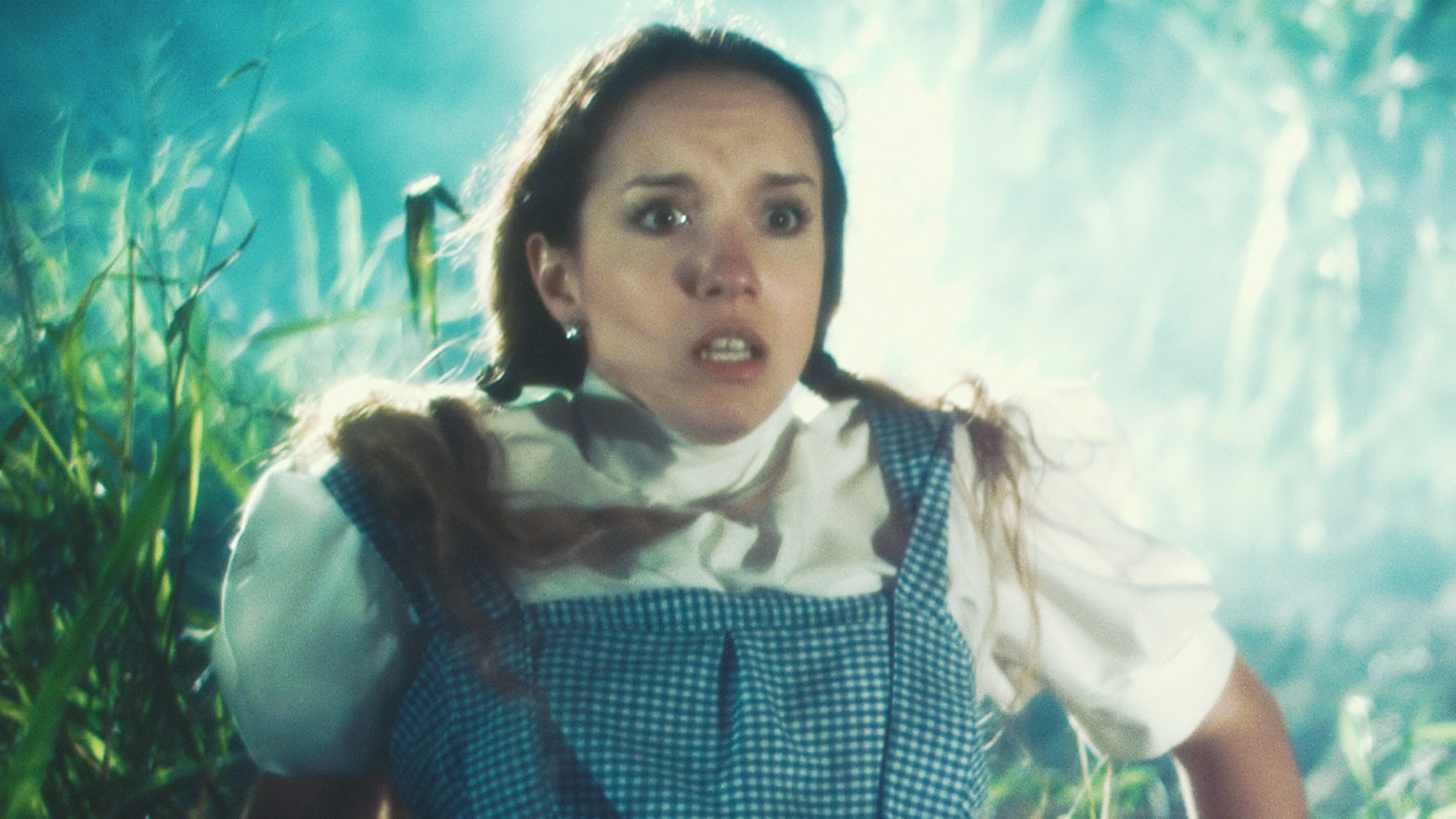
    This past weekend I was invited to shoot a spec teaser trailer for a proposed horror film tentatively titled “The Asylum” written and directed by first-timer Israel Ybarra. The shoot would span two consecutive evenings: Friday and Saturday on location in the little Texas town of San Juan. The first day would be filming in and around the abandoned San Juan Hotel on Business 83 constituting all the scary scenes. The second day would consist of the setup: some exposition-serving drama at a house party before the fun begins. I decided to use my Panasonic AG-DVX200 video camera for this project as I hadn’t seen it used for anything cinematic online, to date.

    The way I understand the camera, as far as Panasonic is concerned, the DVX200 can be configured to be a GH4 with more sensible motion picture camera ergonomics and usability, plus the speed of a fixed lens. I also knew that place would be dirty and I didn’t want to have to change lenses and worry about potentially damaging my clunkier, more expensive film gear for what is basically a “for fun” project. Despite the filthy conditions of the dilapidated building and the location’s ~90º F temperature (at night!), the DVX200 performed precisely as expected. Depending on the complexity of the scenes I would use anywhere between one and five small LED lights.

    HD and Variable Frame Rates

    I decided to shoot this project in 1080/23.97p 200 Mbps ALL-I Full HD (FHD) because after speaking with the director I knew I would need to do some undercranking (fast motion) and overcranking (slow motion). The DVX200’s Variable Frame Rate (VFR) mode gives me a wide range of choice from 2-120fps, but not above 1080p. I knew that DVX200 resorts to a sensor crop at frame rates higher than 96fps, which was too slow, anyway, so I kept the highest overcrank at 60fps. Going over the dailies later, this would wind up being a re-time of 150% on the editing timeline when ramping. I overcranked a reaction shot of a woman finding her boyfriend being attacked. I also undercranked on another attack at 20fps to give the scene more voracity.

    Undercranking and overcranking, by the way, are terms carried over from film. It basically means that, in a 24fps environment, when you undercrank or allow the film to travel through the camera slower than 24fps then play it back at 24fps the action moves faster since it takes less frames for a normal action to be captured and thus the movement is exaggerated. Inversely, overcranking is to allow the film to travel faster through the camera, then when played back at 24fps the action is slowed down. Subtly under or overcranking film can have a huge effect on an audiences perception of a scene. Because the film travels at different speeds than what it was rated for, you must increase your exposure for overcranking or decrease it for undercranking. Shooting a scene at 60fps on a DSLR and slowing it down in post is not overcranking because the images was always intended to be 60fps in a 60fps environment. Overcranking or undercranking takes place inside the camera on the day.

    The Image and Working with V-Log L

    I have found that I enjoy working with V-Log L and DVX200’s interpretation of it. I have decided that using Scene 4, exposing and white balancing correctly, using the Natural color matrix and not going past ISO 2000 yields flat images that can be turned into some very nice-looking ones with only a little bit of love. The Varicam 35 to V709 LUT works very well in these situations and is generally a good starting point for a grade. The DVX200 internally only records to 4:2:0 8-bit at up to 200 Mbps ALL-I in FHD, so it’s a little better than shooting with a nice DSLR in terms of the digital file, but it also outputs a clean 4:2:2 10-bit image to an external device – so, you have that option. For a project with a quick turnaround that doesn’t need a lot of work because it was shot appropriately, then even an 8bit image will grade satisfactorily a lot of the time, but, again the option is there.

    Also, I have read that if you record a 4K or UHD image internally and scale it to a FHD editing timeline later, mathematically the image magically transforms from a 4:2:0 8-bit image to a 4:2:2 10-bit one. Regardless, it’s best to use an external recorder; Barry Green will back me up on that.

    DVX200 ghosting artifacts due to NR prior to firmware version 1.81.

    I had recently updated the firmware to version 1.81 which adds the Noise Reduction (NR) Control Function which eliminates the terrible ghosting artifacts most noticeable in shadow areas of high contrast images, but in favor of more noise. More on noise later. But, speaking of firmware, I will briefly go over the update milestones that are most meaningful to me. By the time I purchased my DVX200 in May this year there were already no less than three updates that resonated with me.

    First, v1.25 in November 2015 improved 4K and UHD modes by adding Fast Scan Mode which reduces the camera’s 4/3″ CMOS sensor’s rolling shutter artifacts (jello effect), made the shadow areas cleaner by reducing black dot noise and also cleaned up highlights by making overexposed areas roll off into white instead of yellow.

    Next, firmware v1.51 in March 2016 added the Natural color tone reproduction setting and reduced noise in black-colored areas in FHD.
    Lastly, the v1.65 update in April improved gradation in log, fixed the camera so it would remember your gain setting after a reboot, as well as adding Extended Sensitivity mode which introduced the concept of negative gain to the camera, granting up to -6dB gain and effectively dropping the noise floor about 2 stops. This results in cleaner images south of the base ISO of 500. This brings me to today and the most recent 1.81 update.

    Screengrab of a boxing match I shot with my DVX200.

    The noise of the camera from ISO 2000 and below, I have found, is well done and not the smudgy mess generally found in video cameras. The noise appears filmic at times; especially between the camera’s base ISO rating of 500 and the least sensitive rating of ISO 250 where, I believe, it is actually quite pleasing. For this project, I wound up shooting between 500 and 1000 ISO.

    Clarity of the image, particularly at the slower ISO ratings, was generally sharp and well-defined. I don’t like my images to be excessively sharp in a digital way, rather I prefer to light with a lot of contrast to heighten an audiences’ perception of sharpness and to nail focus like a boss. In my experience this approach gives far more “cinematic” images than increasing the sharpness setting in the camera or sharpening the image in post. I like to see noise or grain when it’s pleasing and it reminds me I’m watching a movie.

    The DVX200’s 5K sensor gives the image superb overall clarity. Color reproduction, when the camera is setup properly (read: exposed and white balanced correctly), is good. Of course, depending on the Scene settings, you could be going for the generic broadcast video camera look of Scene 1, or the more GH4 “cine” look with Scene 4. Either way, I have always found skintones to be rendered well in good lighting situations. In bad situations where you can’t help but shoot under a sodium vapor street lamp, then skintones will be rendered appropriately yellow. Either way, that’s the way it looked to my eye when I saw it live, and that’s how the DVX200 records it…again, when setup properly. Summed up: DVX200 does a good job of reproducing colors, particularly skintones, in the way I remember seeing them with my eyes in various lighting conditions.

    The Body

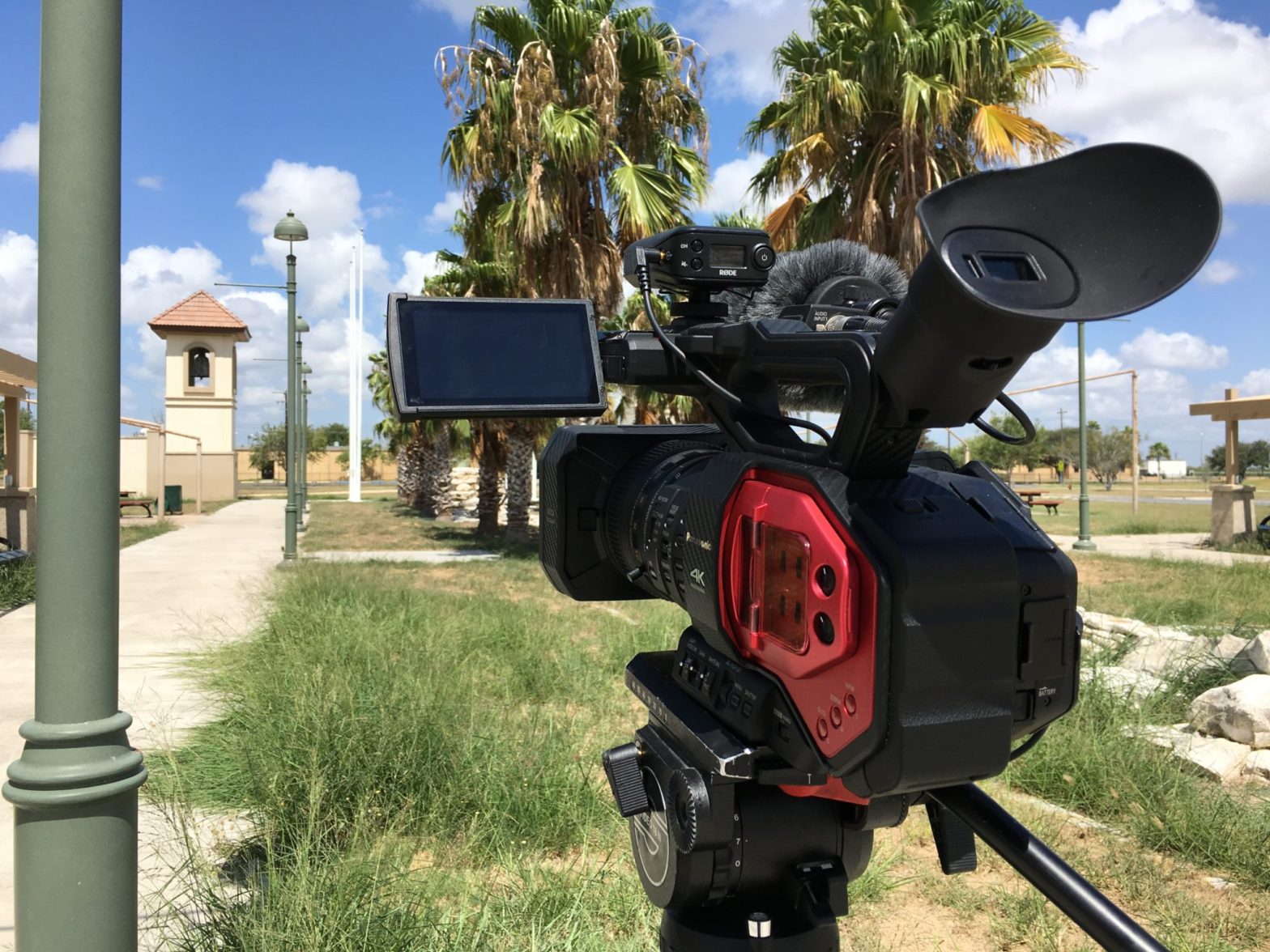
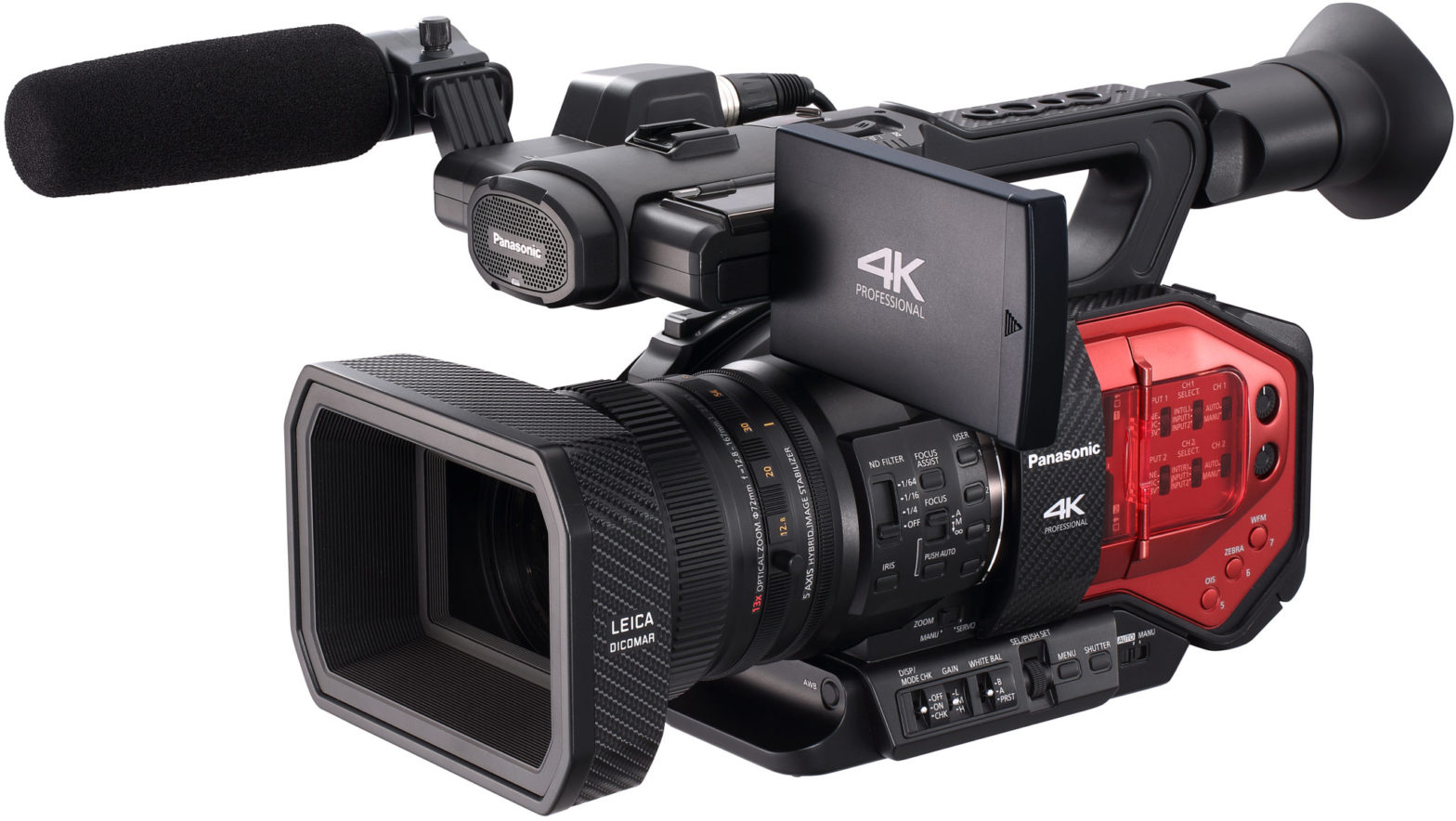
    I use my DVX200 naked with the big battery and a good-sized shotgun with deadcat hand-held with OIS all the time, for hours and hours. The camera is well-balanced and a joy to use.

    My DVX200 on set of The Asylum spec trailer. That’s an LED topper, or an “Obie” as we like to call them here in the USA, for subtle fill light.

    The size and weight actually make it easier to handle than HVX200 or DVX100 (or other similar types of camcorders). It might help that I’m used to full-size ENG cameras and digital film cameras like a big, fat Red One loaded up at somewhere between 30-50lbs depending on lenses and batteries…on my shoulder or hanging from my hands. As a videographer, DVX200 has never become a burden…though even a mostly plastic camera starts to feel like it’s 2-3x heavier than it really is after several hours of shooting, but that’s why you put it down every now and then. And if you simply can’t (wedding?) the weight still hasn’t been a deal-breaker…plus, again, the size and shape of it (including the central placement of the battery compartment) means that it’s very well balanced, especially with the heavier batteries. So, I’d say that for me, the weight has not yet been a problem at all and I don’t see it ever becoming so.

    The ergonomic benefits of using a proper camcorder for video work are numerous. Gripping the handle for low-mode (or just resting the camera in the non-dominant hand) is a joy. The buttons and switches are intuitively places on the smart side, plus extra ones on the dumb side. Having the ability to assign nearly any function you could need to the User Switch buttons potentially makes the DVX200 an efficient camera to operate.

    Also, I sometimes forget the camera’s LCD flip-out monitor is also a touchscreen and I like that the menu system isn’t too difficult to navigate (DVX200 is just as much a computer as it is a camera) and setting it up for shooting doesn’t take long at all. SD card slot placement is fine, plus the manual audio controls are right where they should be.

    The rear viewfinder is extremely helpful in bright shooting conditions. I learned that pointing the EVF upward keeps the sensor from turning off the LCD accidentally. However, you are able to switch to EVF or LCD (or auto) so this phenomenon doesn’t happen at all unless you want it to. Also, because I’m old school I set up the EVF to show only grayscale.

    As far as batteries are concerned, the included VW-VBD58 will last a conservative shooter over 3 hours of juice. I also have the AG-VBR59 which has a similar run-time, plus the bigger AG-VBR118G which, honestly, has lasted me an entire shoot day without complaint on more than one occasion.

    I have found the camera never seems to overheat, even in the hot Texas sun.

    The Lens

    The affixed 13x Leica 12.8-67mm lens on the 4/3″ sensor has various focal lengths depending on what mode you’re in, but basically it’s about a ~29-370mm in 135 terms. It does have a digital zoom which uses the 5K sensor in FHD to perform the punch in. Also, un 4K/UHD the Optical Image Stabilizer (OIS) further uses the extra pixels to work. The lens is not parfocal, but it does some magic that gives the impression of a parfocal lens, though you can hear the mechanical elements shift inside the body (no worries) and you can see the camera try to catch up when performing snap zooms. It hasn’t been a problem yet and I don’t forsee it becoming one, but it is something I noticed.

    The lens is rated at f/2.8 at the wide end and ramps to an acceptable f/4.5 somewhere in the middle of the zoom range. The depth of field is quite negotiable in terms of nailing follow focus. I have found that DVX200 has a pleasing depth of field and can appear quite cinematic at times. Flaring and other optical artifacts are controlled well. OIS is a joy in general as it makes a static handheld shot look like the camera is on a tripod, or it at least gives traveling shots the steadier look of a full-size ENG camera. The included lens hood has a mechanical barn door system that protects the front of the lens without fear of one day losing a lens cap.

    Final Thoughts

    In conclusion, the Panasonic AG-DVX200 is a great little camera that certainly has the capability to play alongside real cinema cameras in a lot of ways. The image quality is quite good and the ergonomics of the camera make it far more enjoyable to use than having to rig out a DSLR. Or, it certainly saves your back from having to deal with a 40lb cinema camera. I think the camera is a great solution for low-budget productions needing the look of a GH4 but don’t want to deal with it’s ergonomics in the field. But, don’t get your hopes up: if you need raw processing or for the camera to see in the dark because you don’t (or can’t) light what you’re shooting, then DVX200 might not be for you. But, at the end of that weekend shoot, the director and producer were very happy with the dailies straight from the camera. Once I see the trailer has posted I will post it here and possibly add BTS photos and stills.

  • DREAM for Edcouch-Elsa ISD School Board Candidate Films

    DREAM for Edcouch-Elsa ISD School Board Candidate Films

    From July 16 and 22, 2016, I produced “meet the candidate” films for the Delta Revitalization Engagement & Action Movement (DREAM) campaigners for Edcouch-Elsa Independent School District (EEISD) school board membership. A film each was produced for candidates Carolina Saenz, Reynaldo Rodriguez, and Jose Saldivar. Photographed with my new Panasonic DVX200 in Vlog-L, and cut in Final Cut Pro X.

    Cinematography Selects

    Behind the Scenes

  • Panasonic AG-DVX200 Consideration

    Panasonic AG-DVX200 Consideration

    I have all but pulled the trigger on my next camera: the Panasonic AG-DVX200 (brochure, Panasonic Pro-AV website, Panasonic Business website). It took quite a bit of research and bumbling about to make my decision as I had been looking for a handy-cam-style camcorder to shoot the type of projects that make up the majority of my freelance work: reality, documentary and event. From my first impressions of another camera, the new Sony PXW-Z150, I had steeled myself against considering cameras above $3,500.

    However, the next higher class of camera simply did more things that I would get more mileage out of in the long run. Since I see each camera as a major investment that will last 5-8 years, I became more comfortable with needing to spending that extra ~$1,000 or so for the quality, professional features and ease-of-use I was looking for. I still like the X70, still like the specs of the Z150. But the DVX200 has a logarithmic profile, intra-frame codecs, DCI 4K, a larger sensor and that lovely Panasonic color matrix (made nicer by a recent free firmware patch). It also has a lot of support from both Panasonic and third-parties and, unlike Sony, Canon and others, Panasonic seems to officially support its cameras for a number of years instead of with just one quick patch to fix a few typos and then on to the next minimally-revised version.

    There’s something very appealing about a camera being able to shoot real DCI 4K in true 24 fps with an intra-frame codec and logarithmic profile.

    There’s something very appealing about a camera being able to shoot real DCI 4K (Digital Cinema Initiative 4K, 4096×2160, 17:9 aspect ratio) in true 24 fps (frames per second) at 4:2:0 8-bit at 100 Mbps (Mega bits per second) in V-Log L (Varicam Logarithmic profile Lite). And to shoot UHD (Ultra-High Definition, 3840×2160, 16:9 aspect ratio) for FHD (1920×1080, Full-raster High Definition, 16:9) and effectively recording 4:4:4 10-bit at 200 Mbps and having the option to also reframe on the timeline, acquired with cheap SDXC cards on inexpensive batteries that will go for many hours, plus FHD 120 fps — everything just seemed to fall into place on paper for me.

    I don’t love that the affixed Leica lens is not 100% mechanical and therefore imprecise. The zoom ring has a mechanical link and can be either servo-controlled or manually racked, but the other two rings are strictly fly-by-wire. Focus, in particular, is said to have a mind of its own (read: Fine Control issues). User-reported issues seem to stem from inexperience with a new camera compounded by users not customizing settings in the menus, however, so I’m not exactly worried, but my ENG and motion picture camera operator backgrounds would have preferred total mechanical FIZ control. This does mean there are no focus ring hard stops potentially making repeatable, mark-able focus pulls very difficult at the extremes. But, if you don’t pull past the extremes, I am assured the ring and it’s relative position with the focal plane are said to be precise and, therefore, repeatable in Course and Fine control modes.

    An additional caveat is the Leica is not a true optical parfocal lens; zooming too quickly will reveal the lens’ element groups rushing to catch up. This means on a snap zoom the image will be briefly out of focus from one extreme to the other. Not a big deal with inherent motion blur, but at the extremes, once the zoom has ended you’ll notice the shot eventually return to proper focus as the internal lens elements settle. That seems silly with a mechanical zoom that can snap.

    Regardless, I believe that the DVX200 is the best camcorder for me. Reading Barry Green’s ebook gets me excited about all the customization functions, alone. And it’s in stock right now pretty much everywhere. I’m just waiting for a few things: 1. a few freelance checks to clear, 2. I’d still like to see what gets announced at NAB Show next week, just in case.

    But, even if a fantastic camera is announced that may or may not begin shipping later this year or whenever, I still think purchasing the DVX200 next month is the best thing for me. It gets me the kind of camera I desperately need for the majority of my freelance work, which saves me the hassle of using the Blackmagic Cinema Camera on shows that aren’t on controlled sets.

    My freelance work, unless it is a commercial, music video or movie, rarely grants me the luxury of being able to change lenses, to carry a bunch of lenses, extra gear and crew to make it all work. Mostly I am a one-man-crew and I really only have so much ability as my own pack mule to carry all the gear I need to properly utilize the Cinema Camera. Don’t get me wrong: the image is eventually worth it, but the stress is killer and if I don’t have to do that 80% of the time, then that would make my back and shoulders feel a lot better. Not to mention the time saved just setting the tripod down, white balancing, composing the shot and hitting record. It takes me back to my ENG days where I could shoot an entire commercial in less than 3 hours.

    I’m highly looking forward to being able to be more productive with less bags of equipment and instead having a single bag with everything I need. I imagine my Rodelink receiver will live on the DVX200’s cold shoe after next month! So, next month, I expect to start compiling information on my new camera as I take it out into the world. I plan to do a review of the DVX200 once I’ve used it for a while to share my thoughts of real-world use by myself, a freelance videographer and one-man-crew, as well as my thoughts of using it as a cinematographer on a proper short film.

    The number of projects I’ve already had this year that I could have used the DVX200 on…all of them, actually. I haven’t done one project this year already that I couldn’t have used this camera on and, in doing so, saved myself quite a bit of headache from using the Cinema Camera or the Canon 6D or 5Dm3 in reality situations that they just weren’t designed for. And DSLR’s suck at real video and I’ve been tired of that form factor for videography for a number of years. I did not purchase my 6D to shoot video, but that’s what I’ve been using it for because I haven’t had a camcorder to take over from the BMCC. The 6D is easier to use and much less heavy than the BMCC, but at a cost of a less-than-stellar image. The DVX200 gives me the best of the DSLR, the best of the BMCC (except raw), and the best of the handy-cam-style camcorders all rolled into one, single unit.

    I’ve always been a fan of Panasonic’s skin tones, and I was a heavy user of the HPX200A and did use the DVX100B on a few projects. The DVX200 seems like a perfect fit for me. I think it’s going to be wonderful.

    In the meantime, some educational DVX200 videos on YouTube: Review by Hot Rod Camera, “A Day of Life” short film by Panasonic, “A Day of Life” BTS, DVX200 Key Features, DVX200 Demo with Bernie Mitchell.

    Update, May 1, 2016: I travelled up to Dallas after a work trip last week and visited a Panasonic reseller which demoed the DVX200 for me. Finally holding the camera in my hands laid to rest any doubts or issues I may have had prior to physically handling it. Now it’s not just a white paper and some pictures, but a real product I feel more confident investing it. Review coming soon.

    Update, May 6, 2016: By the end of the day, both FedEx and UPS will be delivering packages: the DVX200, plus batteries, cards and a few other things. Camera bag arrives next Tuesday. I’ve loved the camera so far, this weekend will be time to go out and test it the best way I know how: using it in the field. Review coming soon.